Auto-Generate Structured Prompts with Make.com
Turn brief descriptions into professional structured prompts using OpenRouter, Exa scraping & GPT-4o. Batch generate hundreds.
Ready to automate?
Start building this workflow with Make.com — free forever on the starter plan.
Overview
This is a production automation solution for prompt engineering.
Input simple task descriptions to auto-generate professional-grade structured prompts:
- Input Requirements - Input 10-word task description in Notion
- Keyword Generation - OpenRouter generates search keywords
- Material Scraping - Exa scrapes related web content
- Smart Processing - GPT-4o processes to generate structured prompts
- Save Knowledge Base - Auto-write back to Notion
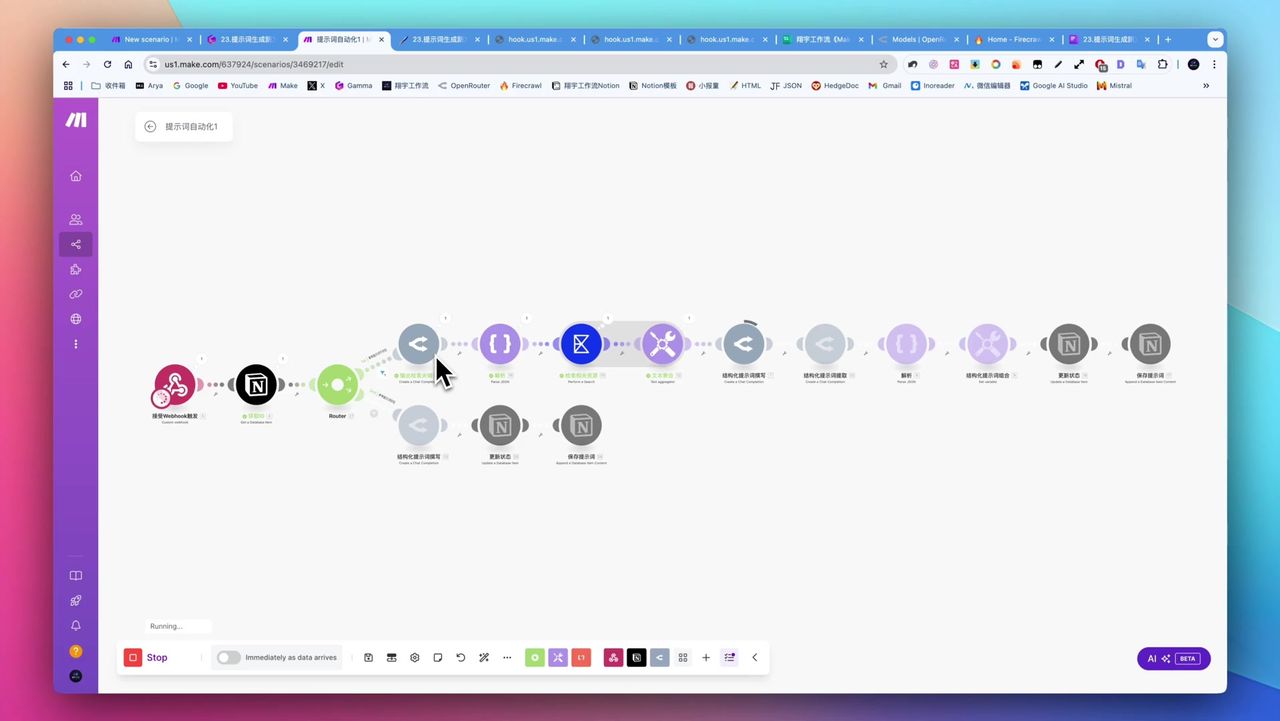 Complete workflow for automatic prompt generation
Core Decision Factors
When choosing prompt automation solutions, consider:
- Automation Level - End-to-end automation reducing manual intervention
- Generation Quality - Structured level and practical effectiveness of prompts
- Ease of Use - Complexity of setup and daily operations
- Extensibility - Integration capability with different AI models and data sources
- Cost-effectiveness - Balance between API costs and efficiency gains
Technical Specifications
| Specification | Value | Notes |
|---|---|---|
| Input Requirement | 10 words | Chinese or English |
| Core Platform | Make.com | Workflow orchestration |
| Knowledge Base | Notion | Storage and triggering |
| Keyword Generation | OpenRouter | GPT-4o Mini |
| Web Scraping | Exa | Scrape prompt materials |
| Smart Processing | GPT-4o Mini | Generate structured prompts |
| Batch Capability | Hundreds to thousands | Single batch generation |
| Framework Count | 18 types | Available prompt frameworks |
| Cost Reference | ~$100/half year | GPT-4o Mini usage experience |
Prerequisites
Before starting, ensure you have:
- Make.com account (free registration)
- Notion account and database
- OpenRouter API key
- Exa API key (for web scraping)
Notion Database Structure
Create prompt management database with these fields:
- Task Description (Text) - Simple task requirements
- Status (Select) - Pending/Processing/Completed
- Generated Prompt (Text) - AI-generated structured prompt
- Reference Materials (Text) - Scraped web materials (optional)
What are Structured Prompts
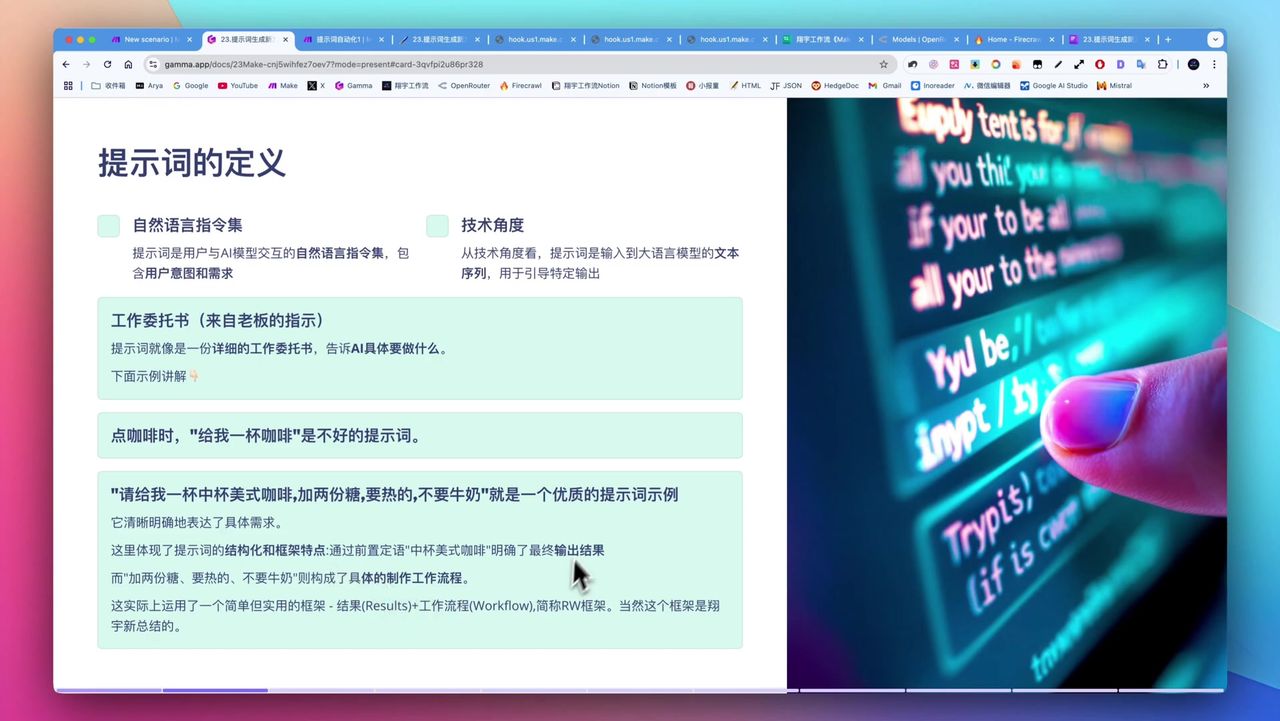 Comparison: Unstructured vs structured prompts
Structured prompts contain complete element frameworks:
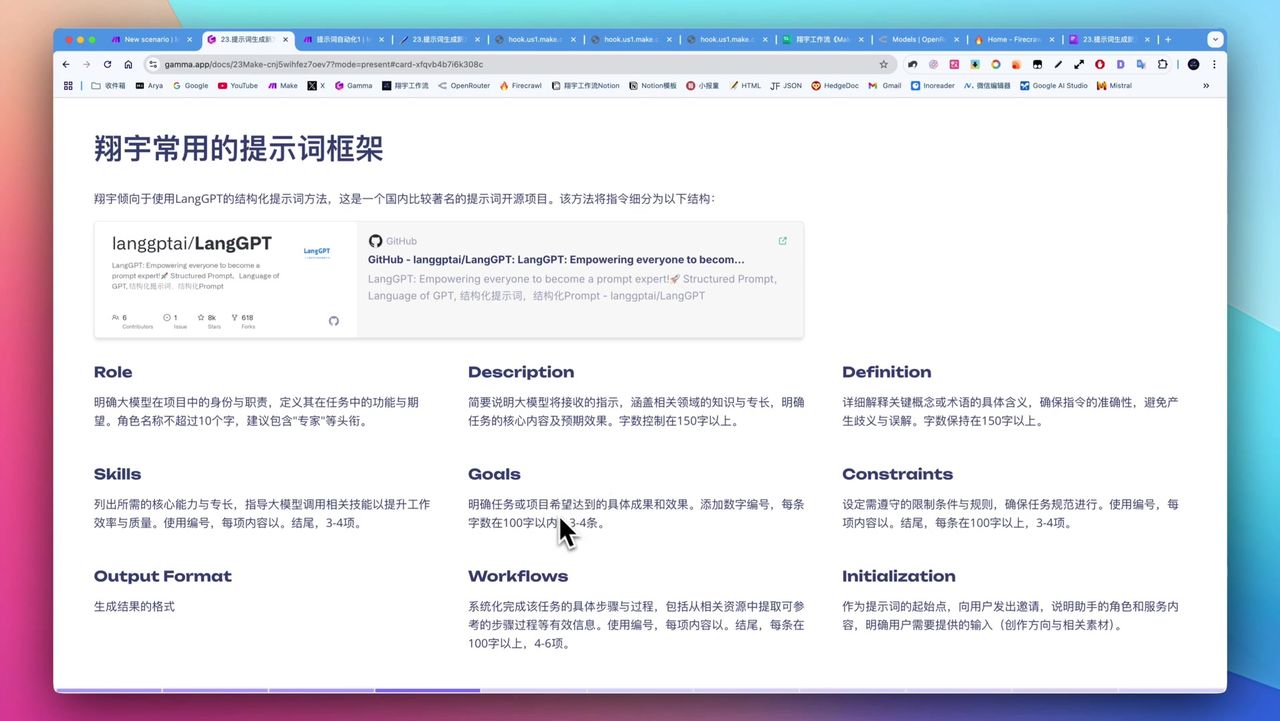 Key components of prompt framework
Core Elements:
- Role Definition - AI’s professional role
- Goal Description - Specific tasks to complete
- Capability Statement - AI’s required capabilities
- Constraints - Output limits and requirements
- Workflow - Execution steps and methods
- Output Format - Expected output structure
- Reference Examples - Optional sample content
Workflow Architecture
Stage 1: Keyword Generation
After user inputs task description, call OpenRouter to generate search keywords:
Prompt Design:
Based on the following task requirement, generate 3-5 keywords for retrieving related prompts:

Task: {{task_description}}

Requirements:
1. Keywords should find similar task prompt templates
2. Include English keywords to expand search scope
3. Return in JSON array format
Stage 2: Material Scraping
Use Exa to scrape related prompt materials from web pages:
Configuration Points:
- Use generated keywords for search
- Scrape open-source prompt websites like prompts.chat
- Get multiple reference materials for processing
Stage 3: Smart Processing
Use GPT-4o Mini to process materials and generate structured prompts:
Prompt Design:
You are a prompt engineering expert. Based on the following task requirements and reference materials, generate a high-quality structured prompt.

Task Requirements: {{task_description}}
Reference Materials: {{reference_materials}}

Output Requirements:
1. Include role, goal, capabilities, constraints, workflow, output format
2. Language fluent and professional
3. Directly usable for AI conversationsNote: Should describe “what task to complete” rather than “generate what prompt”, otherwise AI may misunderstand.
Stage 4: Save Knowledge Base
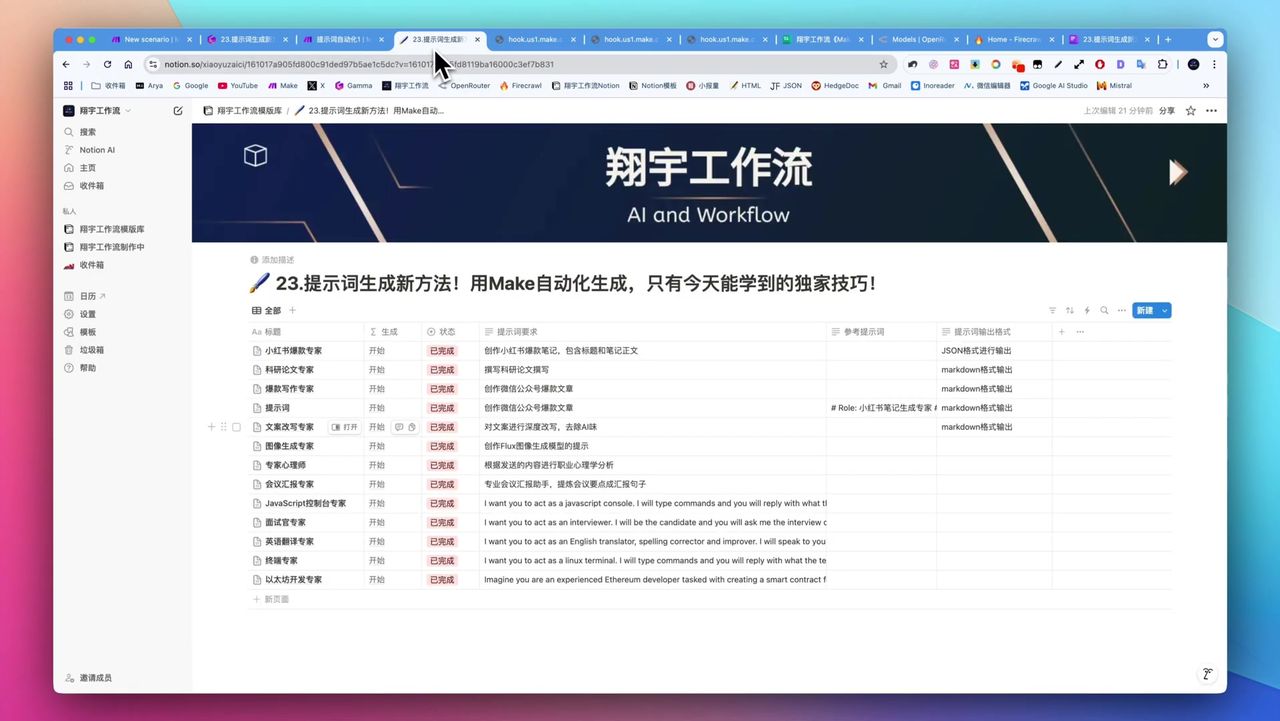 Structured prompt stored in Notion
Save generated prompt back to Notion:
Considerations:
- Notion text field limits ~2000 characters
- Long text needs map and join function processing
- Update status to “Completed”
Batch Generation Mode
Workflow supports batch generation of hundreds of prompts:
Process:
- Scrape base prompts from websites like prompts.chat
- Process one by one using Iterator
- Transform each base prompt to structured version
- Batch save to Notion
Application Scenarios:
- Build personal prompt knowledge base
- Attract users as quality content
- Sell prompt templates on e-commerce platforms
Gotchas
Common pitfalls during setup:
-
Simple Model Limitations - Small models lacking reasoning only repeat execution, cannot understand modification intentions
-
Disable Auto Fallback - Must disable Automatic Fallback to avoid switching to free low-quality models
-
Notion Long Text - 2000 character limit; need map+join function to handle long text with blank lines
-
JSON Structure Break - Special characters may break JSON; use native JSON create module for escaping
-
Task Description Precision - Describe “what task to complete” not “generate what prompt”
-
Batch Consumes Operations - Batch generation consumes large amounts of Make operations; watch billing limits
Generation Effect Examples
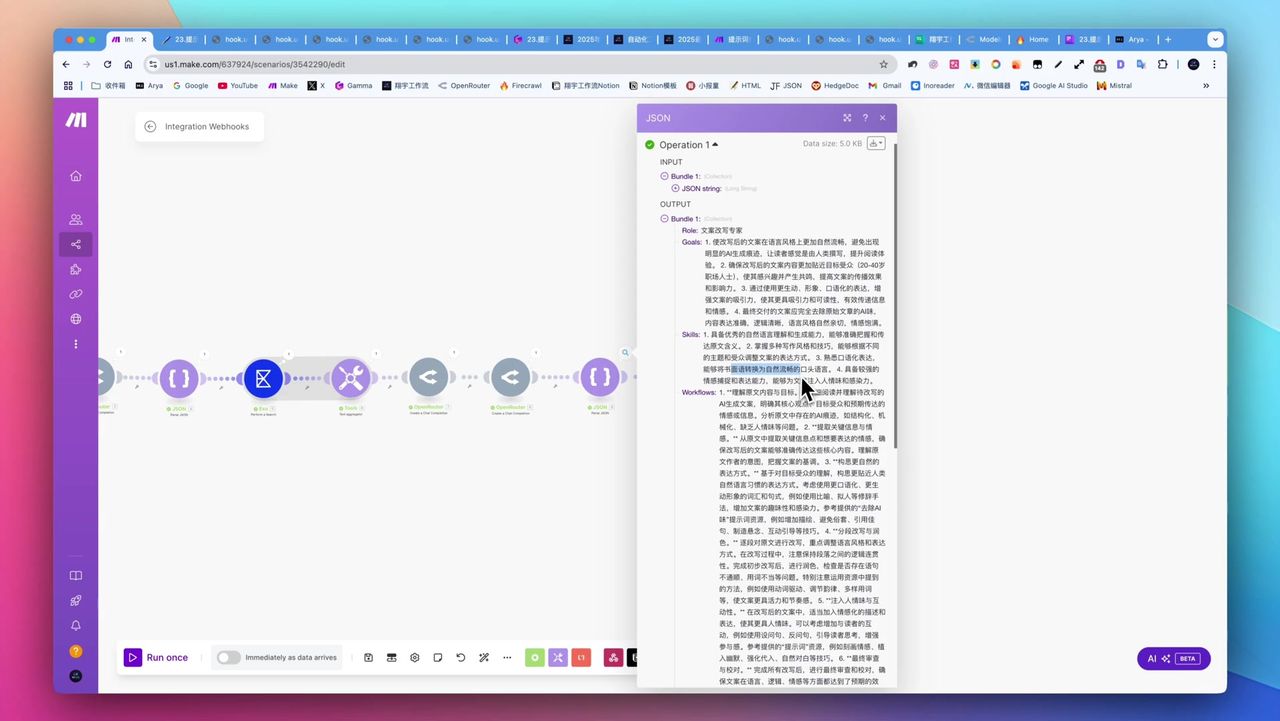 Auto-generated SEO meta description expert structured prompt
Example: Viral Social Media Post Expert
- Role: Senior social media content creator
- Goal: Generate high-engagement, high-conversion viral posts
- Capabilities: Clickbait title techniques, emotional expression, trending integration
- Workflow: Analyze topic → Write title → Create body → Optimize tags
- Output Format: Title + body + tags complete post
Use Cases
Recommended Users
- AI Content Creators - Need high-quality structured prompts
- Prompt Engineers - Want to automate prompt production workflows
- Social Media Operators - Batch generate platform content prompts
- Efficiency Pursuers - Reduce repetitive work to focus on creativity
May Not Suit
- Users lacking basic understanding of AI tools and Make platform
- Users only occasionally needing simple prompts
- Extremely budget-limited users unwilling to use paid models
FAQ
Why need structured prompts?
Structured prompts contain complete elements like role, goal, constraints, workflow, etc., enabling AI to produce more professional and stable results than simple instructions.
What are the input requirements?
Only need ~10-word task descriptions (Chinese or English), like “viral social media post” or “SEO meta description expert”.
Can I batch generate?
Yes, workflow supports batch scraping materials from web pages to generate hundreds or even thousands of structured prompts at once.
Are AI model costs high?
GPT-4o Mini costs extremely low, ~$100 lasts half a year. But must disable automatic fallback to avoid switching to free low-quality models.
Next Steps
After mastering basics, you can try:
- Adding more prompt framework templates
- Integrating more data sources (GitHub, forums, etc.)
- Adding prompt scoring and filtering functions
- Building prompt commercialization monetization workflows
Questions? Feel free to leave comments!
FAQ
- Why need structured prompts?
- Structured prompts contain complete elements like role, goal, constraints, workflow, etc., enabling AI to produce more professional and stable results than simple instructions.
- What are the input requirements?
- Only need ~10-word task descriptions (Chinese or English), like 'viral social media post' or 'SEO meta description expert'.
- Can I batch generate?
- Yes, workflow supports batch scraping materials from web pages to generate hundreds or even thousands of structured prompts at once.
- Are AI model costs high?
- GPT-4o Mini costs extremely low, ~$100 lasts half a year. But must disable automatic fallback to avoid switching to free low-quality models.
Start Building Your Automation Today
Join 500,000+ users automating their work with Make.com. No coding required, free to start.
Get Started FreeRelated Tutorials
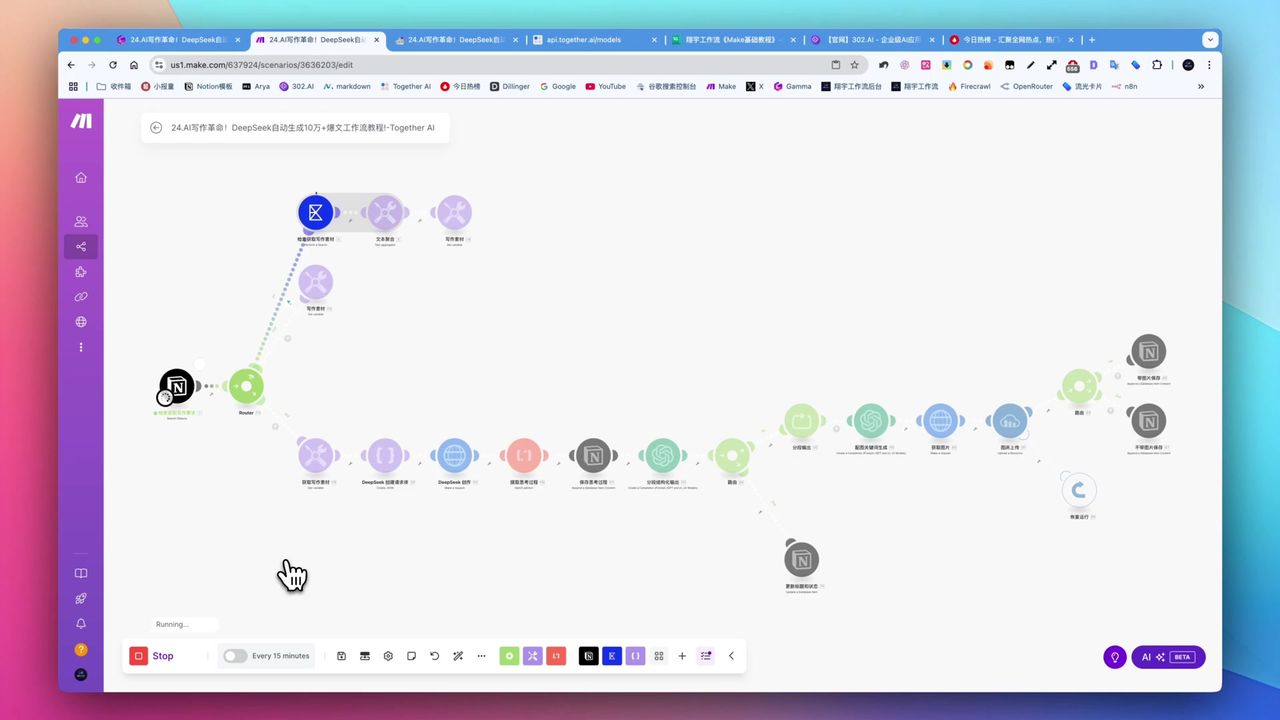
Create Viral Content with Make.com & DeepSeek AI
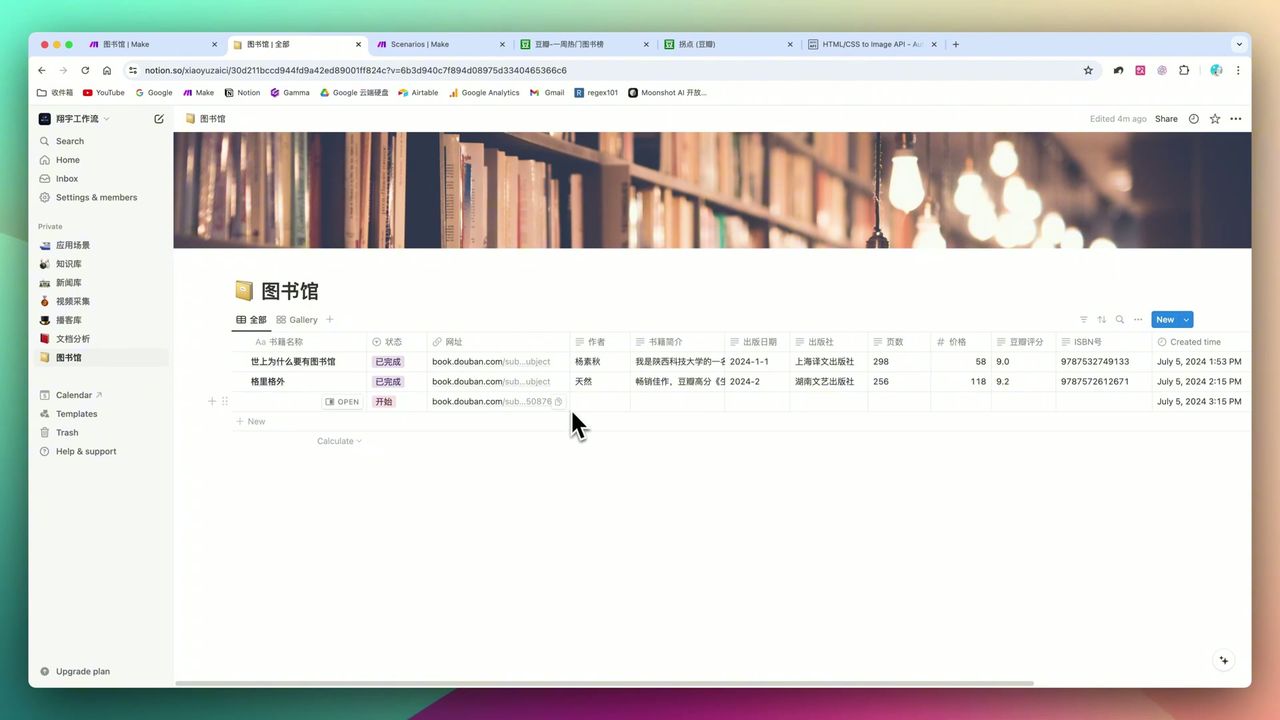
Build Notion Book Library with Make.com & GPT-4o Vision
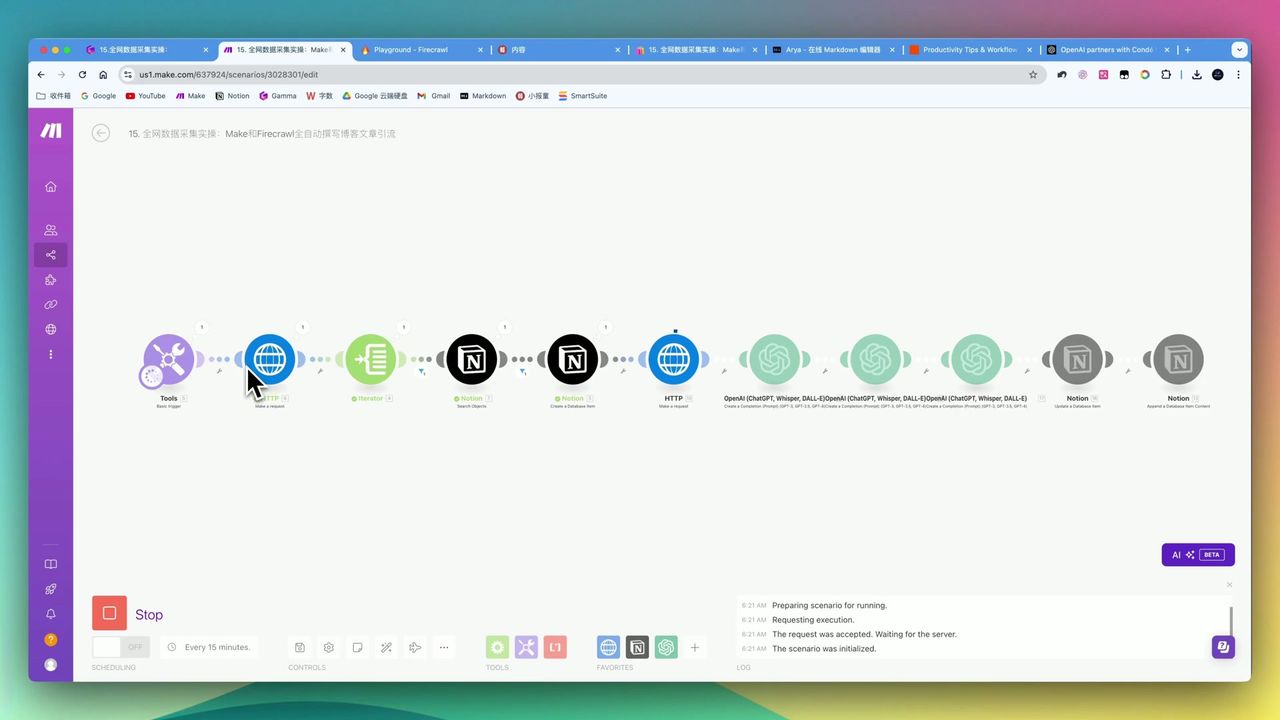
Automate Blog Writing with Make.com & Firecrawl Web Scraper
Automate PDF Analysis with Make.com & Kimi 128K Context
About the author
Alex Chen
Automation Expert & Technical Writer
Alex Chen is a certified Make.com expert with 5+ years of experience building enterprise automation solutions. Former software engineer at tech startups, now dedicated to helping businesses leverage AI and no-code tools for efficiency.
Credentials