Automate Blog Writing with Make.com & Firecrawl Web Scraper
Use Firecrawl's map and scrape to batch extract website content. Combine Make.com and AI to auto-generate illustrated blog articles for SEO.
Ready to automate?
Start building this workflow with Make.com — free forever on the starter plan.
Overview
This tutorial explores how to leverage Firecrawl’s data collection capabilities with Make.com automation workflows and large language models to achieve fully automated blog article writing and SEO.
This solution efficiently scrapes website content, intelligently transforms and generates illustrated Markdown articles:
- Full Site Scan - Use Firecrawl’s map function to get all sub-links
- Content Scraping - scrape endpoint extracts clean Markdown content
- AI Processing - AI model translates, removes promotions, formats
- Auto-Storage - Save to Notion knowledge base
- Scheduled Publishing - Daily fixed quantity batch publishing
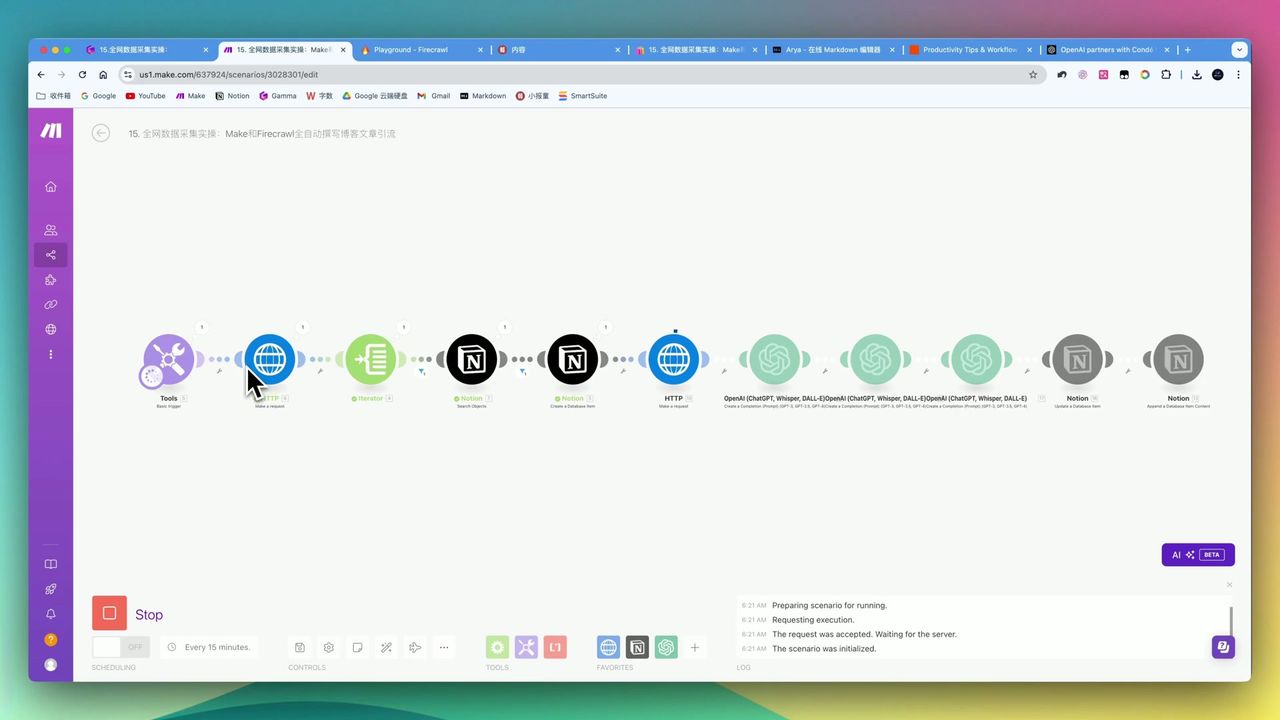 Complete workflow: Firecrawl scraping → AI processing → Notion storage
Core Decision Factors
When choosing AI content automation solutions, focus on:
- Data Collection Capability - Supports single page, full site, and deep sub-link scraping
- Content Processing Transformation - Can perform translation, refinement, formatting, and image-text mixing
- Automation Level - Supports batch processing and scheduled publishing
- Cost & Deployment - Free quota, open-source options, and local deployment capability
Technical Specifications
| Specification | Value | Notes |
|---|---|---|
| Firecrawl Online Free Quota | 500 credits/month | ~500 pages, usually sufficient for personal needs |
| Jina Reader API Free Quota | 1 million requests | Reference comparison |
| Map Function Scrape Example | 3,553 articles | Zapier blog, extremely fast |
| HTTP Request Default Timeout | 40 seconds | May not be enough |
| HTTP Request Recommended Timeout | 300 seconds | For time-consuming operations |
| LLM Processing Blog Token | 4,096 | For longer articles |
| LLM Processing Social Token | 1,000 | For short content |
| API Rate Limit Error Code | 429 | Need to control request frequency |
Prerequisites
Before starting, ensure you have:
- Make.com account (free registration)
- Firecrawl API key (firecrawl.dev)
- OpenAI API key
- Notion account and database
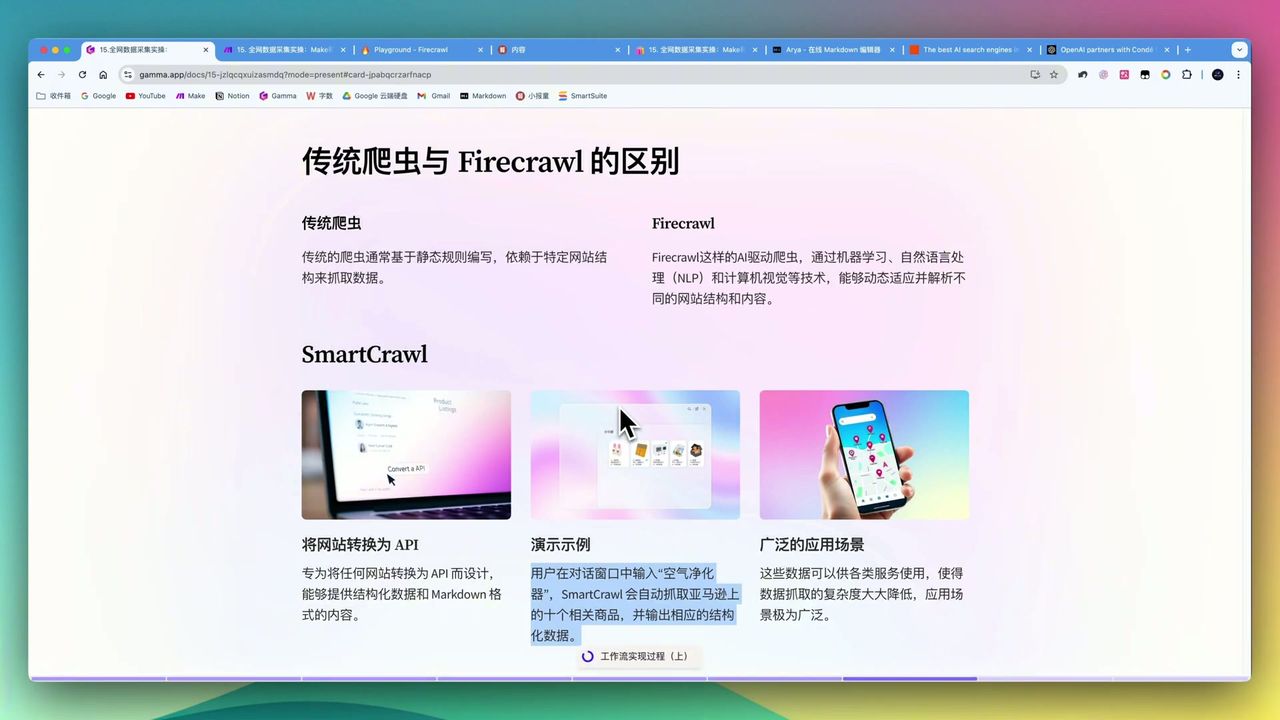
Firecrawl Core Functions
Firecrawl is a web scraping tool designed for AI, providing two core endpoints:
Map Endpoint - Full Site Scan
Quickly get all sub-links under a website without scraping page by page.
 3,553 Zapier blog article links, instantly obtained
Features:
- Extremely fast, completed in seconds
- Returns all sub-link lists
- Supports URL pattern filtering
Scrape Endpoint - Content Extraction
Converts web pages to clean Markdown format, including image links.
Output Content:
- Pure Markdown text
- Preserves image URLs
- Removes ads and navigation elements
Workflow Architecture
 Complete automation workflow logic structure
Core Modules
- Basic Trigger - Input target URL
- HTTP (Map) - Call Firecrawl to get all sub-links
- Iterator - Traverse link list
- HTTP (Scrape) - Scrape each page content
- OpenAI - Translate, remove promotions, format
- Notion - Save generated articles
Step 1: Configure Firecrawl Map Request
Add HTTP module in Make, call Firecrawl’s map endpoint:
Request Configuration:
- URL:
https://api.firecrawl.dev/v0/map - Method: POST
- Headers:
Authorization: Bearer {{your_api_key}} - Body:
{
  "url": "{{target_website_url}}"
}
Step 2: Configure Content Scraping
Use Iterator to traverse link list, call scrape endpoint for each:
Request Configuration:
- URL:
https://api.firecrawl.dev/v0/scrape - Method: POST
- Body:
{
  "url": "{{current_link}}",
  "formats": ["markdown"]
}Note: Set timeout to 300 seconds to avoid complex page scraping timeouts.
Step 3: Configure AI Model Processing
Use GPT-4o to process scraped content:
Prompt Design:
Please translate the following English content to Chinese and process as follows:
1. Remove all promotional and traffic-driving content
2. Maintain Markdown format
3. Preserve all image links
4. Generate article suitable for blog publishing

Original content:
{{scraped_markdown}}
Key Parameters:
- Model: gpt-4o
- Max Tokens: 4096
Step 4: Smart Deduplication & Storage
Configure Notion search module to avoid re-scraping:
- Search Notion database for existing URL
- Use Router to judge: skip if exists, save if not
- Save processed article to Notion
Note: When saving URLs in Notion, recommend using “Text” type field to avoid errors from non-standard URLs.
Step 5: Scheduled Batch Publishing
Implement daily fixed quantity publishing via date formula:
Implementation:
- Add “Publish Date” formula field in Notion
- Set daily publish quantity (e.g., 10 articles)
- Make scheduled task filters articles for that day
This allows:
- Avoid system overload
- Maintain continuous content updates
- Control publishing pace
Final Effect
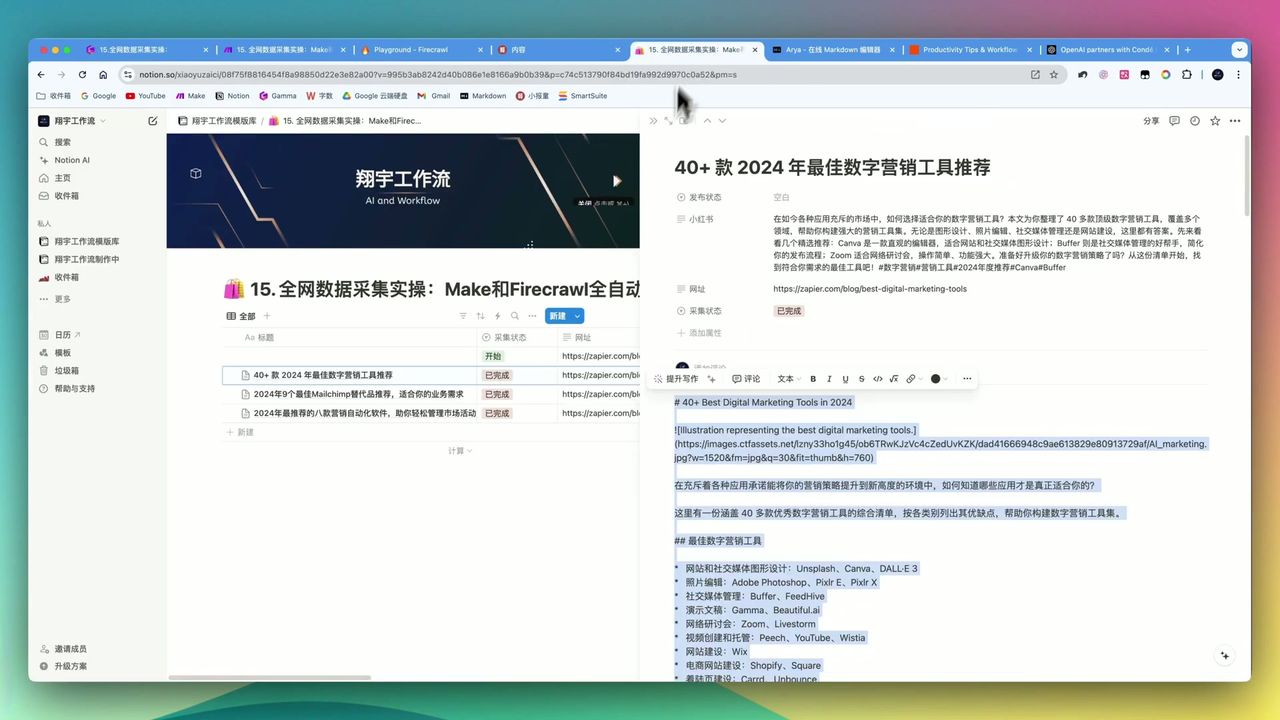
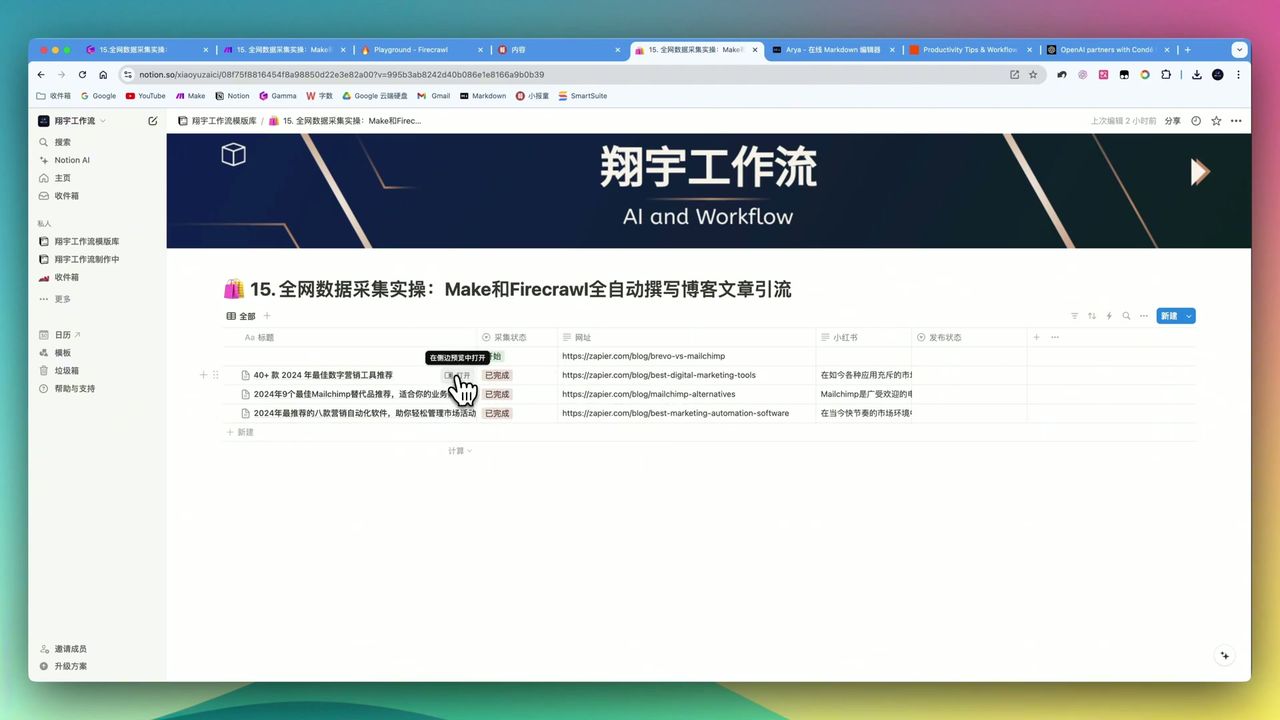 Firecrawl + AI model generated illustrated blog article
After workflow runs, you’ll get:
- Illustrated Markdown format articles
- Auto-translated and de-promoted processing
- All content auto-saved to Notion
- Supports batch and scheduled publishing
Important Notes
Things to note during setup:
-
Content Post-Processing - Must clearly instruct AI model to remove original promotional content
-
Markdown Format Fine-tuning - May have extra format marks (like two asterisks) when pasting to editor, need manual deletion
-
Anti-Scraping Mechanisms - Some sites have strict anti-scraping, Firecrawl may fail
-
JSON Structure Sensitive - Extra spaces or unexpected characters may cause HTTP request parsing failures
-
Large-Scale Processing Pressure - When batch processing thousands of articles, recommend batch processing to avoid system overload
-
Prompt Precision - AI model module configuration needs precision, especially JSON output format instructions
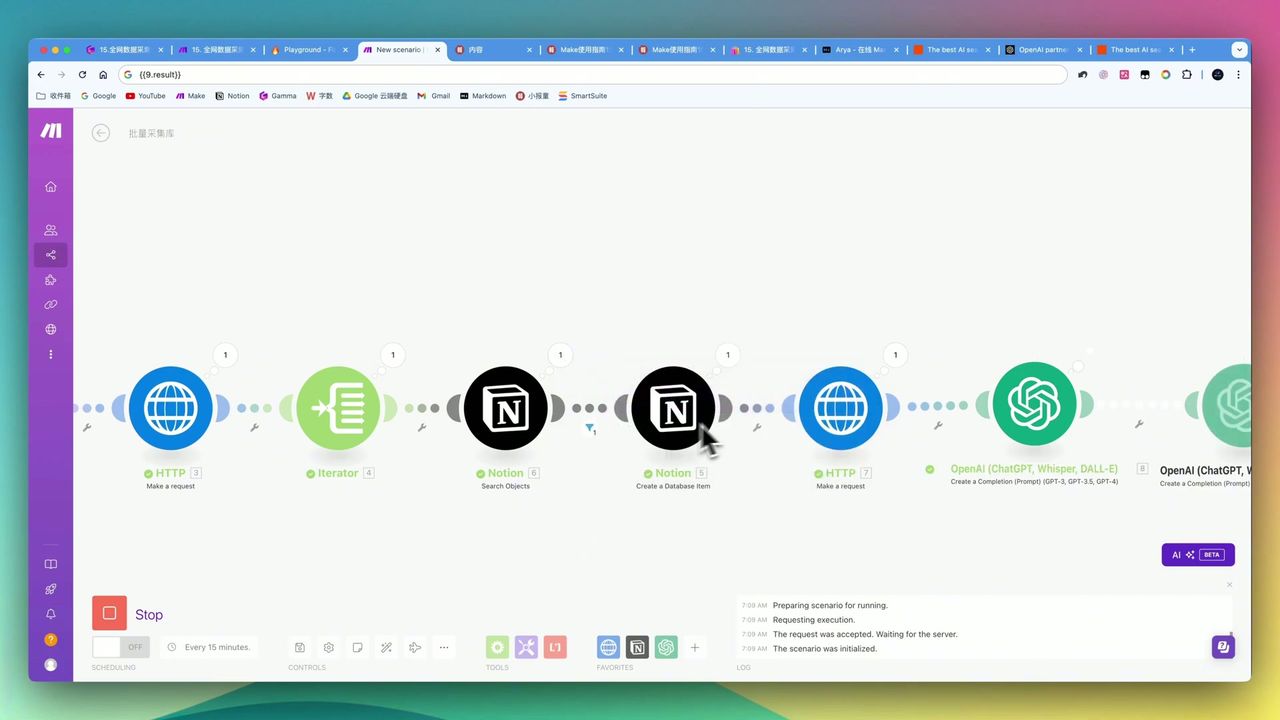 Large language model module error example, note prompt configuration
Use Cases
Recommended For
- Content Creators - Want to significantly improve creation efficiency, maintain update frequency
- Digital Marketers - SEO article traffic generation through high-quality content
- Industry Researchers - Batch scrape specific domain websites for structured archiving
- Businesses Reducing Labor Costs - Use AI to replace some manual content production
May Not Suit
- Users completely unfamiliar with API configuration
- Users with extremely high originality requirements
- Users needing simple text scraping only
- Users pursuing absolute zero-error zero-intervention
FAQ
Is Firecrawl’s free quota enough?
Online version offers 500 credits/month (~500 pages), usually sufficient for personal non-large-scale needs. Also supports open-source self-deployment with no quota limits.
Can it scrape all websites?
Most websites yes, but sites with strict anti-scraping may fail. Recommend small-scale testing first.
What’s the generated article quality?
After AI translation and polishing, articles are illustrated and well-formatted, but core content comes from scraping - note copyright issues.
How to avoid re-scraping same URLs?
Workflow uses Notion search module for smart deduplication, automatically skipping already-collected URLs.
Next Steps
After learning the basic workflow, you can try:
- Add more content source websites
- Integrate social media post generation module
- Add custom promotional content insertion
- Set multilingual translation output
Feel free to leave comments if you have questions!
FAQ
- Is Firecrawl's free quota enough?
- Online version offers 500 credits/month (~500 pages), usually sufficient for personal non-large-scale needs. Also supports open-source self-deployment with no quota limits.
- Can it scrape all websites?
- Most websites yes, but sites with strict anti-scraping may fail. Recommend small-scale testing first.
- What's the generated article quality?
- After AI translation and polishing, articles are illustrated and well-formatted, but core content comes from scraping - note copyright issues.
- How to avoid re-scraping same URLs?
- Workflow uses Notion search module for smart deduplication, automatically skipping already-collected URLs.
Start Building Your Automation Today
Join 500,000+ users automating their work with Make.com. No coding required, free to start.
Get Started FreeRelated Tutorials
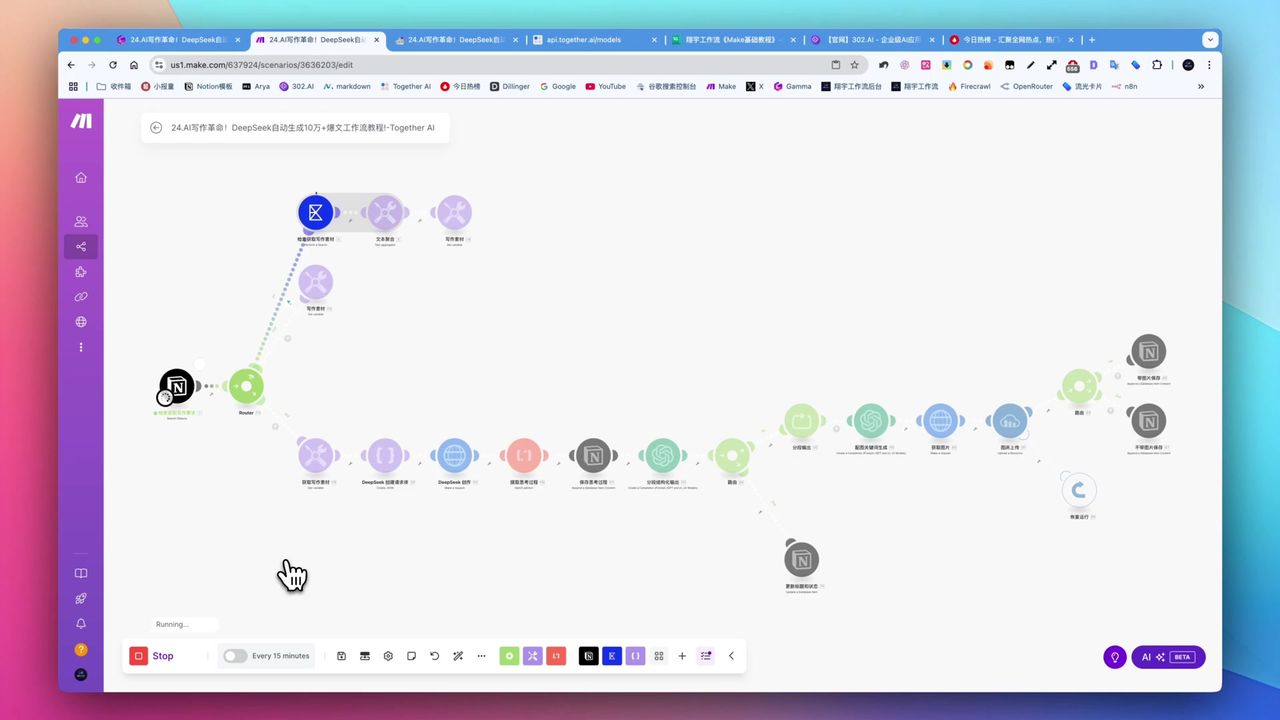
Create Viral Content with Make.com & DeepSeek AI
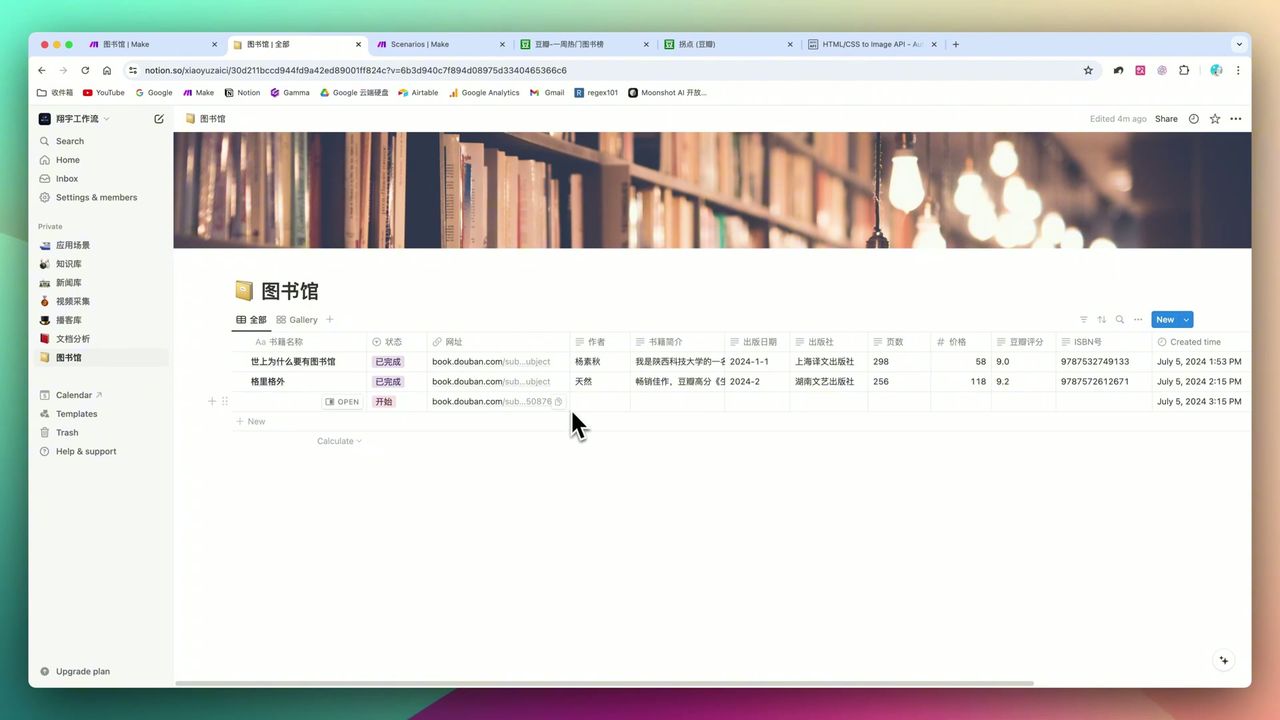
Build Notion Book Library with Make.com & GPT-4o Vision
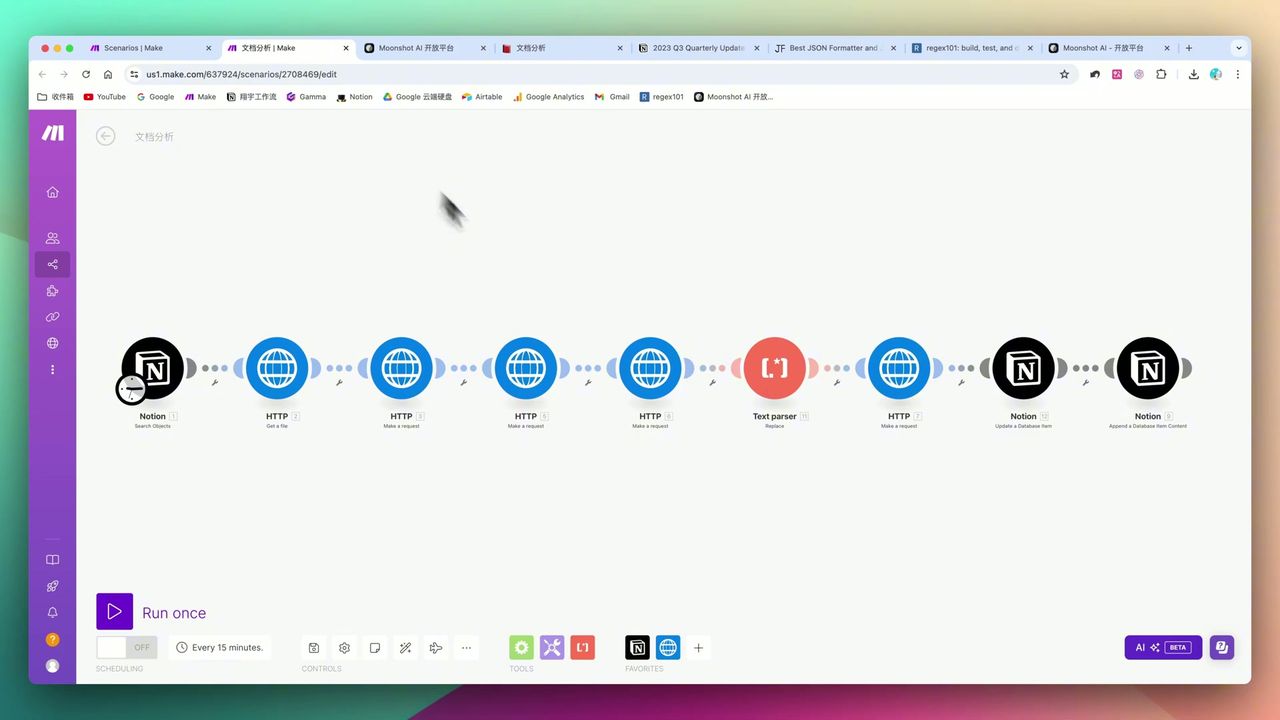
Automate PDF Analysis with Make.com & Kimi 128K Context
Build Multimodal Video Scripts with Make.com
About the author
Alex Chen
Automation Expert & Technical Writer
Alex Chen is a certified Make.com expert with 5+ years of experience building enterprise automation solutions. Former software engineer at tech startups, now dedicated to helping businesses leverage AI and no-code tools for efficiency.
Credentials