Build Reflection-Based PDF Translation with Make.com
Combine OpenRouter multi-model switching, Jina Reader & reflection review for high-quality PDF translation. Supports custom glossaries & text segmentation.
Ready to automate?
Start building this workflow with Make.com — free forever on the starter plan.
Overview
This is an advanced automation solution pursuing translation quality.
By introducing “faithfulness, expressiveness, elegance” reflection mechanism, eliminate robotic machine translation tone:
- PDF Extraction - Jina Reader converts to Markdown
- Smart Segmentation - Repeater divides by set granularity
- Draft Translation - AI generates first version translation
- Reflection Review - Proposes improvements based on translation principles
- Generate Final - Integrates suggestions to output high-quality translation
- Save Results - Write back to Notion database
 PDF reflection translation automation workflow architecture
Core Decision Factors
When choosing AI translation solutions, focus on:
- Translation Quality - Can it achieve “faithfulness, expressiveness, elegance” standards, avoiding literal translation
- Model Flexibility - Can you switch between different AI models based on tasks
- Text Processing Capability - Segmentation and format handling for long texts
- Customization Capability - Support for glossaries and language pair settings
- Cost-effectiveness - Cost-performance ratio while ensuring quality
Technical Specifications
| Specification | Value | Notes |
|---|---|---|
| Supported AI Models | GPT-4o Mini, Claude, Gemini, etc. | Switch via OpenRouter |
| Text Segmentation Granularity | 100/300/600/1000 characters | Adjustable based on needs |
| Notion PDF Limit | 5MB | Free account, can compress |
| Notion Text Limit | 2000 characters | Need segmentation or Append save |
| PDF Extraction API | Jina Reader | Nearly free |
| GPT-4o Mini Cost | <$10/million tokens | Extremely cost-effective |
Prerequisites
Before starting, ensure you have:
- Make.com account (free registration)
- OpenRouter API key (multi-model support)
- Jina Reader API key (PDF extraction)
- Notion account and database
Notion Database Structure
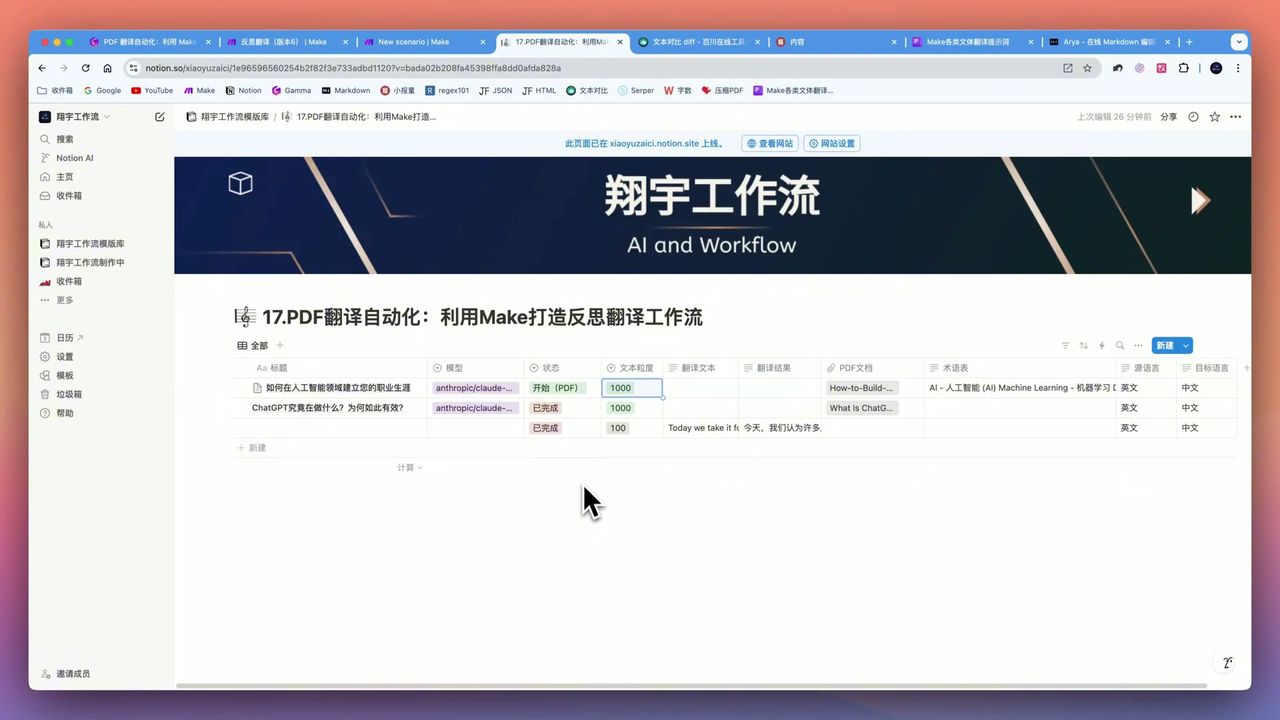 Database property settings
Create translation task database with these fields:
- Status (Select) - Pending/Processing/Completed
- Model Selection (Select) - GPT-4o Mini/Claude/Gemini
- Text Granularity (Select) - 100/300/600/1000
- Source Language (Select) - English/Japanese/French, etc.
- Target Language (Select) - Chinese/English, etc.
- Glossary (Text) - Custom technical terms
- PDF File (Files) - Document to translate
- Translation Result (Text) - Output translation
Workflow Architecture
Stage 1: PDF Extraction
Use Jina Reader to convert PDF to Markdown:
Configuration Points:
- API nearly free
- Outputs Markdown format
- Preserves document structure
Note: Ensure correct credentials when configuring API Key, otherwise 401 errors occur.
Stage 2: Smart Segmentation
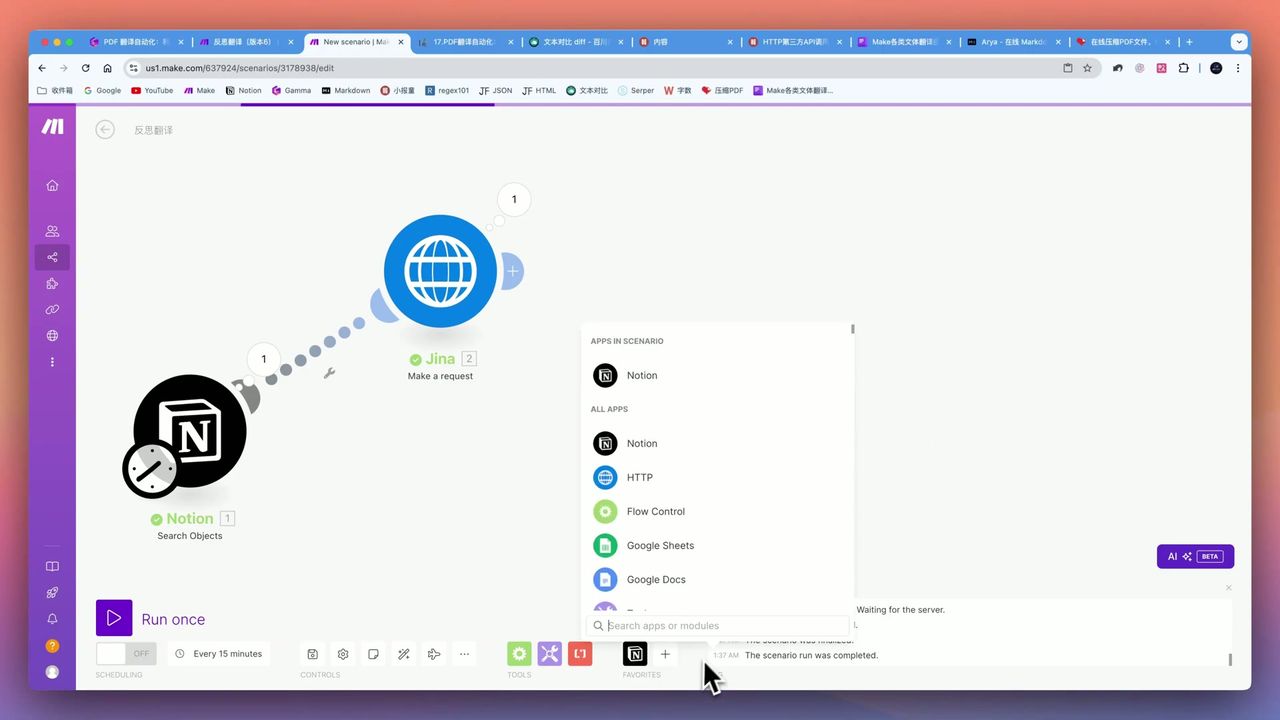 Text segmentation formula setup
Use Repeater module for long text segmentation:
Segmentation Logic:
- Based on user-set granularity (e.g., 1000 characters)
- Use Substring function for dynamic splitting
- Calculate total segments: text length / granularity
Why Segment?
- Avoid exceeding model token limits
- Improve translation accuracy
- Facilitate segment-by-segment review
Stage 3: Draft Translation
Call AI model to generate first version translation:
Prompt Design Points:
You are a professional translator fluent in {{source_lang}} and {{target_lang}}.

Please translate the following text to {{target_lang}}:
- Maintain accuracy of original meaning
- Use natural, fluent expressions
- Reference glossary: {{glossary}}

Original text:
{{text_segment}}
Stage 4: Reflection Review (Core Innovation)
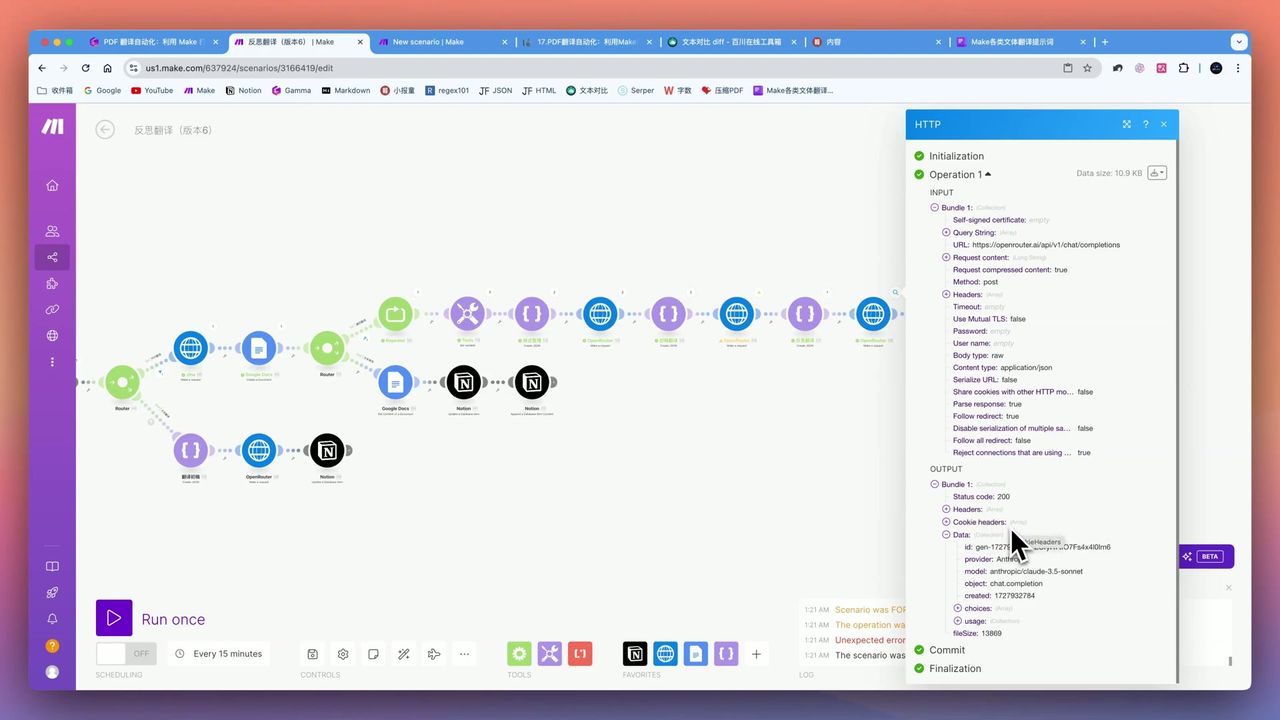 Original text, improved translation, and suggestion comparison
This is the workflow’s core highlight—reflection mechanism based on “faithfulness, expressiveness, elegance” principles:
Reflection Prompt Design:
You are a translation quality reviewer. Please review the following translation based on "faithfulness, expressiveness, elegance" principles:

- Faithfulness: Does it accurately convey original meaning
- Expressiveness: Is it smooth and fluent, conforming to target language habits
- Elegance: Is it refined and appropriate, avoiding robotic translation tone

Original: {{original}}
Translation: {{translation}}

Please propose {{suggestion_count}} specific improvement suggestions.
Suggestion Count Calculation:
- 1000-character text: ~26 suggestions
- 100-character text: ~5-7 suggestions
- Formula: text granularity / 50 + 6
Warning: Don’t blindly request too many suggestions (e.g., 100); causes AI hallucination with meaningless suggestions.
Stage 5: Generate Final Translation
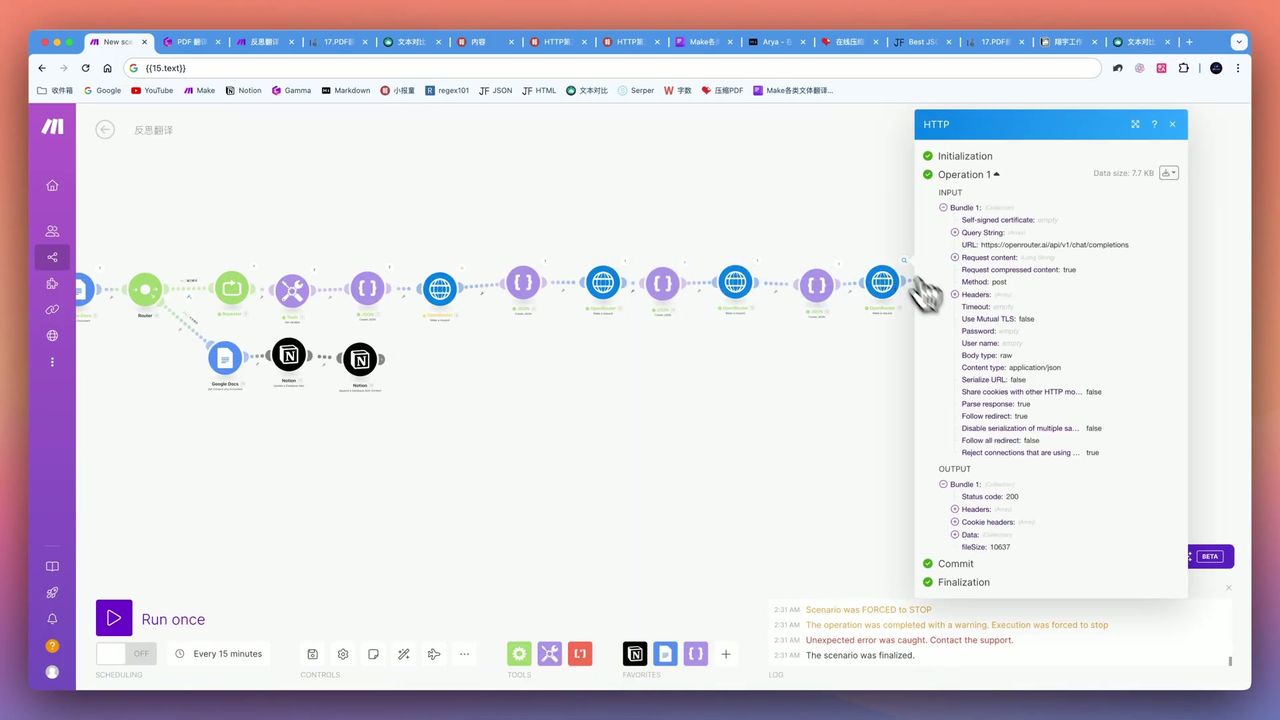 Quality improvement from reflection translation
Integrate review suggestions to generate final translation:
Effect Comparison:
- “Build” vs “Construct”
- “AI Programming” vs “Write AI Code”
- More natural, more “human-like”
Gotchas
Common pitfalls in practice:
-
Long Document Time - Full translation of long documents takes considerable time, possibly tens of minutes
-
Notion Limits - PDF limited to 5MB, text properties to 2000 characters
-
JSON Format Issues - Special characters like quotes in text may break JSON structure
-
API Authorization Errors - Ensure correct API Key configuration to avoid 401 errors
-
Suggestion Count Control - Too many suggestions cause AI hallucination; need reasonable settings
Use Cases
Recommended Users
- Professional Translators - Need high-quality translation handling large volumes of PDF documents
- Content Creators - Need polished translation eliminating “AI flavor”
- International Enterprises/Researchers - Need to translate internal documents and research reports
May Not Suit
- Complete beginners unfamiliar with Make.com and API configuration
- Regular users only occasionally needing simple translations
- Scenarios with extreme timeliness requirements for translation
FAQ
What is reflection translation?
After initial draft translation, AI self-reviews based on “faithfulness, expressiveness, elegance” principles and proposes improvements, ultimately generating higher quality final translation that eliminates robotic AI tone.
Why use OpenRouter?
OpenRouter supports multi-model switching: use GPT-4o Mini for simple tasks to save money, use Claude for high-quality requirements.
How to handle long texts?
Use Repeater module with Substring function for intelligent segmentation, supporting 100/300/600/1000 character granularities to avoid token limits.
What are Notion’s limitations?
Free account has 5MB PDF upload limit and 2000 character text property limit. Large PDFs need compression; long texts need segmentation or Append module saving.
Next Steps
After mastering the basic workflow, you can try:
- Adding more language pair support
- Integrating professional terminology databases
- Adding translation memory functionality
- Outputting to Google Docs for saving
Questions? Feel free to leave comments!
FAQ
- What is reflection translation?
- After initial draft translation, AI self-reviews based on 'faithfulness, expressiveness, elegance' principles and proposes improvements, ultimately generating higher quality final translation that eliminates robotic AI tone.
- Why use OpenRouter?
- OpenRouter supports multi-model switching: use GPT-4o Mini for simple tasks to save money, use Claude for high-quality requirements.
- How to handle long texts?
- Use Repeater module with Substring function for intelligent segmentation, supporting 100/300/600/1000 character granularities to avoid token limits.
- What are Notion's limitations?
- Free account has 5MB PDF upload limit and 2000 character text property limit. Large PDFs need compression; long texts need segmentation or Append module saving.
Start Building Your Automation Today
Join 500,000+ users automating their work with Make.com. No coding required, free to start.
Get Started FreeRelated Tutorials
Create Viral Content with Make.com & DeepSeek AI
Build Notion Book Library with Make.com & GPT-4o Vision
Automate Blog Writing with Make.com & Firecrawl Web Scraper
Automate PDF Analysis with Make.com & Kimi 128K Context
About the author
Alex Chen
Automation Expert & Technical Writer
Alex Chen is a certified Make.com expert with 5+ years of experience building enterprise automation solutions. Former software engineer at tech startups, now dedicated to helping businesses leverage AI and no-code tools for efficiency.
Credentials