Build RSS Auto-Archive with Make.com & Jina Reader API
Solve RSS title-only limitation with Make.com, Jina Reader API, and ChatGPT. Auto-scrape full articles and archive to Notion knowledge base.
Ready to automate?
Start building this workflow with Make.com — free forever on the starter plan.
Overview
This workflow demonstrates an efficient information automation solution. By combining Make.com’s process orchestration, Jina Reader API’s web-to-Markdown capability, and ChatGPT’s summarization ability, it perfectly solves traditional RSS subscription’s “title-only no content” pain point.
The complete process:
- Get Links - Get latest article URLs via RSS subscription
- Get Content - Use Jina Reader to scrape full text and clean
- Process Content - GPT translates titles and generates summaries
- Store Content - Auto-archive to Notion database
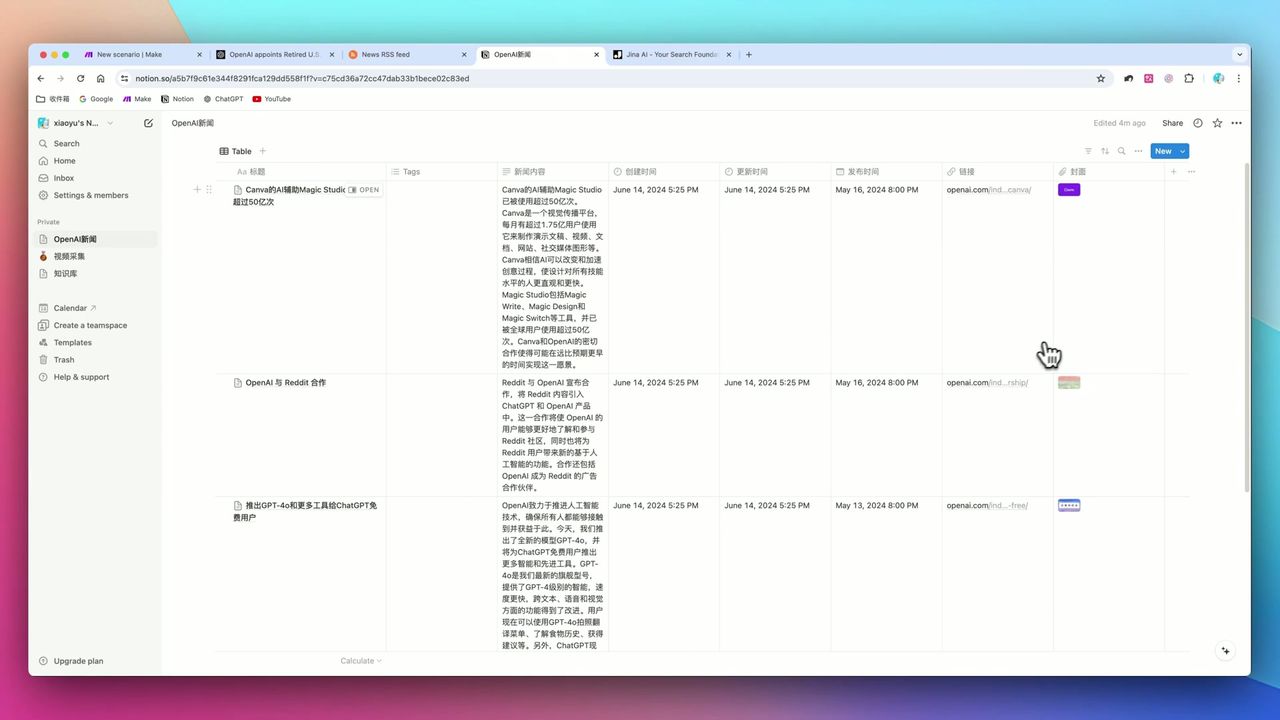 Auto-generated news database with cover images, titles, and summaries
Core Decision Factors
When building this type of automation workflow, focus on:
- Full Text Scraping Capability - Can bypass anti-scraping mechanisms, convert HTML to clean text
- Data Structuring - Can transform web content to database-readable format
- Running Stability - Are node connections stable, easy to expire
- Cost-Effectiveness - Total cost of ownership for involved SaaS tools
Technical Configuration Reference
| Configuration | Value | Notes |
|---|---|---|
| Core Tools | Make.com + Jina Reader + Notion | Automation hub/parser/database |
| Data Source | RSS.app or RSSHub | Convert web pages to RSS Feed |
| AI Model | GPT-3.5 | For translation and summary generation |
| Max Token Count | 1,000 | Control costs |
| Jina Mode | Reader Mode | Convert URL to LLM-friendly text |
| Jina Key Header | x-respond-with: json | Force JSON format return |
| Cache Setting | x-no-cache: true | Ensure getting latest content |
| HTTP Request Method | GET | Call Jina API |
Prerequisites
Before starting, ensure you have:
- Make.com account (free registration)
- OpenAI API key
- Notion account and database
- RSS feed (can use RSS.app to generate, or use free RSSHub)
Notion Database Field Settings
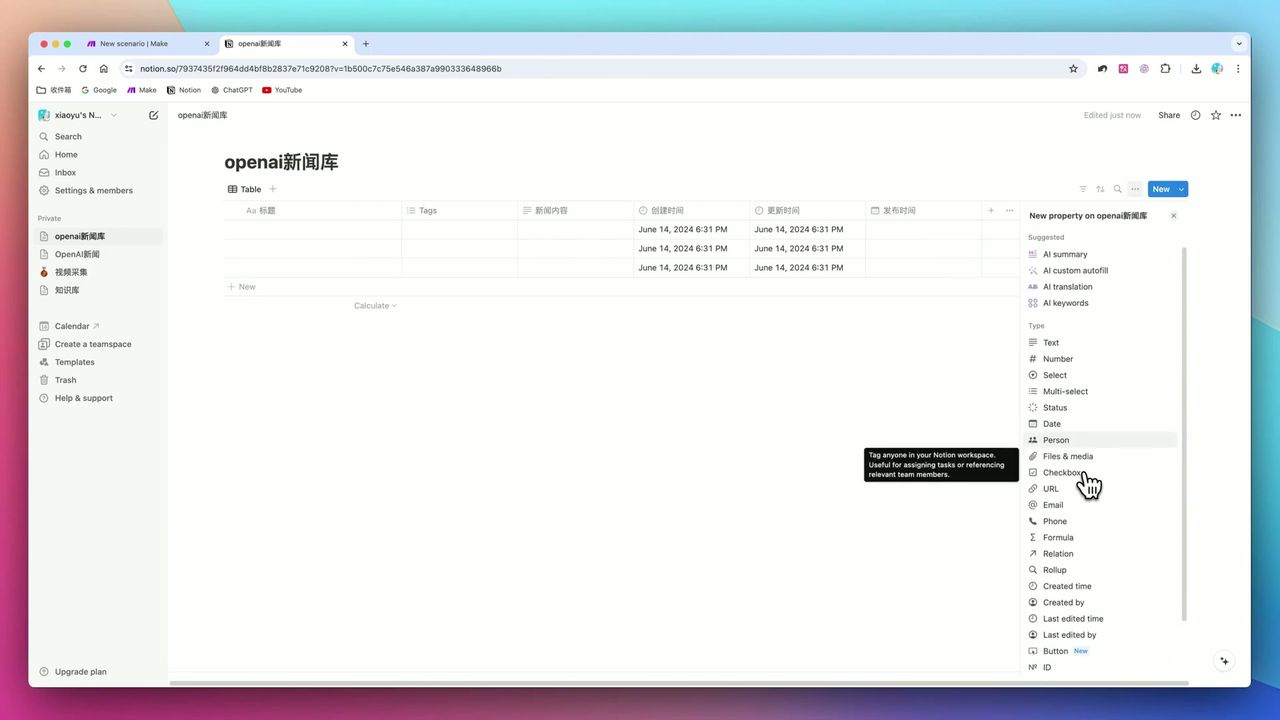 Required fields: Title, Date, URL, Cover, Content
Create database in Notion with these fields:
- Title (Title) - Article title
- Date (Date) - Publication time
- URL (URL) - Original link
- Cover (Files & Media) - Cover image
- Content (Text) - AI-generated summary
Step 1: Configure RSS Data Source
First need to get target website’s RSS feed.
Method 1: Use RSS.app (paid, ~$10/month)
- Input website URL to auto-generate RSS Feed
- Simple operation, suitable for non-technical users
Method 2: Use RSSHub (free, needs deployment)
- Open-source project, supports many websites
- Requires some technical ability to deploy
Add RSS module in Make to get latest article list.
Step 2: Configure Jina Reader API
This is the core solution of entire workflow.
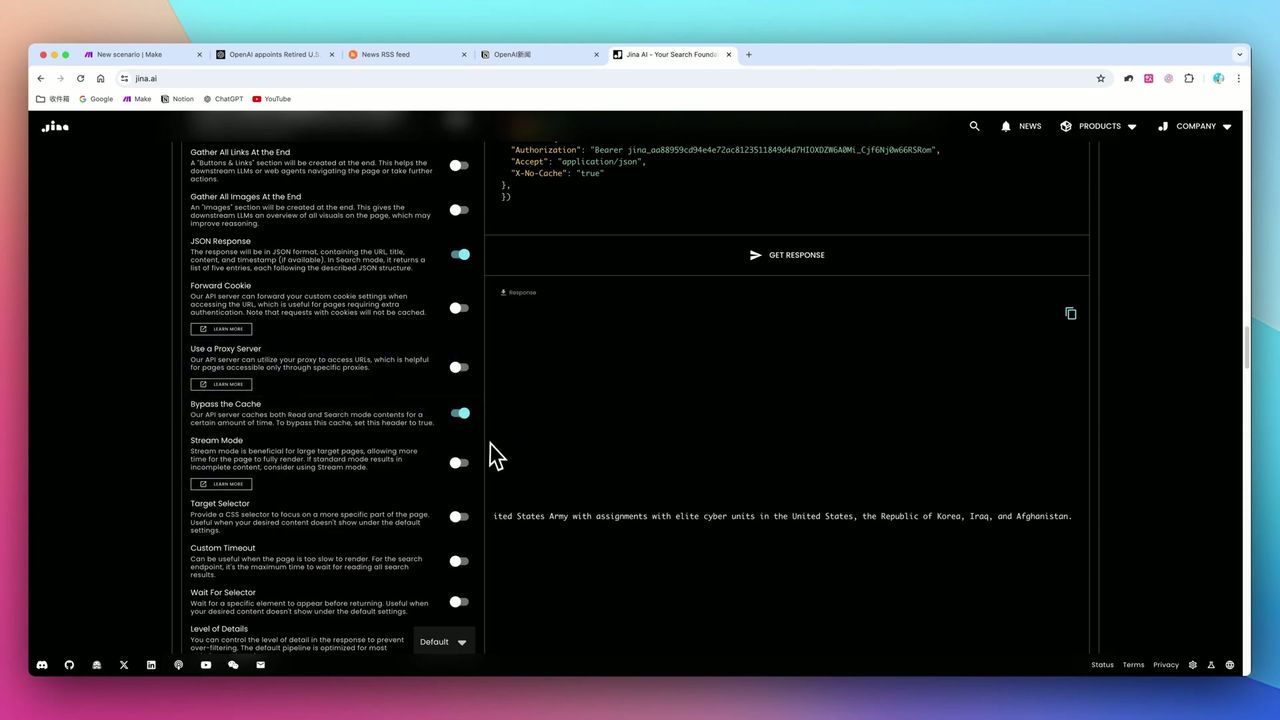 Enable JSON response and skip cache options
Why need Jina Reader?
Traditional crawlers are complex to configure, while Jina directly converts URLs to clean text. Without it, directly scraped web pages contain lots of HTML tags:
- Greatly wastes OpenAI Token quota
- Interferes with AI understanding ability
- Difficult to extract useful information
Configure HTTP module:
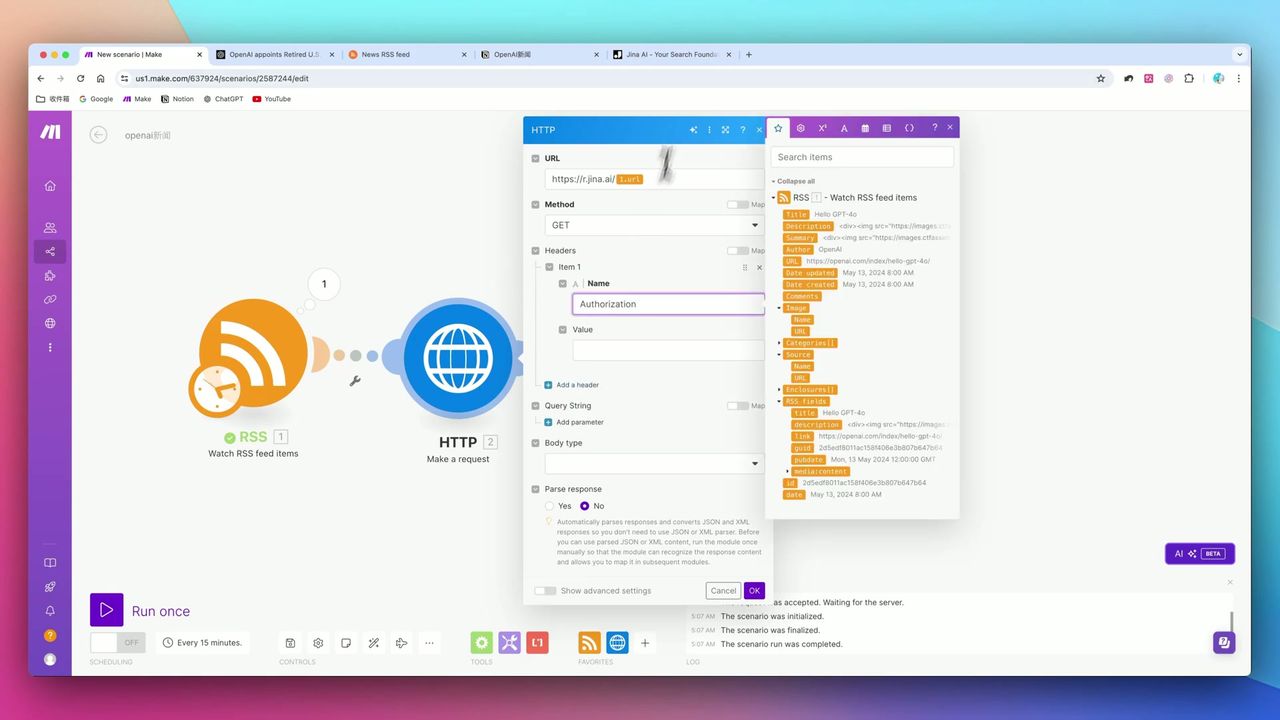 Correctly configure HTTP request headers to call Jina API
Key configuration:
- URL:
https://r.jina.ai/{{original_URL}} - Method: GET
- Headers:
x-respond-with: json- Force JSON format returnx-no-cache: true- Skip cache get latest content
Step 3: Configure ChatGPT Content Processing
Use GPT to translate and summarize scraped content.
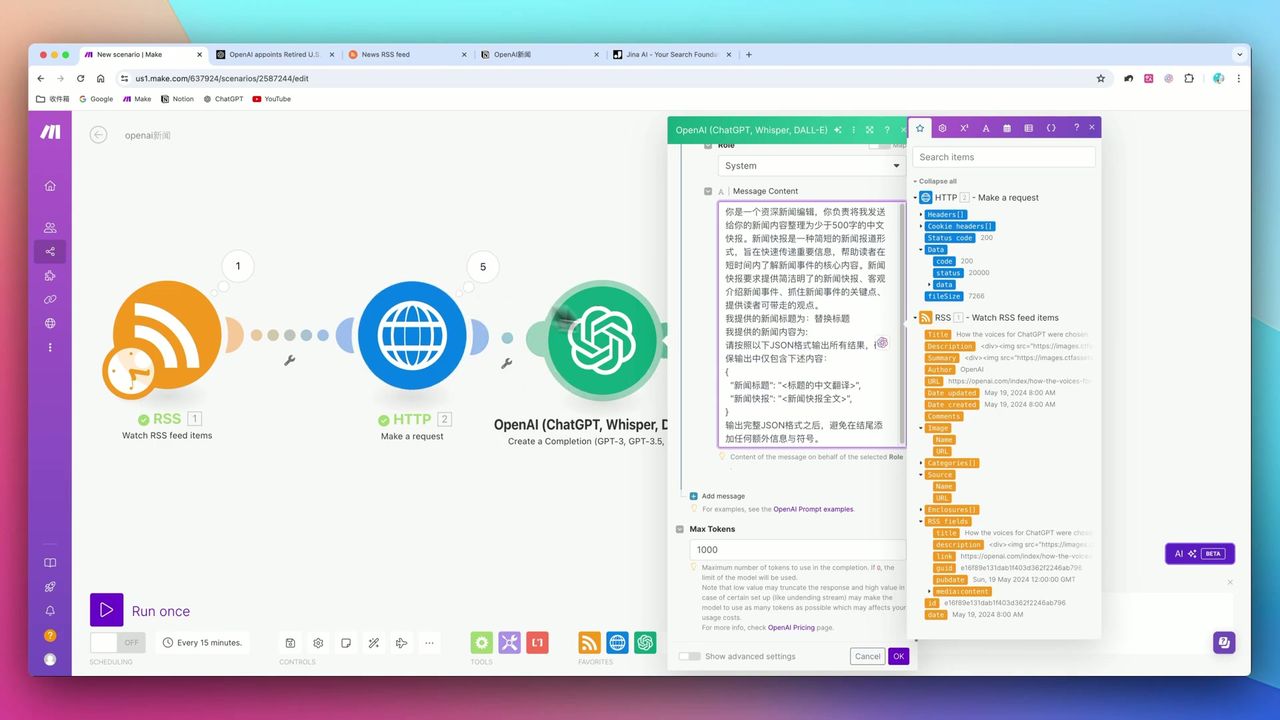 Simultaneously translate, summarize, and output JSON format
Prompt Design Points:
Please process the following news content:
1. Translate title to Chinese
2. Generate 100-150 word Chinese summary
3. Extract keywords (3-5)

Output JSON format:
{"title": "Chinese title", "summary": "summary content", "keywords": ["keyword1", "keyword2"]}

Original content:
{{Jina returned text}}
Key Parameters:
- Model: GPT-3.5 (low cost, fast)
- Max Tokens: 1,000 (control cost)
- Response Format: JSON Mode
Step 4: Store to Notion
Write processed content to Notion database.
Add Notion module, map fields:
- Title ← AI-translated Chinese title
- Date ← Original publication time
- URL ← Original link
- Cover ← Image URL extracted from Jina
- Content ← AI-generated summary
Note: If original website has hotlink protection, Notion may not display cover images correctly.
Important Notes
In actual deployment, note these potential issues:
-
RSS Tool Cost - RSS.app is paid tool, need RSSHub or similar open-source solutions for free
-
Make Connection Timeliness - Make and Notion connection authorization may expire, needs regular refresh
-
HTML Cleaning Importance - Jina’s value is as “cleaning layer,” without it Token consumption explodes
-
Image Hotlink Protection - Some website images have hotlink protection, may not display when saved to Notion cover
Use Cases
Recommended For
- Operations Personnel - Need to monitor specific websites (like competitor sites) updates
- Researchers - Build personal knowledge base
- Content Curators - Auto-collect industry news
- Analysts - Competitive analysis and intelligence monitoring
May Not Suit
- Users requiring extreme real-time (second-level) data
- Users completely unwilling to pay any API fees or SaaS subscriptions
- Scenarios needing to scrape content requiring login access
FAQ
Is Jina Reader free?
Jina Reader API has free quota, sufficient for personal use and testing. For large-scale scraping, need to monitor usage limits.
Why need Jina Reader instead of directly scraping web pages?
Directly scraped web pages contain lots of HTML tags, wasting OpenAI Token quota and interfering with AI understanding. Jina Reader acts as cleaning layer, converting web pages to clean Markdown text.
Will Make and Notion connection expire?
Yes, Make and Notion connection authorization may expire or need refresh. This is the most common cause of long-term workflow interruption, needs regular checking.
Can it scrape any website?
Most websites yes, but some with anti-scraping mechanisms may fail. Also, images may not display correctly in Notion due to hotlink protection settings.
Next Steps
After learning the basic workflow, you can try:
- Add more RSS sources to expand information sources
- Set scheduled triggers for daily auto-updates
- Add category tags for easier retrieval
- Try connecting to other storage platforms (like Airtable)
Feel free to leave comments if you have questions!
FAQ
- Is Jina Reader free?
- Jina Reader API has free quota, sufficient for personal use and testing. For large-scale scraping, need to monitor usage limits.
- Why need Jina Reader instead of directly scraping web pages?
- Directly scraped web pages contain lots of HTML tags, wasting OpenAI Token quota and interfering with AI understanding. Jina Reader acts as cleaning layer, converting web pages to clean Markdown text.
- Will Make and Notion connection expire?
- Yes, Make and Notion connection authorization may expire or need refresh. This is the most common cause of long-term workflow interruption, needs regular checking.
- Can it scrape any website?
- Most websites yes, but some with anti-scraping mechanisms may fail. Also, images may not display correctly in Notion due to hotlink protection settings.
Start Building Your Automation Today
Join 500,000+ users automating their work with Make.com. No coding required, free to start.
Get Started FreeRelated Tutorials
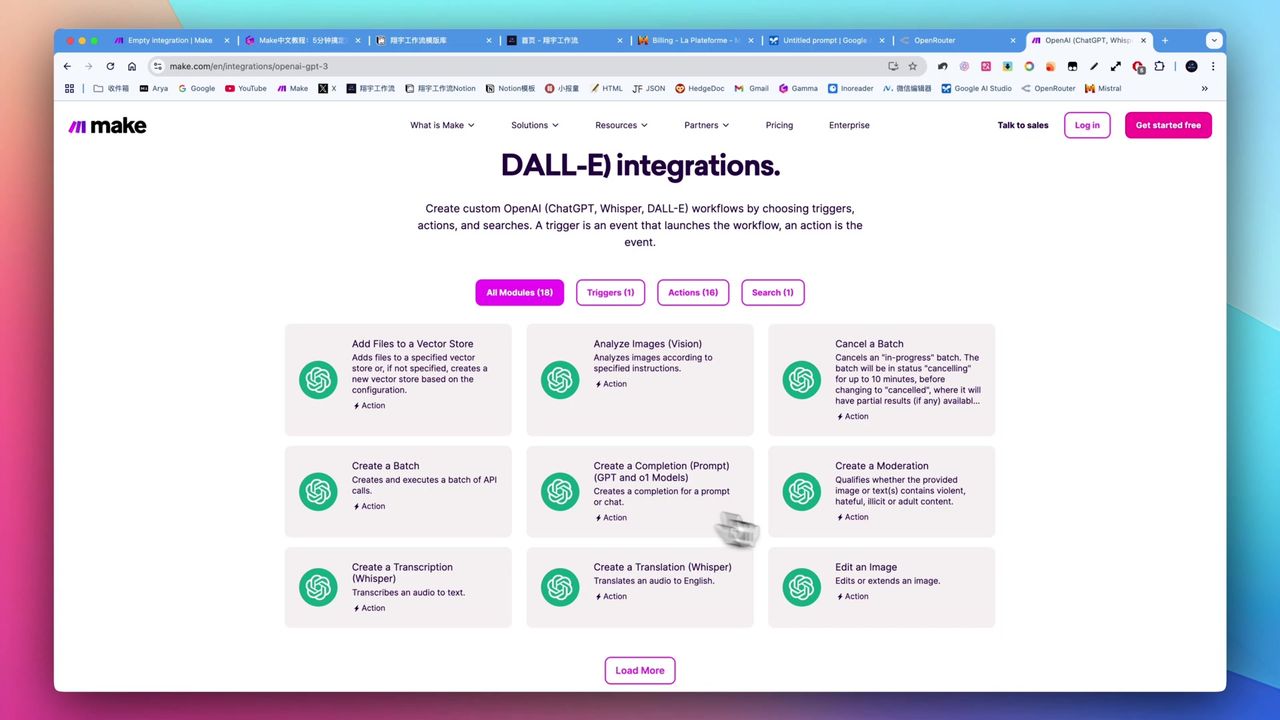
Make.com Tutorial: Build Your First Workflow in 5 Minutes
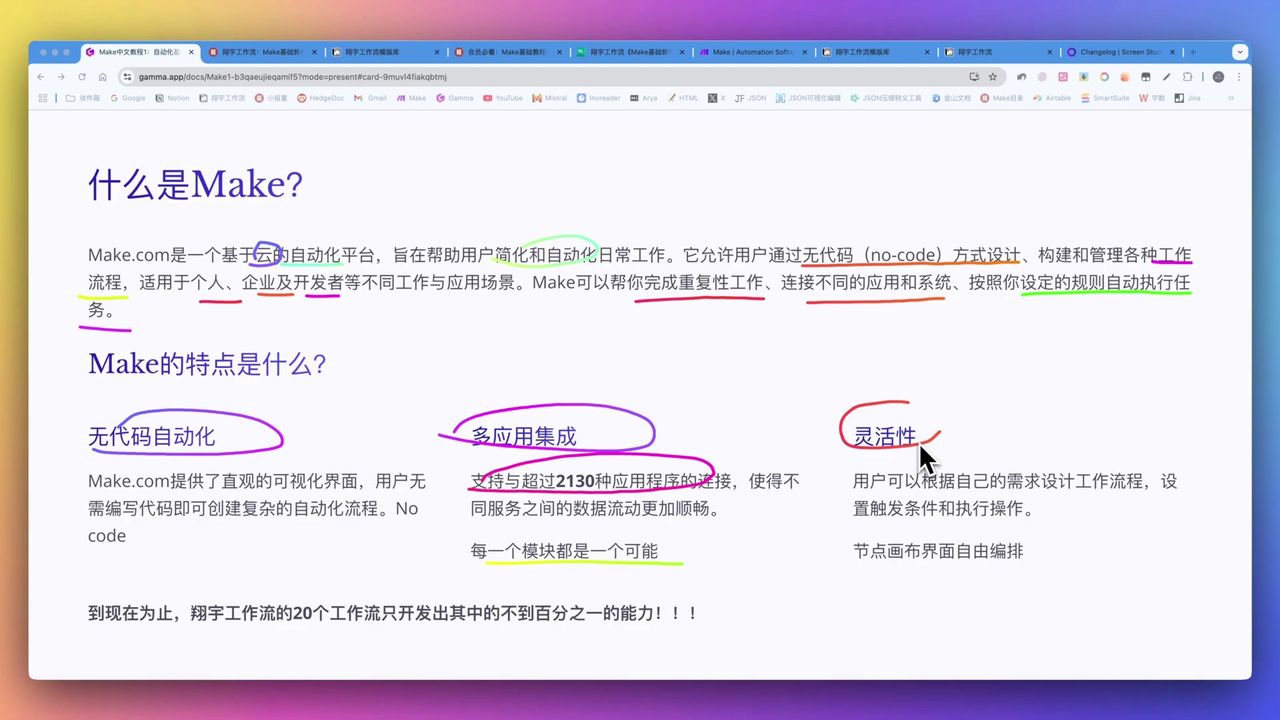
Make.com Core Concepts: Automation Fundamentals Explained
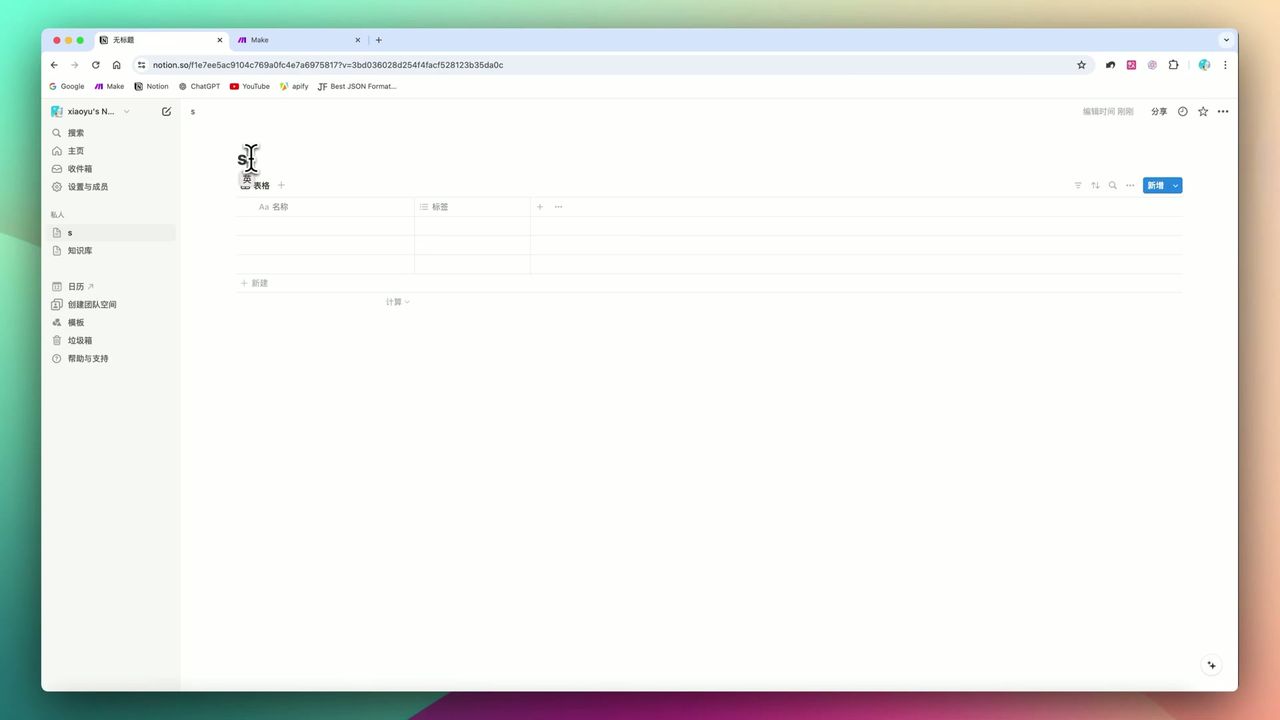
Build YouTube Data Archive in Notion with Make.com & Apify
Auto-Classify Notion with AI Using Make.com
About the author
Alex Chen
Automation Expert & Technical Writer
Alex Chen is a certified Make.com expert with 5+ years of experience building enterprise automation solutions. Former software engineer at tech startups, now dedicated to helping businesses leverage AI and no-code tools for efficiency.
Credentials