Automate Content Creation with Make.com, Exa AI & ChatGPT
Build automated content workflows with Exa AI real-time search, ChatGPT generation, and Pexels images. Auto-generate illustrated articles saved to Notion.
Ready to automate?
Start building this workflow with Make.com — free forever on the starter plan.
Overview
This tutorial explores an automated content creation workflow built with Make.com, Exa AI, ChatGPT, and Pexels.
The workflow automatically generates illustrated original articles based on trending topics or custom themes:
- Topic Acquisition - RSS trending headlines or Notion custom topics
- Material Retrieval - Exa AI real-time searches web information
- Content Generation - ChatGPT integrates materials to generate articles
- Image Matching - Pexels gets free copyright-free images
- Auto-Save - Complete articles stored in Notion
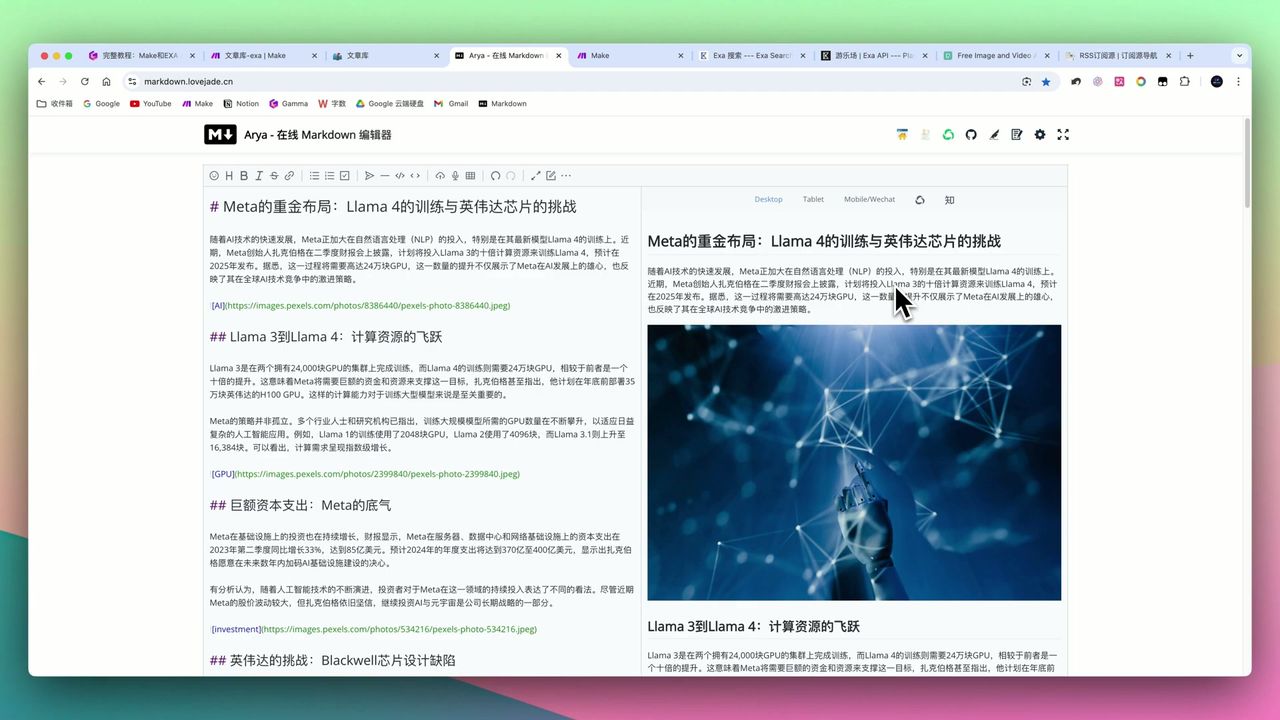 Workflow final output: Illustrated Markdown format article
Core Decision Factors
When choosing AI content creation solutions, focus on:
- Automation Level - Automation from topic selection to publishing
- Content Timeliness - Can it get latest, most relevant information
- Retrieval Quality - Are information sources clean and high-quality
- Platform Integration - Connection capability with mainstream content platforms
Technical Specifications
| Specification | Value | Notes |
|---|---|---|
| Article Generation | Can generate hundreds | High-quality original illustrated articles |
| Article Length | 1,000-2,000 words | Varies by keyword |
| Content Source | RSS trending/Notion topics | Flexible selection |
| Exa AI Data Volume | Up to 1 million | Can collect massive data |
| Exa AI Update Frequency | Per minute | Real-time scraping of latest info |
| Exa AI Pricing | $5/1000 searches | Each returns 3-5 results |
| Image Source | Pexels | Free copyright-free library |
| Make.com Module Count | 16 | Complete end-to-end workflow |
| Article Format | Markdown | Easy multi-platform publishing |
Prerequisites
Before starting, ensure you have:
- Make.com account (free registration)
- Exa AI API key (exa.ai)
- OpenAI API key
- Pexels API key (pexels.com, free)
- Notion account and database
Exa AI Core Advantages
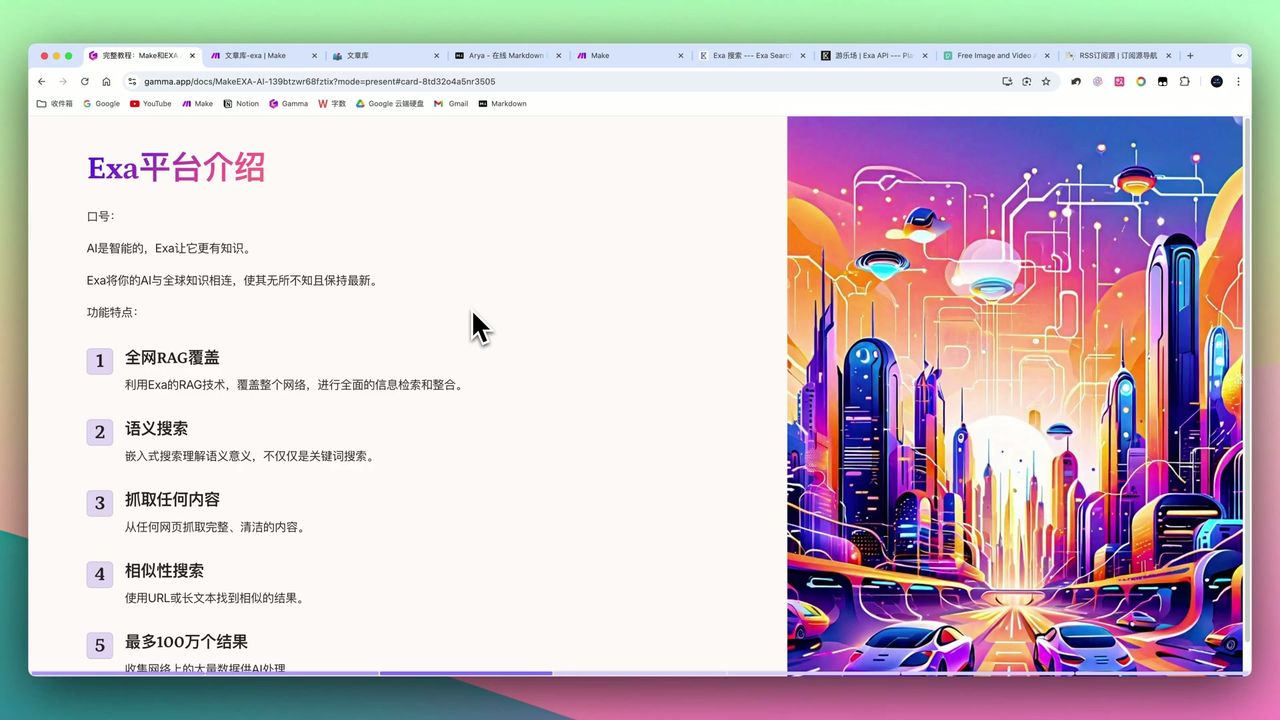 Exa AI: Search engine designed for AI
Exa AI is the workflow’s core, solving ChatGPT’s knowledge timeliness limitations.
Difference from Traditional Search Engines
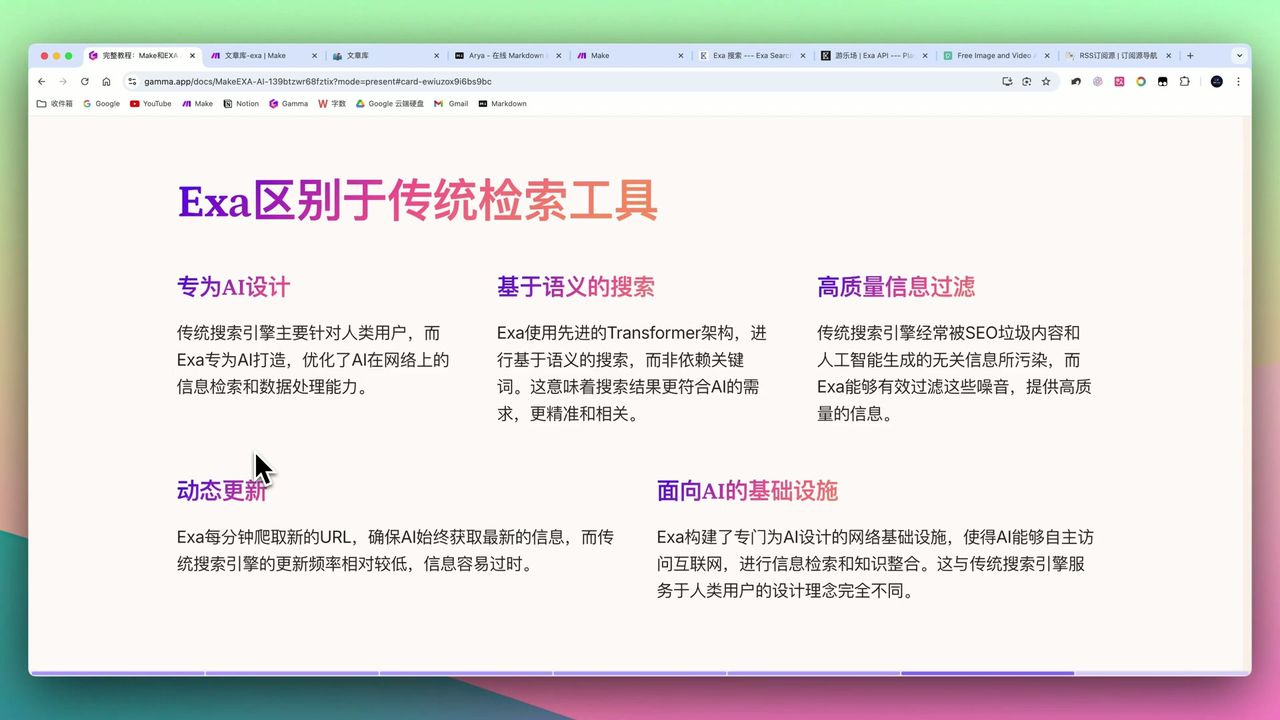 Exa AI vs Google/Baidu technical differences
| Feature | Exa AI | Traditional Search Engines |
|---|---|---|
| Design Purpose | Designed for AI | Designed for humans |
| Search Method | Semantic Neural Search | Keyword matching |
| Data Cleaning | Auto-filter SEO spam | May include low-quality content |
| Update Frequency | Per minute | Irregular updates |
| Return Format | Clean text, AI-friendly | HTML pages |
Core Technical Features
- RAG Technology - Extends knowledge sources to entire web for retrieval integration
- Semantic Search - Transformer-based architecture, understands query intent
- Data Cleaning - Auto-filters SEO-generated spam content
- Multiple Filters - Domain, date, data category precise filtering
Pexels Library Introduction
Pexels provides massive free copyright-free material library:
- Massive Materials - Images and videos covering all industries
- Free Access - No payment needed, quick API integration
- Keyword Search - Get related visual materials via keywords
Note: For highly specific keywords (like “H100 model”), Pexels may only match broader terms (like “GPU”, “innovation”).
Workflow Architecture
Complete workflow contains 16 Make.com modules:
- RSS/Notion Trigger - Get article topic
- Exa AI Retrieval - Search related materials
- ChatGPT Processing - Integrate materials, extract keywords
- Pexels Search - Get matching images
- ChatGPT Generation - Generate complete article
- Text Parsing - Handle empty image placeholders
- Notion Save - Store articles and notes
Step 1: Configure Exa AI Retrieval
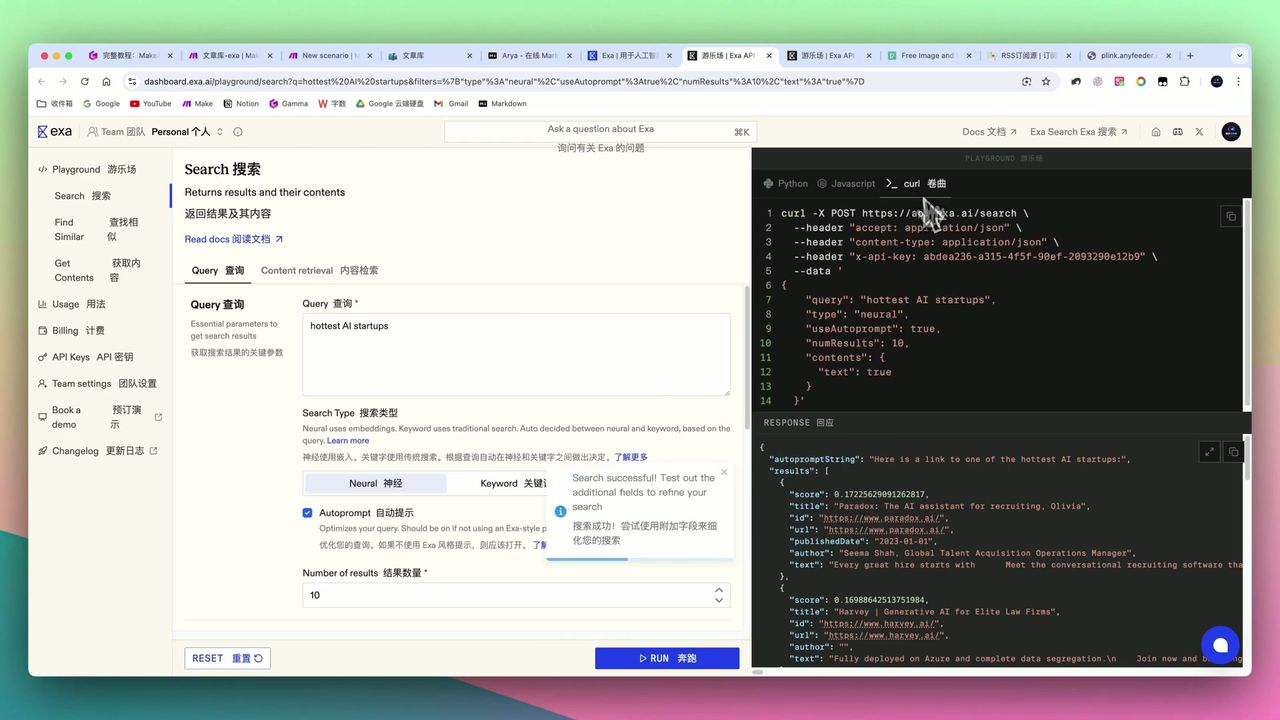 API configuration interface and parameter description
Add HTTP module in Make to call Exa AI:
Request Configuration:
- URL:
https://api.exa.ai/search - Method: POST
- Headers:
x-api-key: {{your_api_key}}(Must be in header!)Content-Type: application/json
Request Body:
{
  "query": "{{article_topic}}",
  "numResults": 5,
  "contents": {
    "text": true
  }
}
Common Error: Incorrect API Key placement causes 401 unauthorized errors.
Step 2: Configure ChatGPT Content Generation
Use ChatGPT to process Exa AI returned materials:
First Call - Extract Keywords:
Please extract 3-5 English keywords suitable for image search from the following materials:

{{exa_results}}
Second Call - Generate Article:
Please generate a 1500-word article based on the following materials:

Requirements:
1. Markdown format
2. Include title, introduction, body, conclusion
3. Insert image placeholders at appropriate positions
4. Language easy to understand

Materials: {{exa_results}}
Image links: {{pexels_images}}
Step 3: Configure Pexels Image Search
Add HTTP module in Make to call Pexels API:
Request Configuration:
- URL:
https://api.pexels.com/v1/search?query={{keywords}}&per_page=5 - Method: GET
- Headers:
Authorization: {{pexels_api_key}}
Step 4: Handle Empty Image Issues
If Pexels finds no matching images, article will have empty placeholders.
Add Text Parser module, use regex to delete empty images:
!\[\]\(\)This ensures final article cleanliness.
Step 5: Save to Notion
Save generated article to Notion database:
- Title - Article title
- Body - Markdown content
- Social Post - Simplified version content
- Source Topic - Original keywords
Error Handling Tips
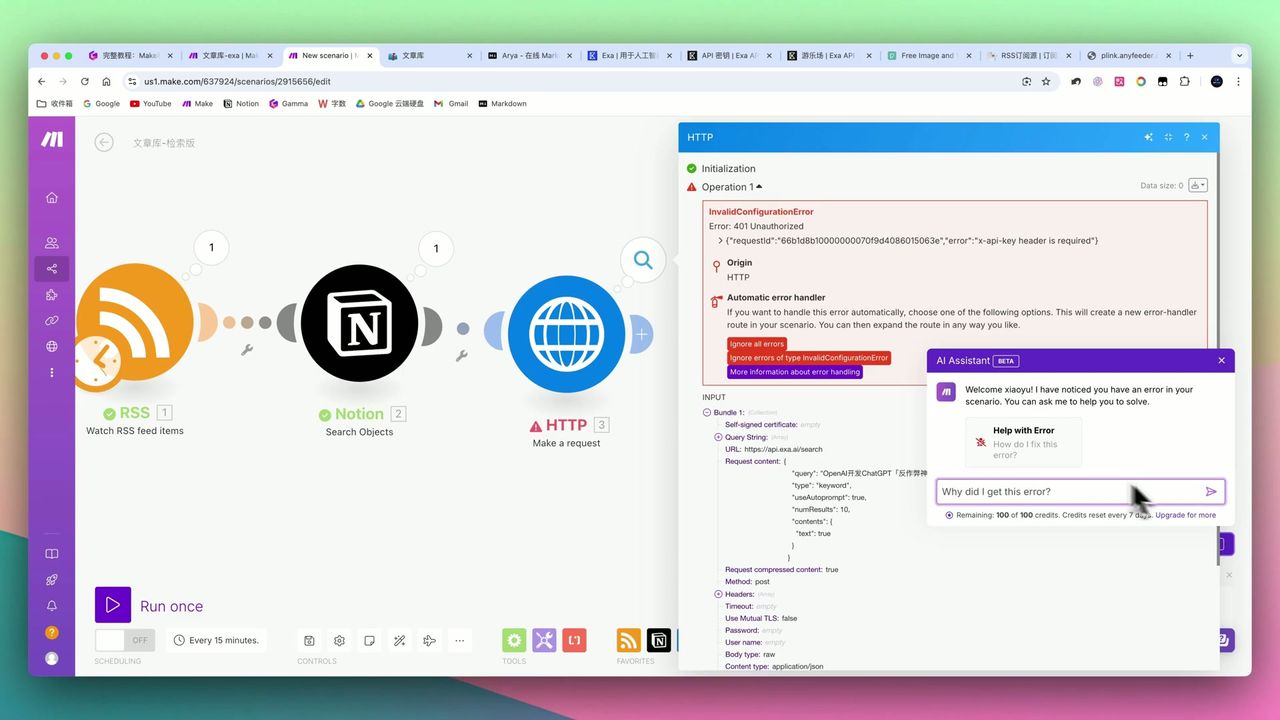 Use error handling assistant to quickly locate issues
Make.com has built-in error handling assistant (top right star icon) that helps:
- Analyze API call error causes
- Provide solution suggestions
- Quickly locate configuration issues
Common Errors:
- API Key placement error
- Missing required Headers
- Incorrect JSON format
- Insufficient permissions
Final Effect
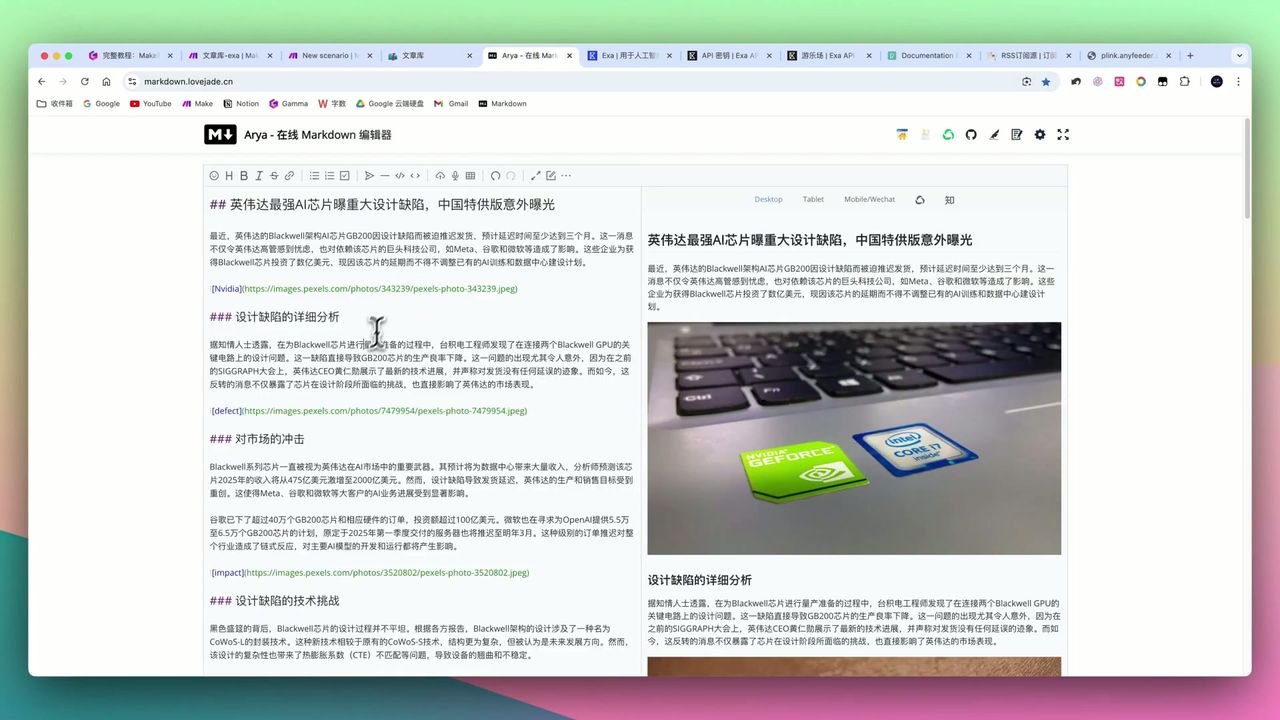 Processed final article with correctly embedded images
After workflow runs, you’ll get:
- 1000-2000 word Markdown format article
- Automatically illustrated image-rich content
- Simultaneously generated social media posts
- All content auto-saved to Notion
Important Notes
Things to note during setup:
-
API Key Position - Exa AI’s
x-api-keymust be in header, not query string -
Image Matching Accuracy - Pexels has limited matching for specific keywords, may need manual optimization
-
Empty Image Handling - Need additional Text Parser module to delete empty image placeholders
-
Workflow Complexity - 16 module configuration is complex, need understanding of arrays, collections, etc.
-
Function Usage - Need to master functions like
ifemptyto handle null values
Use Cases
Recommended For
- Content Operators - Need efficient batch generation of original articles
- Make.com Users with Foundation - Can understand multi-module configuration and API calls
- Creators Pursuing Content Timeliness - Exa AI real-time retrieval ensures latest info
- Users Needing Systematic Content Management - Notion knowledge base for easy management and reuse
May Not Suit
- Complete Make.com beginners
- Users with extremely high image matching accuracy requirements
- Users unwilling to invest time learning and maintaining workflows
FAQ
How does Exa AI differ from traditional search engines?
Exa AI is designed for AI with semantic Neural Search understanding query intent, per-minute data updates, and automatic SEO spam filtering, returning clean high-quality information.
What’s Exa AI’s pricing?
About $5/1000 searches, each returning 3-5 results, pay-as-you-go with good value.
How accurate is image matching?
Pexels is a free library. For specific keywords (like H100 model), it may only match broader terms, so image accuracy may vary.
How many modules in the workflow?
Complete workflow contains 16 Make.com modules. Configuration is complex, requiring automation foundation.
Next Steps
After learning the basic workflow, you can try:
- Integrate more content sources (Weibo trending, Zhihu hot list, etc.)
- Add AI image generation module to improve image matching
- Set scheduled triggers for daily auto-updates
- Add multilingual translation functionality
Feel free to leave comments if you have questions!
FAQ
- How does Exa AI differ from traditional search engines?
- Exa AI is designed for AI with semantic Neural Search understanding query intent, per-minute data updates, and automatic SEO spam filtering, returning clean high-quality information.
- What's Exa AI's pricing?
- About $5/1000 searches, each returning 3-5 results, pay-as-you-go with good value.
- How accurate is image matching?
- Pexels is a free library. For specific keywords (like H100 model), it may only match broader terms, so image accuracy may vary.
- How many modules in the workflow?
- Complete workflow contains 16 Make.com modules. Configuration is complex, requiring automation foundation.
Start Building Your Automation Today
Join 500,000+ users automating their work with Make.com. No coding required, free to start.
Get Started FreeRelated Tutorials
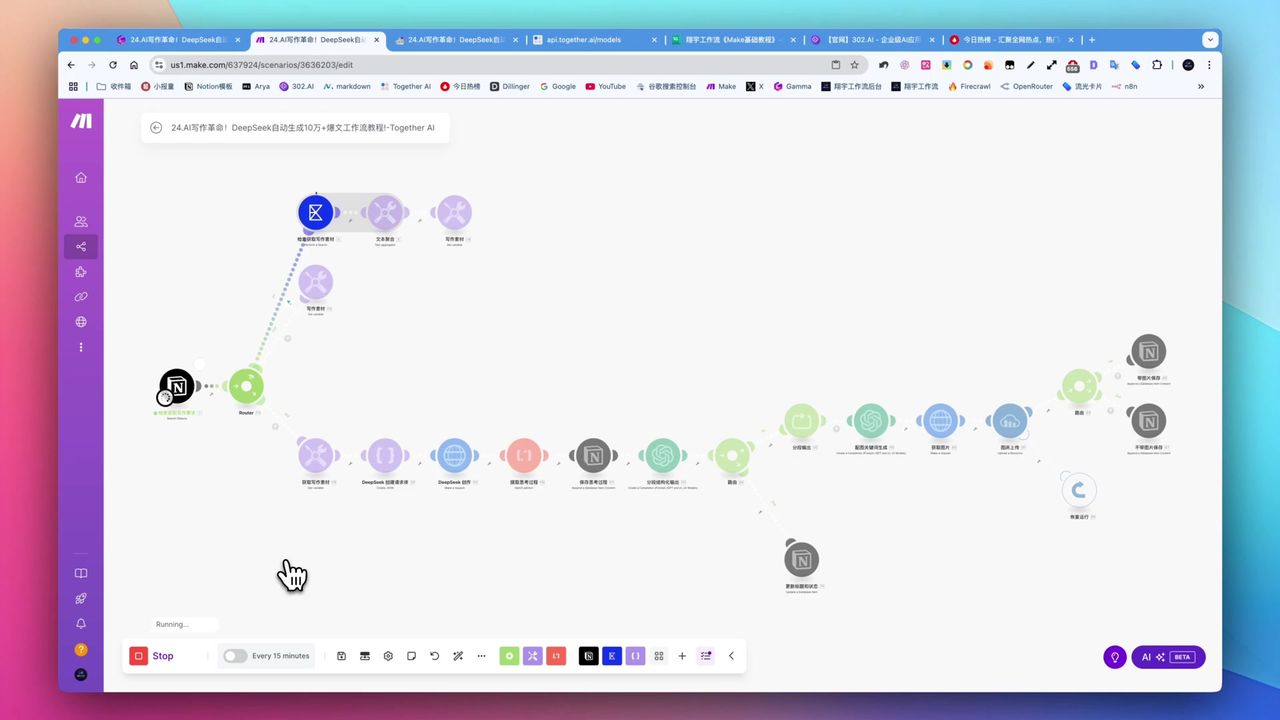
Create Viral Content with Make.com & DeepSeek AI
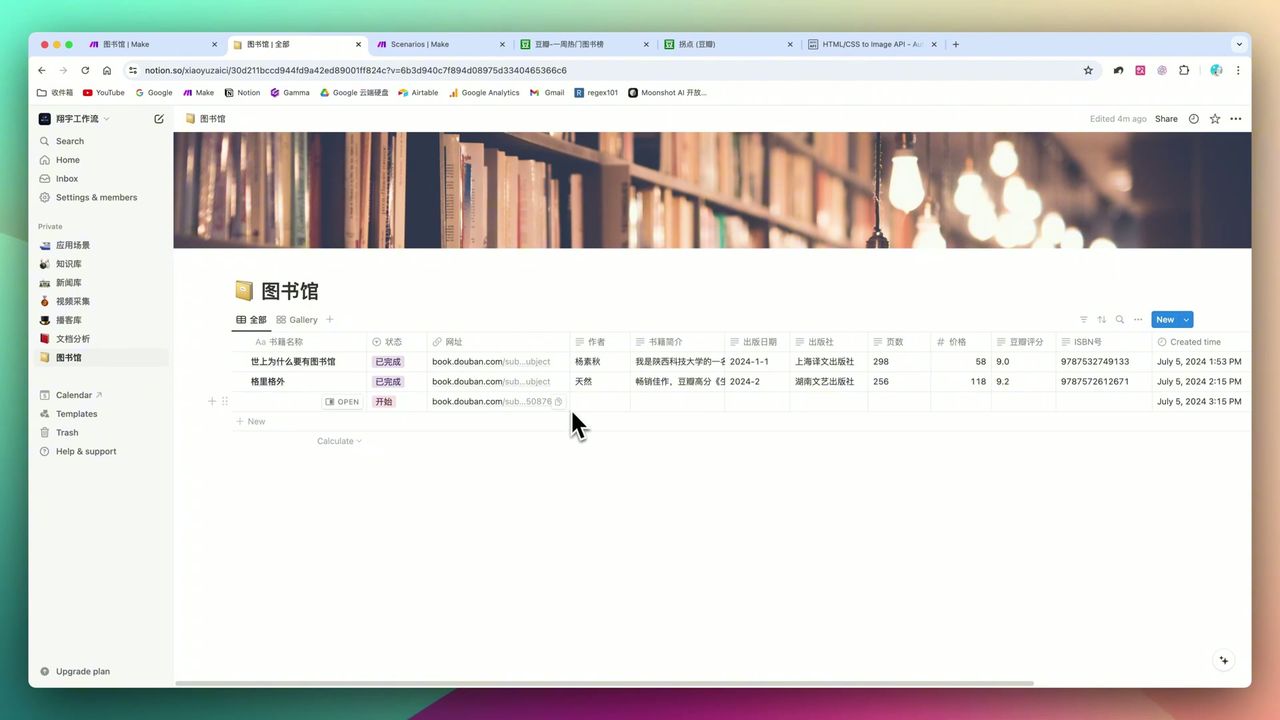
Build Notion Book Library with Make.com & GPT-4o Vision
Automate Blog Writing with Make.com & Firecrawl Web Scraper
Automate PDF Analysis with Make.com & Kimi 128K Context
About the author
Alex Chen
Automation Expert & Technical Writer
Alex Chen is a certified Make.com expert with 5+ years of experience building enterprise automation solutions. Former software engineer at tech startups, now dedicated to helping businesses leverage AI and no-code tools for efficiency.
Credentials