Auto-Generate YouTube Titles, Descriptions & Thumbnails
Input video subtitles and automatically generate high-CTR titles, SEO descriptions, and beautiful thumbnails using ChatGPT, Claude, and HCTI via Make.com.
Ready to automate?
Start building this workflow with Make.com — free forever on the starter plan.
Overview
This is a content packaging automation solution for YouTube creators.
Simply input video subtitles to automatically generate complete publishing materials:
- Input Subtitles - Paste video subtitles in Notion
- Analyze Style - ChatGPT identifies reference thumbnail style
- Generate Titles - Claude produces 10+ emotional hook titles
- Generate Description - Complete description with timestamps, resource links, tags
- Generate Thumbnail - HCTI renders beautiful video thumbnail
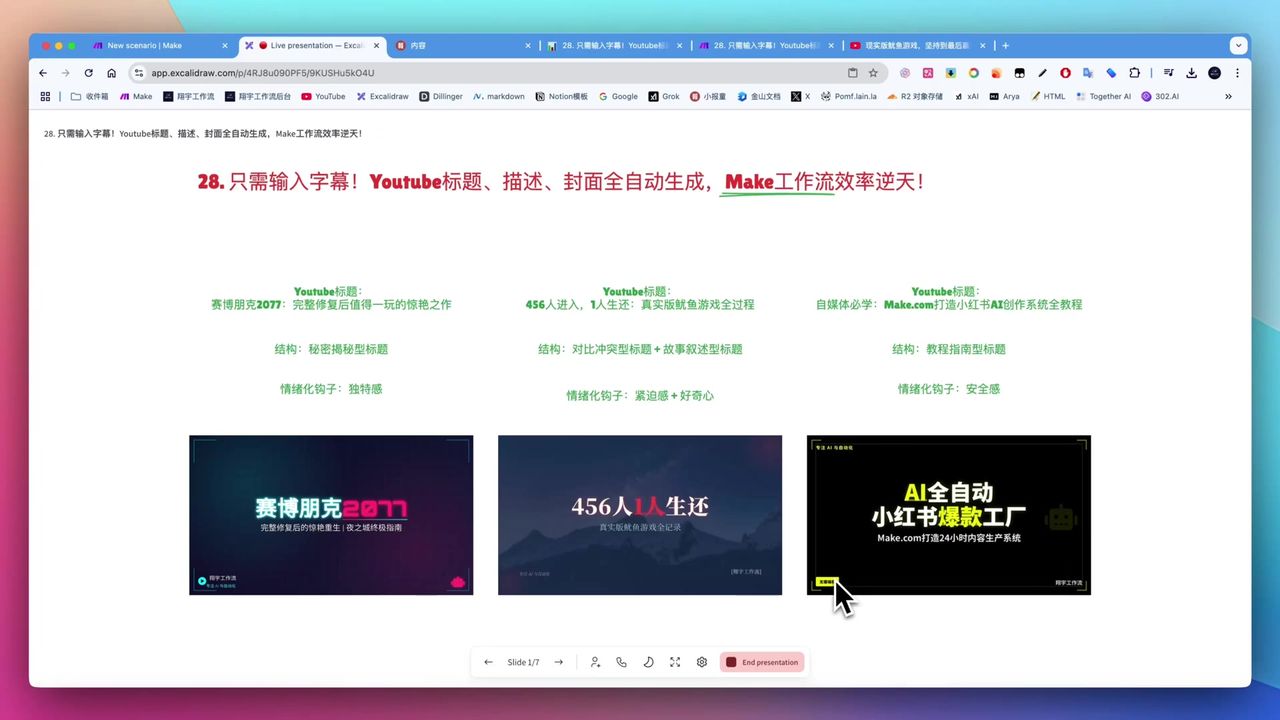 Workflow-generated titles, descriptions, and thumbnails
Core Decision Factors
When choosing YouTube content automation solutions, consider:
- Automation Level - How many tasks can be completed automatically?
- Content Quality - Title, description, thumbnail appeal and professionalism
- Efficiency Improvement - Time saved compared to manual operations
- Ease of Use - Setup and daily usage complexity
- Cost Efficiency - AI model costs vs. value delivered
Technical Specifications
| Specification | Value | Notes |
|---|---|---|
| Core Platform | Make.com | Workflow orchestration |
| Input Platform | Notion | Subtitles, references, resource links |
| Visual Analysis | ChatGPT 4o-mini | Analyze reference image style |
| Title Creation | Claude 3.7 | Emotional hooks, JSON output |
| Structure Processing | DeepSeek V3 | Parse JSON, generate HTML |
| Thumbnail Generation | HCTI | Render HTML to images |
| Title Quantity | 10+ options | Generate multiple options to choose from |
| Thumbnail Dimensions | 1280x720 | YouTube standard 16:9 |
| AI Cost | $100-200/month | Can switch to economical models |
Prerequisites
Before starting, ensure you have:
- Make.com account (free registration)
- Notion account and database
- OpenAI API key (ChatGPT)
- Claude API key
- HCTI account
Notion Database Structure
Create video material database with the following fields:
- Status (Select) - Pending/Start/Completed
- Subtitles (Text) - Complete video subtitles
- Thumbnail Reference (Files) - Reference image or style description
- Channel Info (Text) - Channel name and positioning
- Resource Links (Text) - Links mentioned in video
- Generated Titles (Text) - AI-generated title list
- Generated Description (Text) - AI-generated complete description
- Generated Thumbnail (Files) - AI-generated thumbnail image
Core Methodology: Emotional Hooks
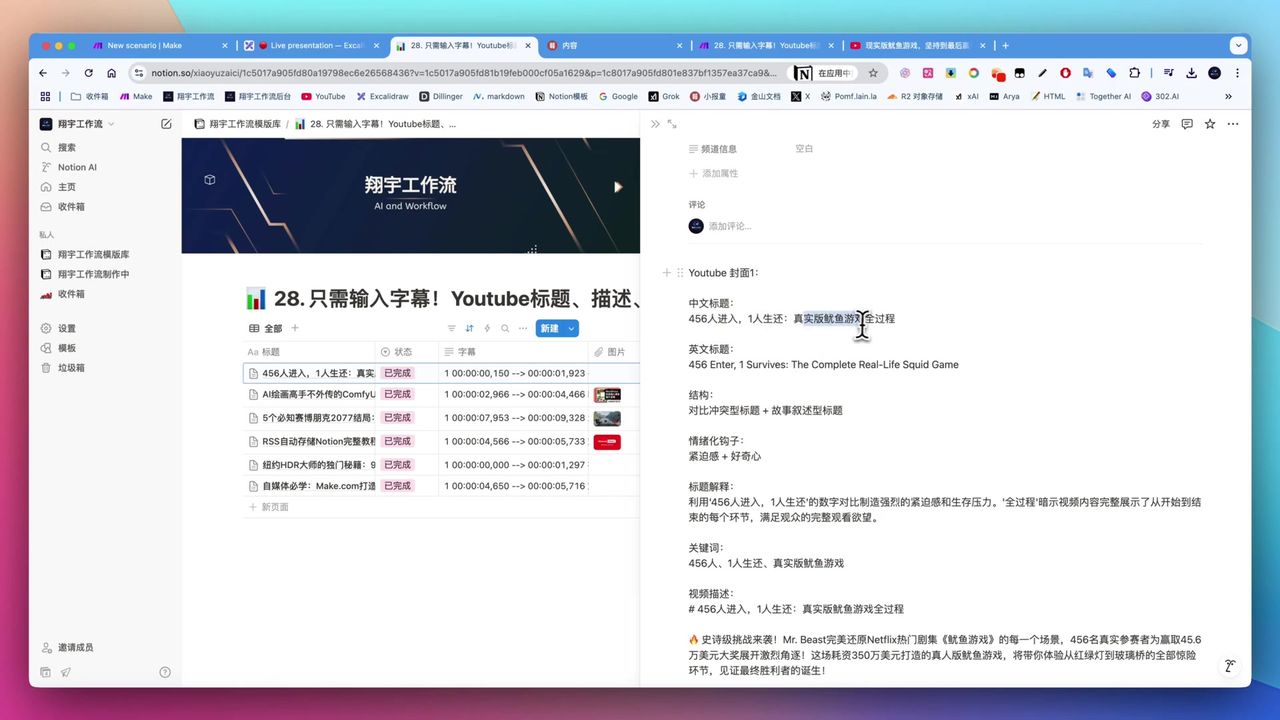 Mr Beast video title emotional hook analysis
Core elements of high-CTR titles:
Contrast Conflict
- “456 enter, 1 survives”
- Create strong contrast to attract attention
Story Narrative
- “Real-life Squid Game complete process”
- Hint at complete story sparking curiosity
Urgency
- Use numbers and extreme words
- Trigger immediate click impulse
Curiosity
- Leave suspense without full reveal
- Make viewers must click to know
Workflow Architecture
Stage 1: Visual Style Analysis
Use ChatGPT 4o-mini to analyze reference thumbnail:
Prompt Design:
Please analyze this YouTube video thumbnail's visual style:
1. Overall color scheme
2. Text typography features
3. Image elements and composition
4. Emotional atmosphere

Return in JSON format for thumbnail generation guidance.
Stage 2: Title Creation
Use Claude 3.7 thinking mode to generate titles:
Prompt Design:
You are a YouTube title optimization expert. Based on the following video subtitles, generate 10 high-CTR titles.

Requirements:
1. Use emotional hooks (contrast, conflict, curiosity)
2. Keep within 60 characters
3. Include numbers and extreme words
4. Return as JSON array format

Subtitle content:
{{subtitle}}
Stage 3: Description Generation
Auto-generate complete YouTube description:
Included Content:
- Video intro (2-3 sentences)
- Detailed content summary
- Timestamps (auto-generated from subtitles)
- Resource links (from Notion)
- Social media links
- Related hashtags
Stage 4: Thumbnail Generation
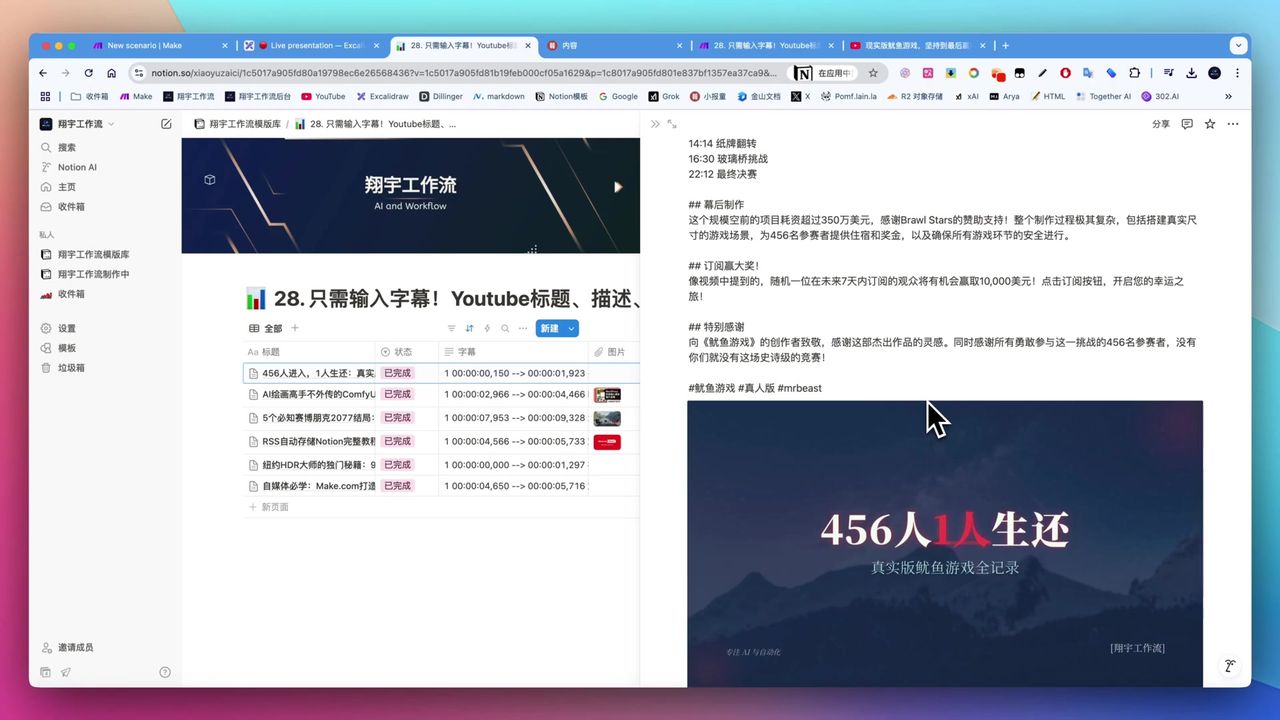 AI-generated cyberpunk style thumbnail
Use DeepSeek to generate HTML, HCTI renders image:
Process:
- Generate HTML code based on title and visual style
- Include background, text, effects, and other elements
- HCTI renders to 1280x720 image
- Upload to Notion or image hosting
Complete Workflow
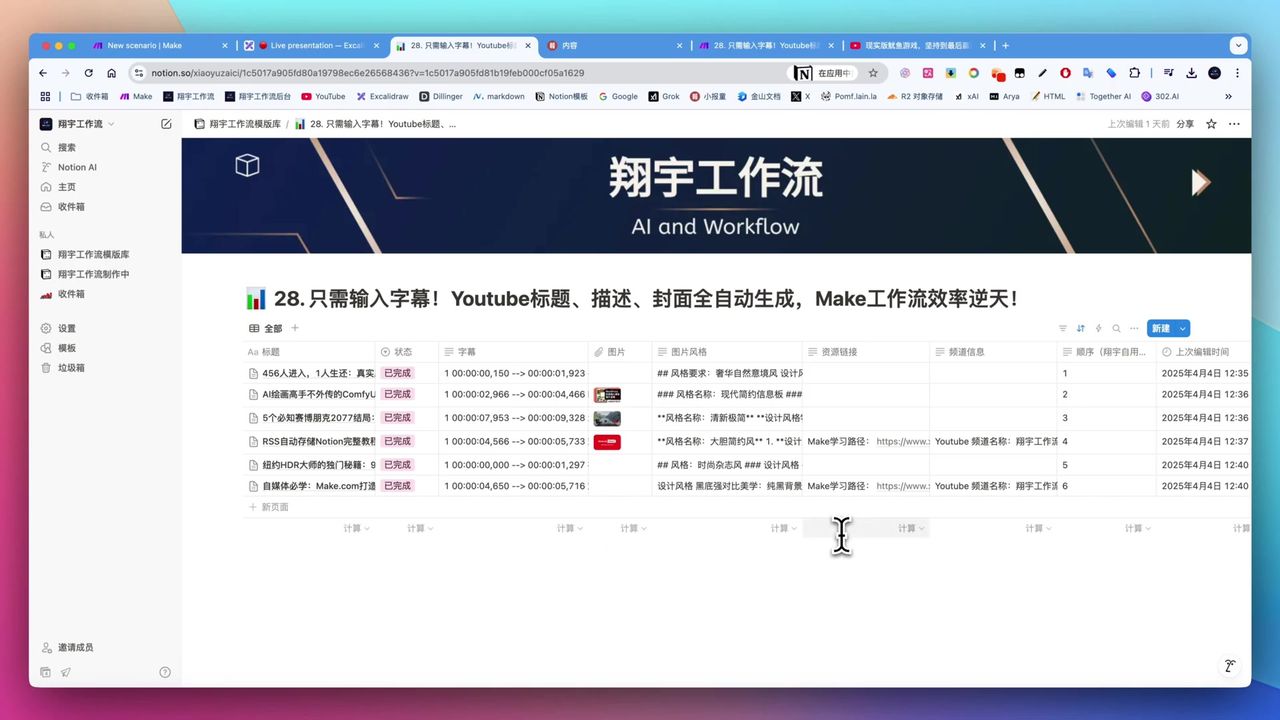 Workflow module connection diagram
Module Sequence:
- Notion Watch/Search - Retrieve pending items
- ChatGPT - Analyze reference image style
- Claude - Generate title list
- DeepSeek - Generate description and HTML
- HCTI - Render thumbnail image
- Notion Update - Write back generated results
Pitfalls to Avoid
Common issues during setup:
-
Notion Date Format - Use text format instead of date format to avoid Make errors
-
Translation Feature Interference - Disable Notion translation to avoid “Start” being translated causing filter failures
-
Field Value Spaces - No spaces after “Start” or filter fails
-
Debug Mode - Recommend using Search Objects instead of Watch for easier debugging
-
Model Costs - Claude is expensive; can test first then switch to economical models like DeepSeek
Use Cases
Recommended For
- YouTube Content Creators - Creators spending significant time on titles, descriptions, thumbnails
- Content Operators - Operating multiple platforms needing batch content packaging
- AI Automation Enthusiasts - Want to integrate AI into daily workflows for efficiency
May Not Suit
- Users completely uninterested in AI and automation tools
- Extremely budget-sensitive unwilling to pay AI fees
- Personal hobby users with very low content creation volume
FAQ
Why use Claude to generate titles?
Claude 3.7 thinking mode excels at generating emotional hook titles, supports JSON structured output, and can produce multiple high-quality title options.
How are thumbnails generated?
First use ChatGPT to analyze reference image style, then DeepSeek generates HTML code, finally HCTI renders to standard 1280x720 thumbnail images.
Are AI model costs high?
Million tokens cost just a few dollars or cents, total investment about $100-200/month. Can start with premium models, then switch to economical models like DeepSeek.
What are Notion configuration pitfalls?
Use text format for dates, disable translation features, no spaces after field values—otherwise causes Make errors or filter failures.
Next Steps
After mastering the basics, you can try:
- Add more title style templates
- Integrate YouTube API for direct publishing
- Add A/B testing to track click-through rates
- Extend to other platforms (Bilibili, TikTok, etc.)
Feel free to leave comments with questions!
FAQ
- Why use Claude to generate titles?
- Claude 3.7 thinking mode excels at generating emotional hook titles, supports JSON structured output, and can produce multiple high-quality title options.
- How are thumbnails generated?
- First use ChatGPT to analyze reference image style, then DeepSeek generates HTML code, finally HCTI renders to standard 1280x720 thumbnail images.
- Are AI model costs high?
- Million tokens cost just a few dollars or cents, total investment about $100-200/month. Can start with premium models, then switch to economical models like DeepSeek.
- What are Notion configuration pitfalls?
- Use text format for dates, disable translation features, no spaces after field values—otherwise causes Make errors or filter failures.
Start Building Your Automation Today
Join 500,000+ users automating their work with Make.com. No coding required, free to start.
Get Started FreeRelated Tutorials
Automate Twitter Content with Make.com AI Refinement
Make.com: Automate Content for WeChat & Social Platforms
Generate Batch Social Media Cards with Make.com
Create Viral Social Posts with DeepSeek V3 & Make.com
About the author
Alex Chen
Automation Expert & Technical Writer
Alex Chen is a certified Make.com expert with 5+ years of experience building enterprise automation solutions. Former software engineer at tech startups, now dedicated to helping businesses leverage AI and no-code tools for efficiency.
Credentials