Make.com: Automate Content for WeChat & Social Platforms
Use Make.com with RSS and ChatGPT to automate content generation for WeChat Official Accounts and social platforms with mixed-media formatting.
Ready to automate?
Start building this workflow with Make.com — free forever on the starter plan.
Overview
This tutorial explores how to use the Make platform, combined with RSS feeds and AI models like ChatGPT, to automate the generation and batch publication of mixed-media articles for social platforms.
Note for Western Readers: WeChat Official Accounts is China’s major content publishing platform (similar to Medium or Substack). This workflow’s principles apply to any content platform supporting Markdown or rich formatting.
This solution significantly improves content production efficiency:
- Auto-Fetch Latest content from RSS feeds
- Format Conversion HTML to Markdown
- AI Creation ChatGPT translates, polishes, generates posts
- Multi-Platform Output Simultaneously generate content for multiple platforms
- Knowledge Base Storage Auto-save to Notion
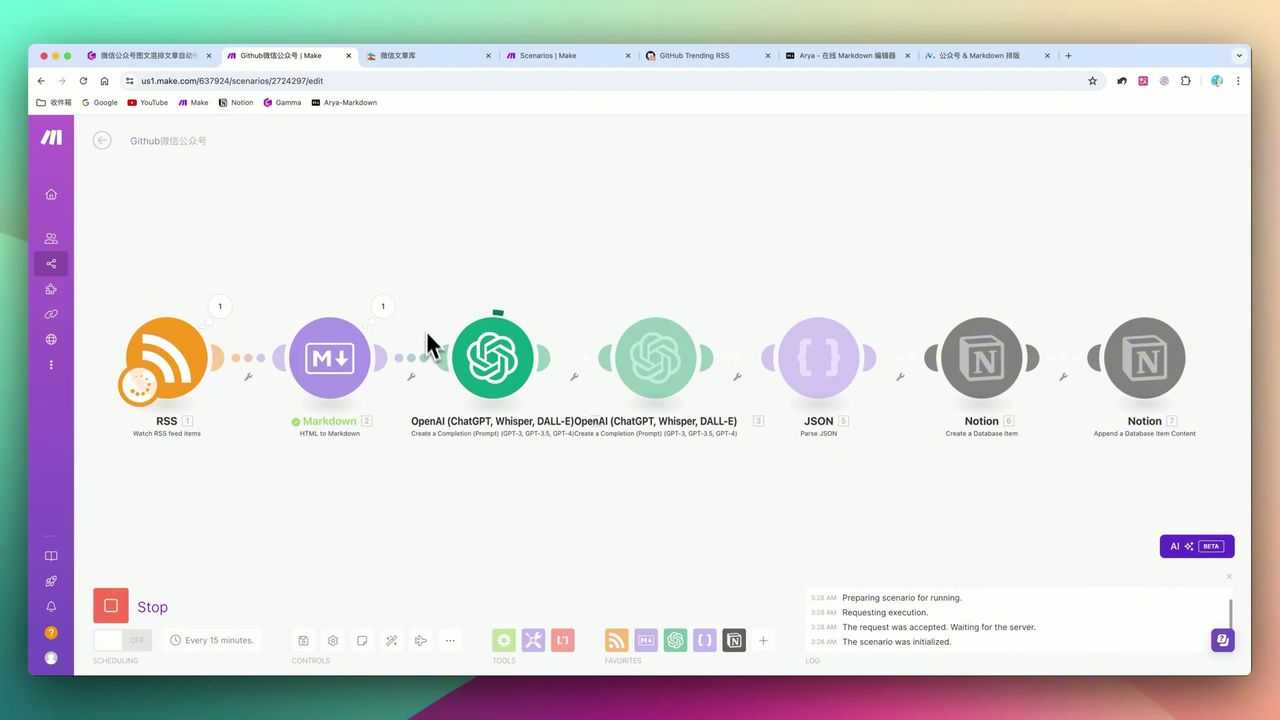 Complete workflow: RSS → HTML to Markdown → ChatGPT → Notion
Core Decision Factors
When choosing this type of automation solution, consider:
- Automation Platform Efficiency - Platform execution speed, stability, and complex workflow handling capability
- Content Generation Quality - AI-generated content accuracy, originality, readability
- Multi-Platform Integration - Support for seamless integration with mainstream social media and knowledge bases
- Content Formatting Support - Support for images, code blocks, multi-level headings, and other rich media elements
Technical Specifications
| Specification | Value | Notes |
|---|---|---|
| Automation Platform | Make.com | Core platform for building entire workflow |
| Information Source | RSS Feeds | GitHub Trending, XML-formatted structured data |
| AI Model | OpenAI GPT-4o | For translation, polishing, post generation |
| Article Word Count | 2,000+ words | Set via prompt to ensure content depth |
| ChatGPT Token Limit | 4,000 | Maximum length for generated content |
| Content Format Conversion | HTML to Markdown | Make.com built-in module |
| Knowledge Base Integration | Notion | Save generated articles for easy management |
| Multi-Platform Output | WeChat, Instagram, etc. | One workflow generates multiple formats |
Prerequisites
Before starting, ensure you have:
- Make.com account (free registration)
- OpenAI API key (for GPT-4o)
- Notion account (to store generated content)
- RSS feed (e.g., GitHub Trending RSS)
Step 1: Configure RSS Feed
First, find an appropriate RSS feed. Using GitHub Trending as example:
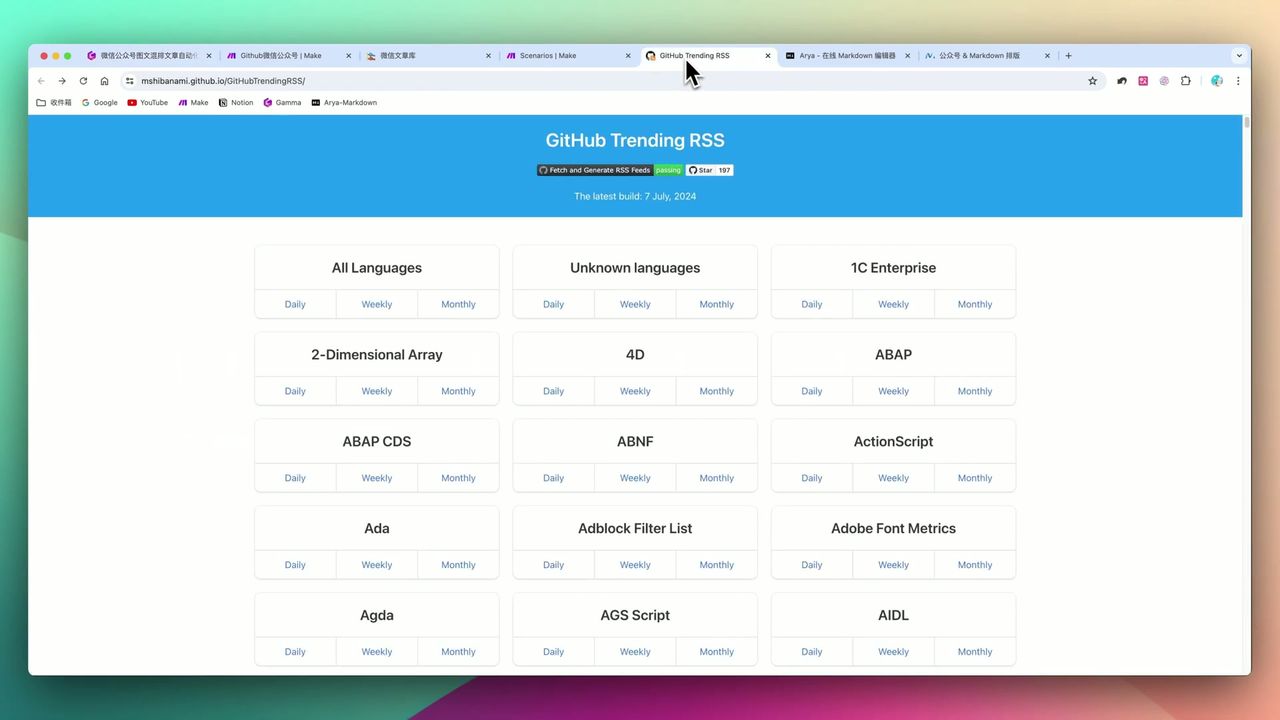 GitHub Trending RSS website, supports different languages and time ranges
Add Watch RSS feed items module in Make:
- Enter RSS feed URL
- Set check frequency (e.g., hourly)
- Configure maximum returned items
Note: Specific modules like
Watch RSS feed itemsmust be the first trigger in workflows.
Step 2: Convert HTML to Markdown
RSS-captured content is typically HTML format and needs conversion to Markdown for further processing.
Add HTML to Markdown module:
- Input: Content retrieved from RSS module
- Output: Clean Markdown text
This conversion step is critical because:
- Markdown format is easier for AI to understand and process
- Can be directly used for multi-platform publishing
- Preserves structure like headings, lists, code blocks
Step 3: Configure ChatGPT for Content Generation
This is the core workflow step, using carefully designed prompts to control AI output.
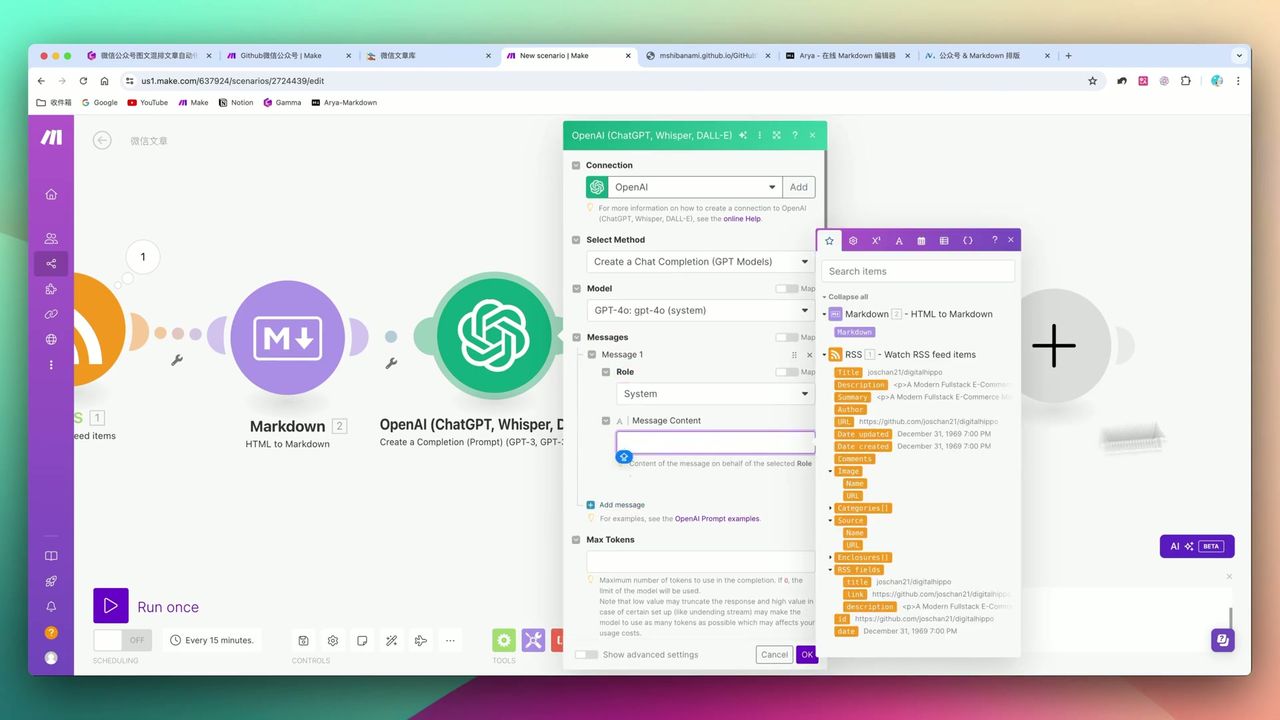 Customized system prompt settings
Prompt Design Points
System Role:
You are a professional technical content editor skilled at transforming GitHub open-source project introductions into articles suitable for social platform publication.

Requirements:
1. Article must be at least 2000 words
2. Use Markdown format with multi-level headings
3. Do not fabricate information; all content must be based on provided materials
4. Language should be engaging and suitable for tech enthusiasts
5. Use code block format when including code examples
User Message:
Please transform the following GitHub project introduction into a social media article:

{{Markdown content}}
Key Parameters
- Model: gpt-4o
- Max Tokens: 4000
- Temperature: 0.7 (balance creativity and accuracy)
Step 4: Generate Content for Multiple Platforms
One workflow can output content in multiple formats.
Add another ChatGPT module with different prompts to generate content for platforms like Instagram or LinkedIn:
Transform the following content into Instagram/LinkedIn post format, requirements:
1. Attention-grabbing title with emoji
2. Concise body text, within 300 words
3. Include 5-8 relevant hashtags
4. Output JSON format: {"title": "", "content": "", "tags": []}
Step 5: Save to Notion
Save generated content to Notion for easy management and subsequent publishing.
Add Notion - Create a Database Item module:
- Select target database
- Map fields: title, body, platform-specific content, source URL, creation time
Final Results
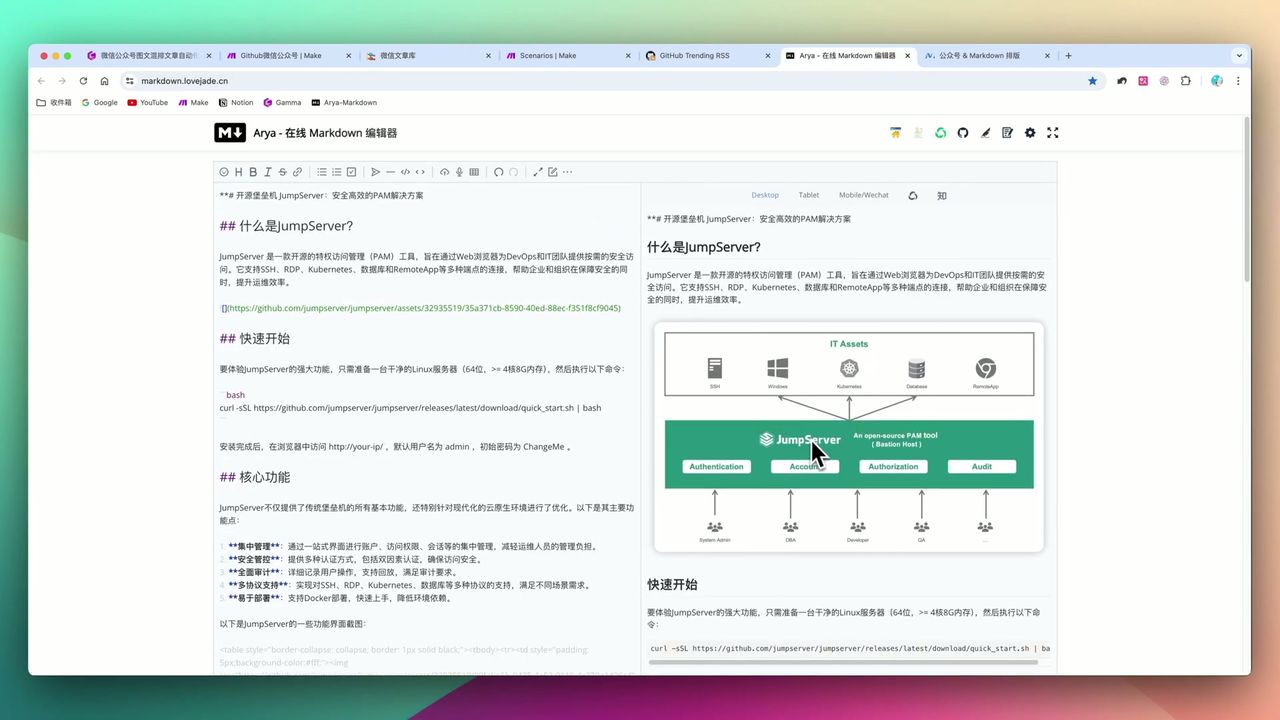 Mixed-media effect supporting multi-level headings, code blocks, and other rich media
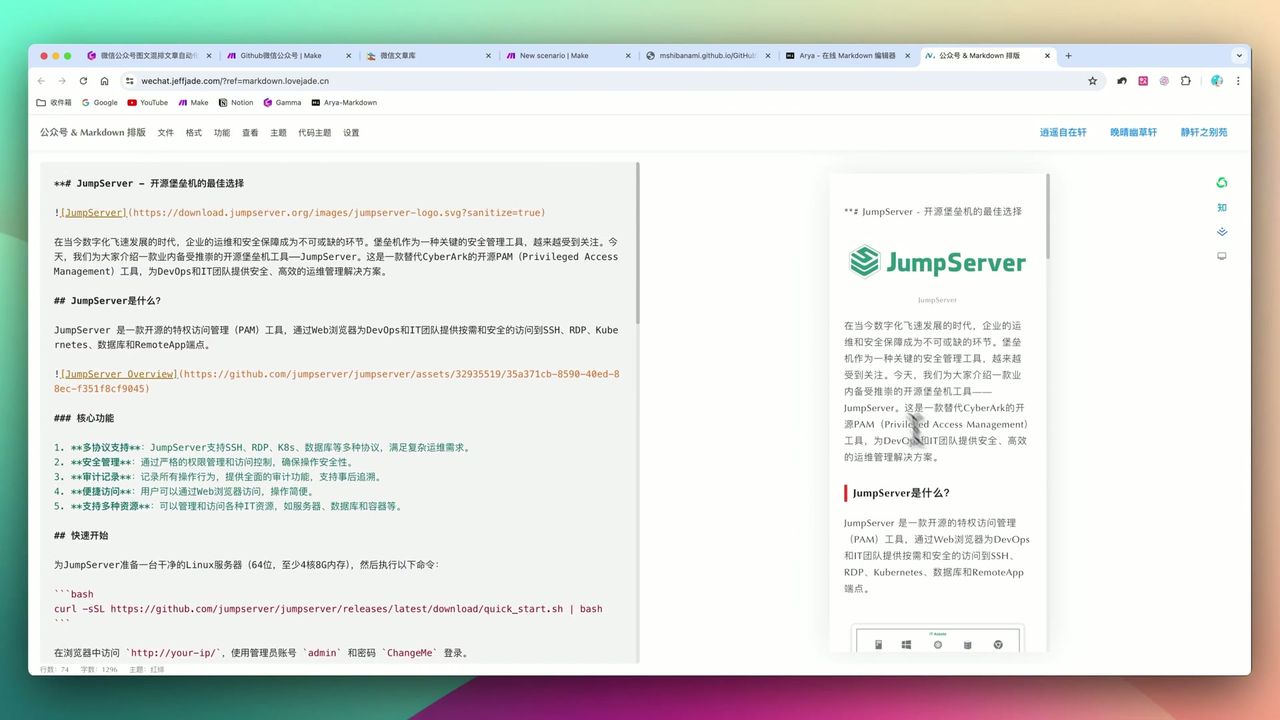 Mobile layout effect, ready for direct publishing
After workflow runs, you’ll get:
- Beautifully formatted social media articles (Markdown format)
- Short copy suitable for visual platforms with tags
- All content automatically saved to Notion knowledge base
Pitfalls to Avoid
During setup, be aware of:
-
RSS Value - While RSS seems “outdated,” its real-time push and structured nature make it extremely valuable for content automation
-
ChatGPT Fabrication Risk - Must explicitly instruct AI in prompts not to fabricate information
-
Make Module Restrictions - Not all modules can serve as triggers;
Watch RSS feed itemsmust be placed first -
JSON Parsing Position - JSON parsing modules best not placed at workflow’s final step
Use Cases
Recommended For
- Content Platform Operators - Need to regularly publish technical or open-source project sharing content
- Multi-Platform Content Creators - Want to achieve content multi-platform distribution and reduce repetitive work
- Developers and Tech Enthusiasts - Want to quickly organize and share popular GitHub projects
- AI Industry Professionals - Interested in automation workflows and AI applications
May Not Suit
- Creators preferring completely manual creation and meticulous content polishing
- Users completely unfamiliar with automation platforms and AI tools
- Those with irregular content needs or very low update frequency
Expansion Possibilities
This workflow can extend to more platforms:
- Medium - Markdown format publishes directly
- Dev.to - Also supports Markdown
- Hashnode - Through API or automation tools
- YouTube/Twitter - Generate video scripts or tweets
FAQ
Can this workflow adapt to other platforms?
Yes! Besides WeChat, it can simultaneously generate content for Instagram, LinkedIn, and any platform supporting Markdown like Medium, Dev.to, and Hashnode.
Is RSS still relevant?
While RSS may seem outdated in the algorithm-driven era, its real-time push, structured content, and high customization make it extremely valuable for vertical niche information aggregation.
How to prevent ChatGPT from fabricating content?
Explicitly instruct AI in prompts not to fabricate information and require source citations to avoid generating false content to meet word count requirements.
How long does workflow setup take?
The video demonstration takes about 32 minutes to complete Make.com configuration. Users with automation tool experience should achieve similar times.
Next Steps
After mastering the basic workflow, you can try:
- Add more RSS sources to expand content sources
- Integrate image generation APIs to automatically create visuals
- Add review steps to ensure content quality
- Set up scheduled publishing for complete automation
Feel free to leave comments with questions!
FAQ
- Can this workflow adapt to other platforms?
- Yes! Besides WeChat, it can simultaneously generate content for Instagram, LinkedIn, and any platform supporting Markdown like Medium, Dev.to, and Hashnode.
- Is RSS still relevant?
- While RSS may seem outdated in the algorithm-driven era, its real-time push, structured content, and high customization make it extremely valuable for vertical niche information aggregation.
- How to prevent ChatGPT from fabricating content?
- Explicitly instruct AI in prompts not to fabricate information and require source citations to avoid generating false content to meet word count requirements.
- How long does workflow setup take?
- The video demonstration takes about 32 minutes to complete Make.com configuration. Users with automation tool experience should achieve similar times.
Start Building Your Automation Today
Join 500,000+ users automating their work with Make.com. No coding required, free to start.
Get Started FreeRelated Tutorials
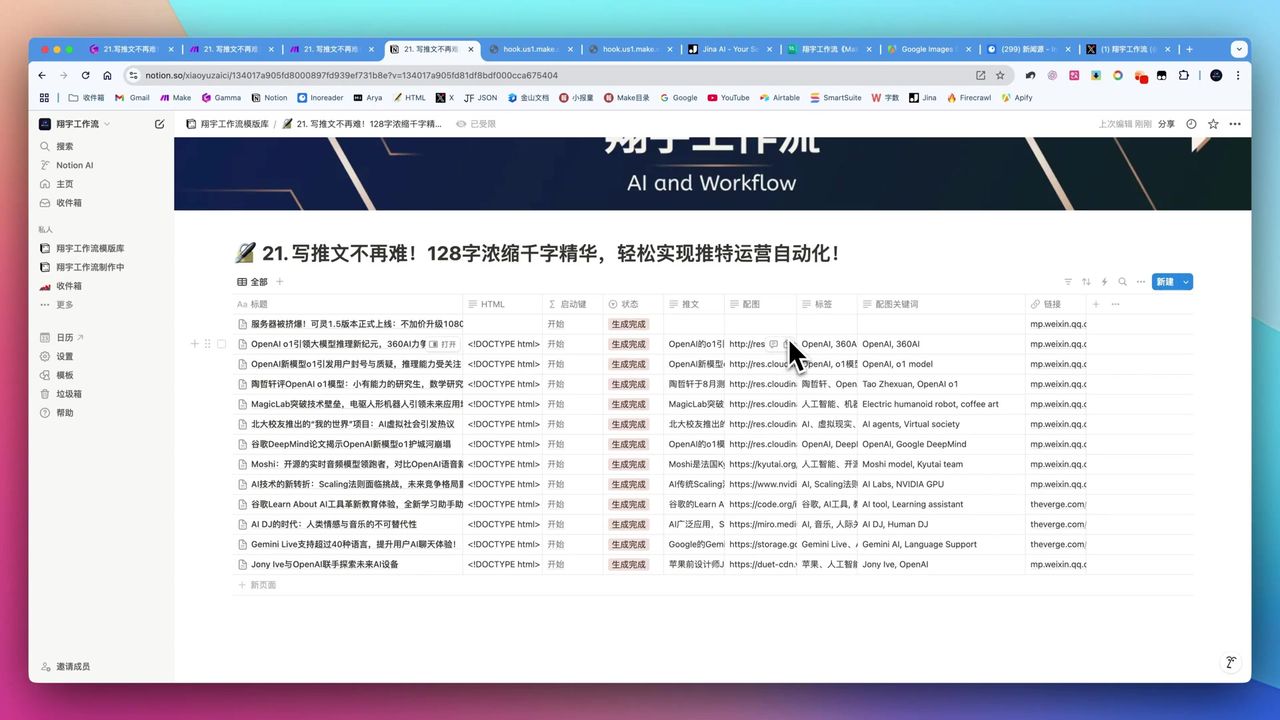
Automate Twitter Content with Make.com AI Refinement
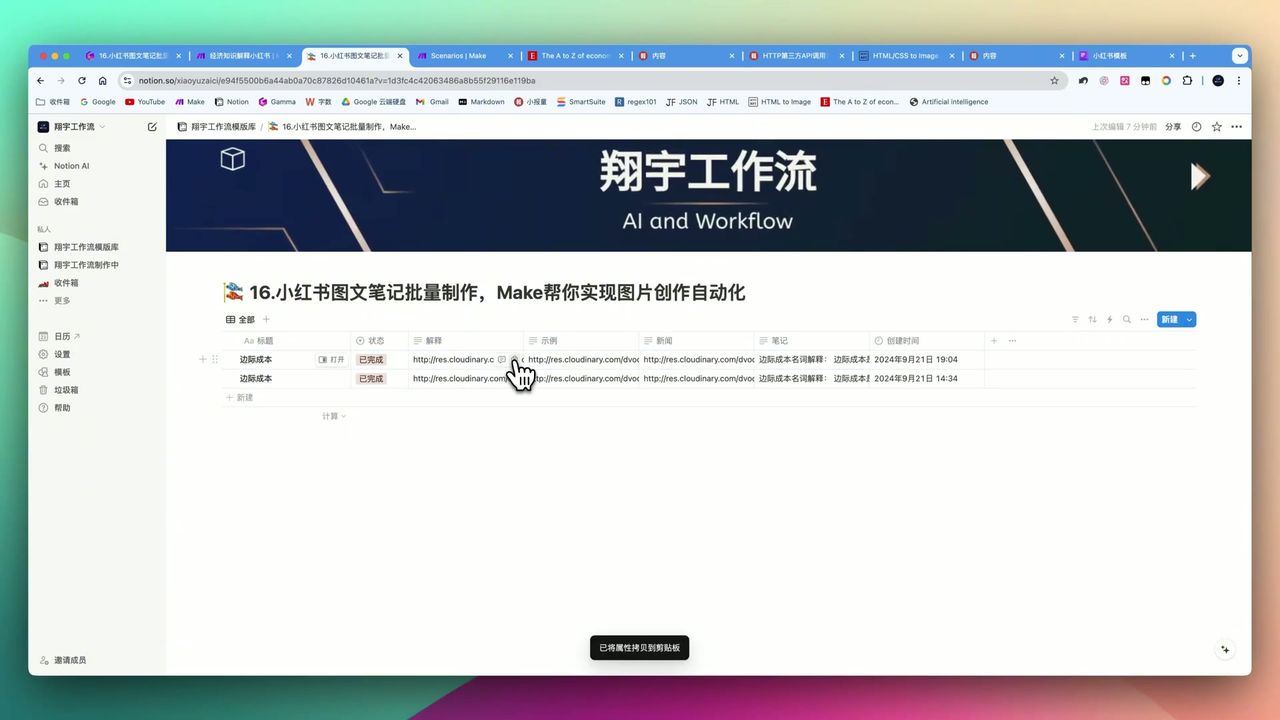
Generate Batch Social Media Cards with Make.com
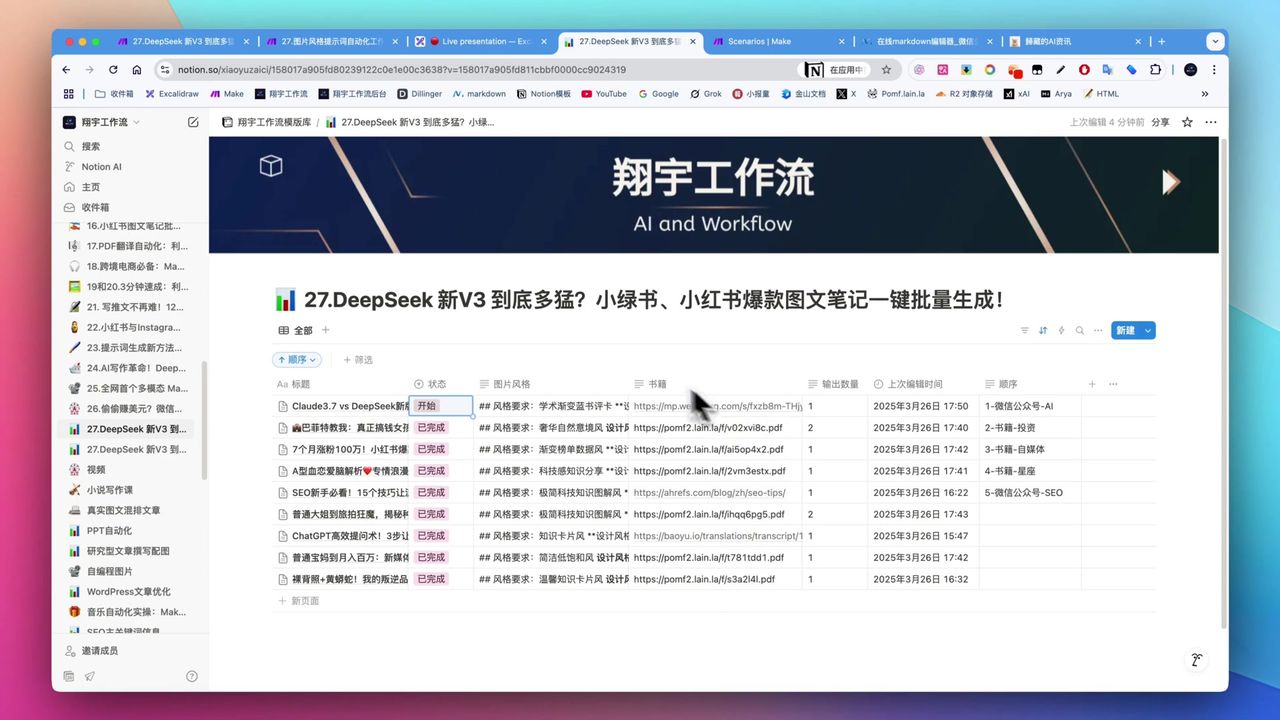
Create Viral Social Posts with DeepSeek V3 & Make.com
Auto-Generate YouTube Titles, Descriptions & Thumbnails
About the author
Alex Chen
Automation Expert & Technical Writer
Alex Chen is a certified Make.com expert with 5+ years of experience building enterprise automation solutions. Former software engineer at tech startups, now dedicated to helping businesses leverage AI and no-code tools for efficiency.
Credentials