Build E-commerce AI Content with RAG & Make.com
Zero-code e-commerce automation with Make.com, RAG & vector databases. Auto-generate Amazon listings, promotional articles & Q&A content.
Ready to automate?
Start building this workflow with Make.com — free forever on the starter plan.
Overview
E-commerce sellers face daily content creation demands: product listings, promotional articles, Q&A content… Manual writing is not only time-consuming but difficult to ensure quality and consistency.
This tutorial teaches you to build a fully automated AI content workflow:
- Auto-monitor SmartSuite/AirTable product status changes
- RAG system Intelligently retrieve product knowledge base
- AI auto-generation High-quality listings, promotional articles, and Q&A content
After completion, you only need to change product status; system auto-produces professional-grade content!
 Entire automation workflow’s macro structure, complete flow from trigger to content generation
Core Highlights
This workflow has several key advantages:
- Zero-code Build - Non-technical people can easily get started
- Real-time Knowledge Base Sync - After product info updates, vector database auto-syncs
- Multiple Content Forms - Supports listings, promotional articles, Q&A, and other outputs
- Highly Customizable - Adaptable to different platforms and country sites
- Cost Controllable - Uses free or low-cost tool combinations
Prerequisites
Before starting, ensure you have:
- ✅ Make.com account (free registration, 1,000 operations/month)
- ✅ SmartSuite account (recommended, nearly free) or AirTable account
- ✅ Pinecone account (vector database, free tier sufficient)
- ✅ OpenRouter API key (for calling Claude and other large models)
- ✅ Jina AI API key (for text embedding and reranking)
Technical Specifications
| Configuration | Value | Notes |
|---|---|---|
| Embedding Model | Jina Embedding v3 | Supports 8000+ tokens long text processing |
| Vector Database | Pinecone | Specialized for storing and retrieving vectors |
| Embedding Dimension | 1024 | Jina Embedding v3 output dimension |
| Rerank Model | Jina Rerank | Multilingual model, optimizes retrieval result ranking |
| Vector Query Count | 2 | Default returned retrieval entries |
| Rerank Output Count | 1 | Top result after reranking |
Step 1: Configure Data Source (SmartSuite)
First, create product database in SmartSuite.
1.1 Create Product Data Table
Create new Solution in SmartSuite with these fields:
- Product Name (Text)
- Product Description (Long Text)
- Product Features (Long Text)
- Target Audience (Text)
- Status (Single Select) - Including “Pending”, “Start Migration”, “Start Creating Listing”, etc.
1.2 Configure Webhook
SmartSuite’s advantage is direct Webhook triggering without extra configuration:
- Enter automation settings
- Create new automation rule
- Trigger condition: When “Status” field changes
- Action: Send Webhook to Make.com
💡 Tip: Compared to AirTable, SmartSuite’s Webhook integration with Make.com is more direct and flexible; AirTable needs triggering through built-in automation or buttons.
Step 2: Build RAG System
RAG (Retrieval-Augmented Generation) is this workflow’s core technology. It solves traditional keyword search limitations, effectively handling fuzzy and complex queries.
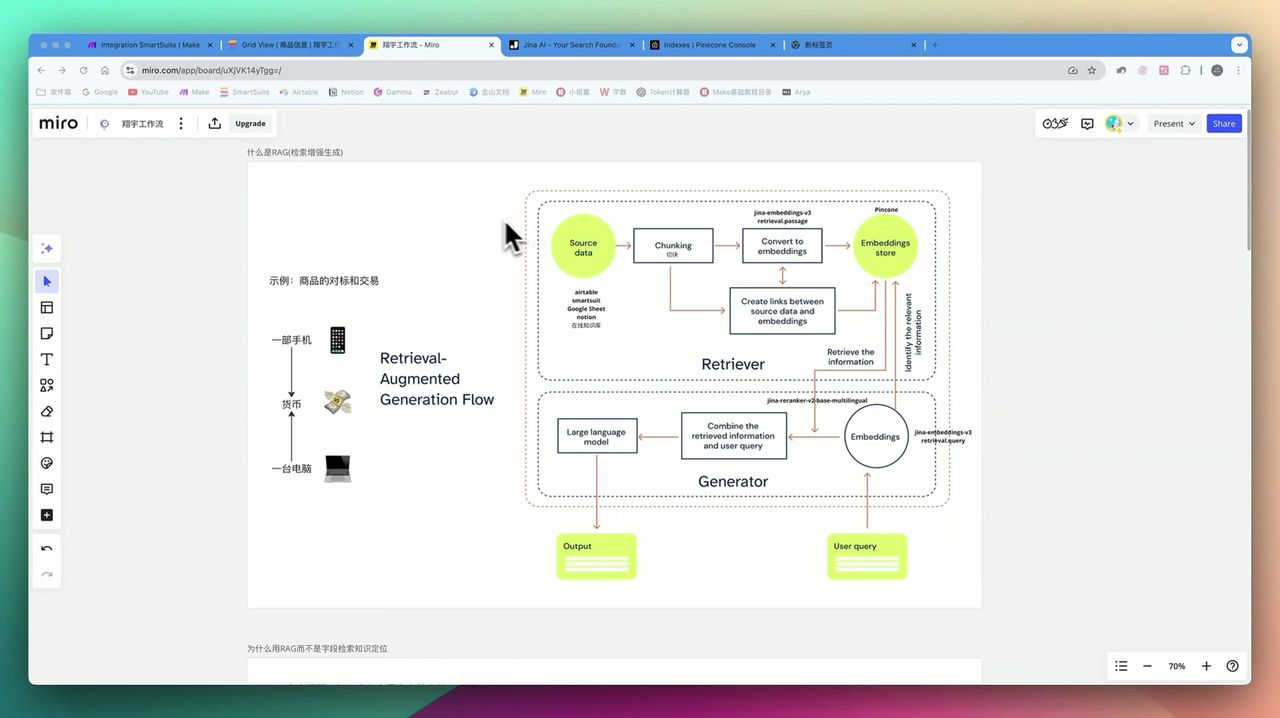 RAG system core concept: Text vectorization → Database retrieval → Rerank optimization
2.1 Why Need RAG?
Traditional approach problems:
- Keyword search lacks flexibility - Cannot understand semantically similar expressions
- Long text high cost - Directly passing entire knowledge base to AI; both cost and effectiveness poor
- Cannot precisely match - Difficult to extract most relevant content from massive information
RAG solutions:
- Convert product info to vectors for storage
- Retrieve most relevant segments during queries
- Only provide relevant content to large model for generation
2.2 Configure Pinecone Vector Database
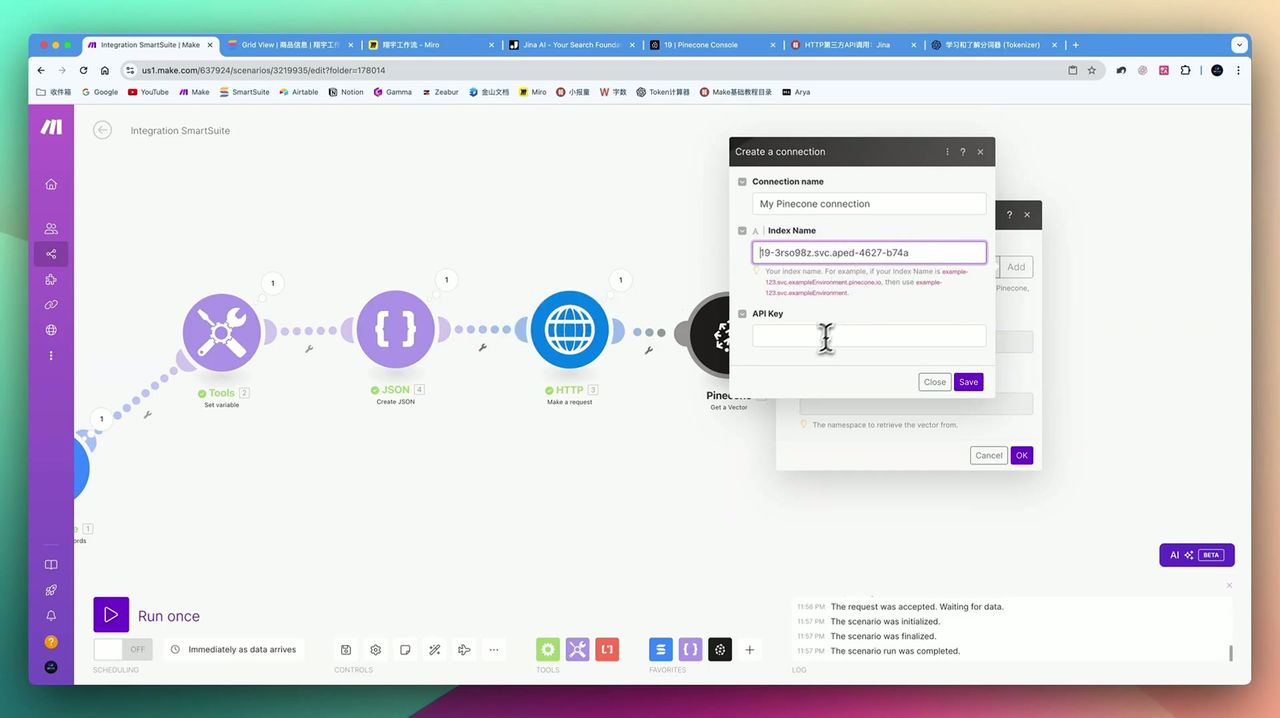 Pinecone vector database setup: Get API Key and create Index
- Log in to Pinecone
- Create new Index:
- Dimensions: 1024 (match Jina Embedding v3)
- Metric: cosine
- Region: Choose closest region to you
- Get API Key for backup
2.3 Configure Embedding Module in Make.com
Add HTTP module in Make.com to call Jina Embedding API:
{
  "model": "jina-embeddings-v3",
  "input": ["{{product description text}}"],
  "task": "retrieval.passage"
}
Step 3: Configure Make.com Workflow
Now start building complete workflow in Make.com.
3.1 Create Scenario
- Log in to Make.com
- Click Create a new scenario
- Add Webhooks module as trigger
3.2 Add Data Processing Modules
Complete workflow structure:
- Webhook Trigger - Receive SmartSuite status changes
- Router - Distribute to different branches based on status
- Jina Embedding - Vectorize query text
- Pinecone Query - Retrieve related product info
- Jina Rerank - Rerank retrieval results
- Large Model Generation - Call Claude/GPT to generate content
- Write Back SmartSuite - Save generated content
3.3 Configure Content Generation Prompts
Use different prompt templates for different content types:
Listing Generation Prompt Example:
You are a professional Amazon Listing optimization expert. Generate Amazon-compliant Listing content based on the following product information:

Product Information:
{{Related content retrieved from Pinecone}}

Please generate:
1. Title (within 200 characters, include main keywords)
2. Five bullet points (each highlighting one selling point)
3. Backend keywords
4. Product description (use HTML format)
Step 4: Generation Effect Display
Promotional Article Effect
Workflow can generate promotional articles comparable to professional product reviews:
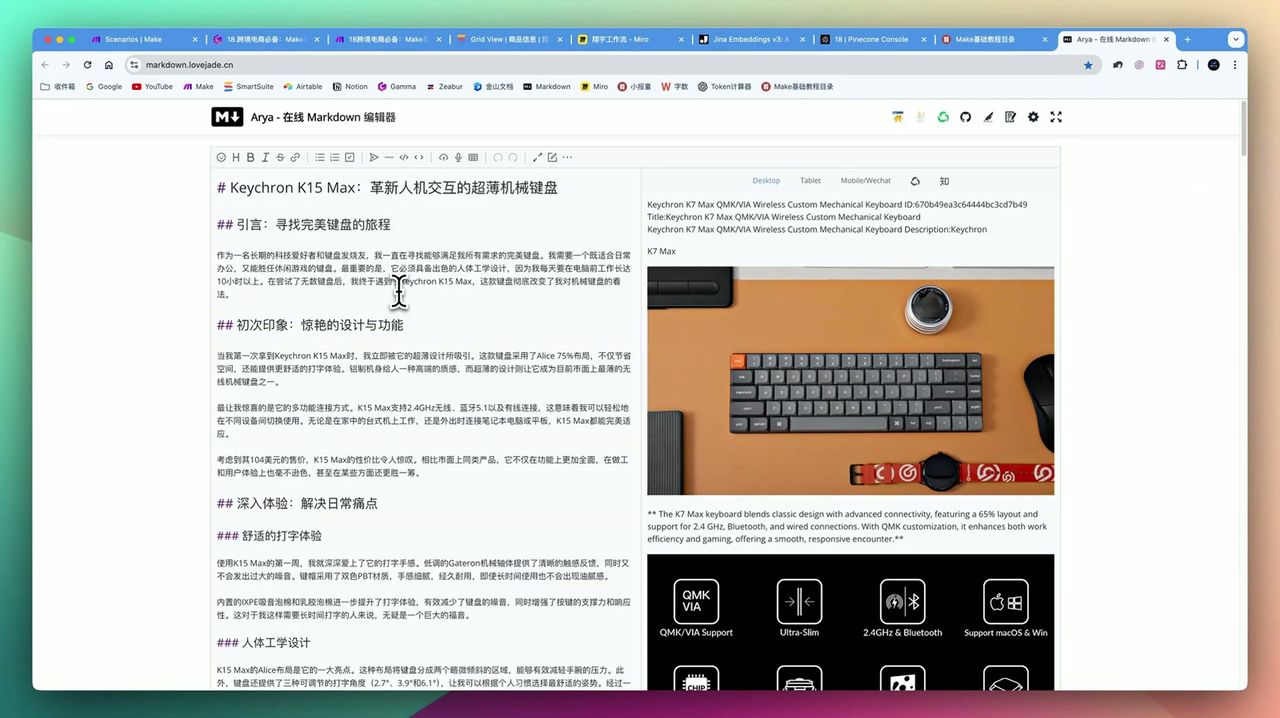 AI-generated promotional article with first-person “recommendation” perspective and pros/cons analysis
Article features:
- First-person “recommendation” style
- Includes realistic usage scenarios
- Objectively presents pros and cons
- Naturally integrates product selling points
Amazon Listing Effect
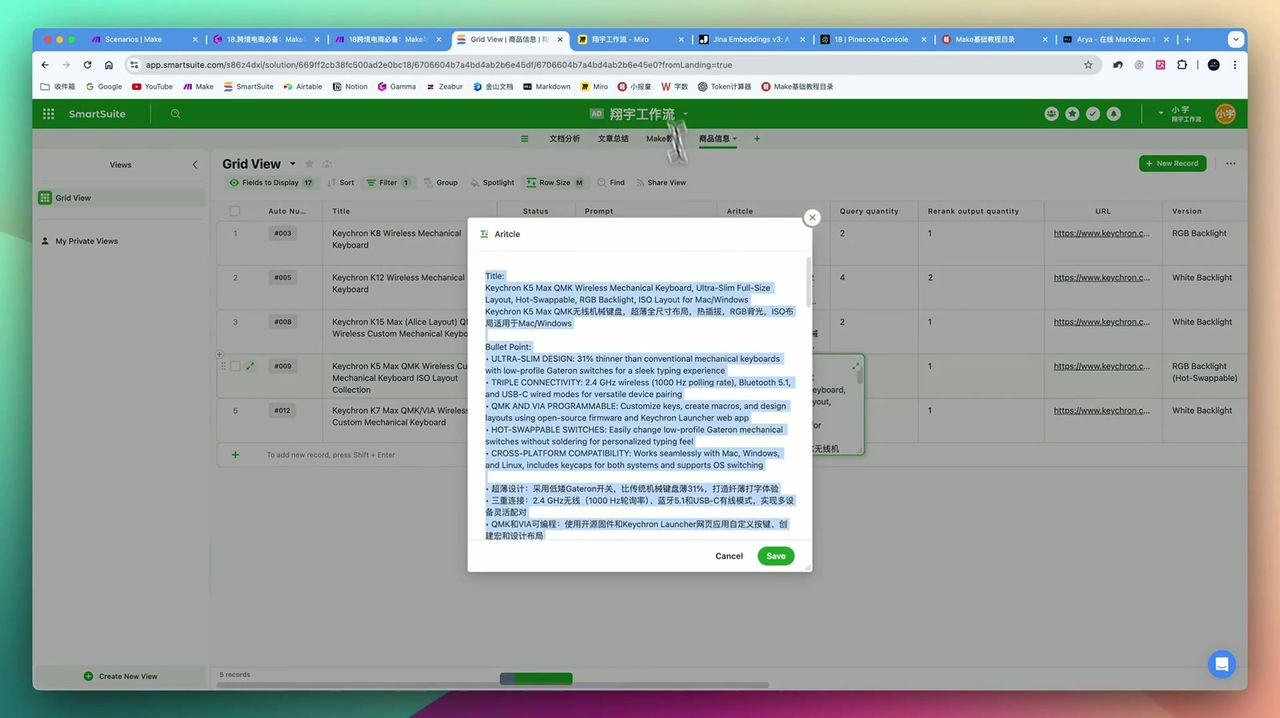 Auto-generated Amazon Listing fully compliant with platform format requirements
Generated content includes:
- Title (keyword optimized)
- Five bullet points (highlight selling points)
- Backend Search Terms
- A+ product description
Use Cases
Recommended Users
- E-commerce Sellers - Need batch generation of multi-platform, multi-site content
- Content Marketing Teams - Want to improve product content output efficiency
- SMBs - Limited resources but need professional-grade content
- No-code Enthusiasts - Want to build complex AI systems without programming
May Not Suit
- Extremely few products; manual writing more efficient
- Only need simple keyword matching; don’t need semantic understanding
- Completely unfamiliar with API configuration and data structure concepts
Gotchas
During setup, note:
- Interface Differences - SmartSuite’s Chinese interface may be machine-translated; recommend English interface
- AirTable Trigger Method - If using AirTable, need to trigger Webhook through built-in automation
- RAG Optimization Complexity - Chunking methods, embedding model choices affect retrieval effectiveness; need repeated tuning
- Large Model Costs - When processing large amounts of data, API costs for Claude and other models need attention
FAQ
What is a RAG system?
RAG (Retrieval-Augmented Generation) is an AI technique that first retrieves relevant information from a knowledge base, then combines it with large language models to generate content, significantly improving AI output accuracy and relevance.
Does this workflow require programming knowledge?
Completely no-code! Entire workflow built using Make.com visual interface configuration without writing any code.
SmartSuite or AirTable: which to choose?
SmartSuite is nearly free with better Make.com integration, supports direct Webhook triggering; AirTable has more elegant interface but higher price (~$20+/month), needs triggering through built-in automation.
Does Pinecone vector database charge?
Pinecone offers free tier sufficient for individuals and small businesses. This tutorial’s configuration completely within free quota.
Can it adapt to different e-commerce platforms?
Yes. Workflow design is highly flexible, adaptable to Amazon, TikTok Shop, Shopify and other platforms, also supports different country sites (US site, Spain site, France site, etc.) rules.
Next Steps
After mastering the basic workflow, you can try:
- Adding more content types (social media posts, email templates, etc.)
- Optimizing RAG system’s chunking strategy and retrieval parameters
- Integrating more data sources (PDF documents, web content, etc.)
- Adding human review steps to ensure content quality
Questions? Feel free to leave comments!
Video Tutorial
For complete video tutorial, watch the embedded YouTube video above, including detailed operation demonstrations and more practical tips.
FAQ
- What is a RAG system?
- RAG (Retrieval-Augmented Generation) is an AI technique that first retrieves relevant information from a knowledge base, then combines it with large language models to generate content, significantly improving AI output accuracy and relevance.
- Does this workflow require programming knowledge?
- Completely no-code! Entire workflow built using Make.com visual interface configuration without writing any code.
- SmartSuite or AirTable: which to choose?
- SmartSuite is nearly free with better Make.com integration, supports direct Webhook triggering; AirTable has more elegant interface but higher price, needs triggering through built-in automation.
- Does Pinecone vector database charge?
- Pinecone offers free tier sufficient for individuals and small businesses. This tutorial's configuration completely within free quota.
- Can it adapt to different e-commerce platforms?
- Yes. Workflow design is highly flexible, adaptable to Amazon, TikTok Shop, Shopify and other platforms, also supports different country sites' rules.
Start Building Your Automation Today
Join 500,000+ users automating their work with Make.com. No coding required, free to start.
Get Started FreeRelated Tutorials
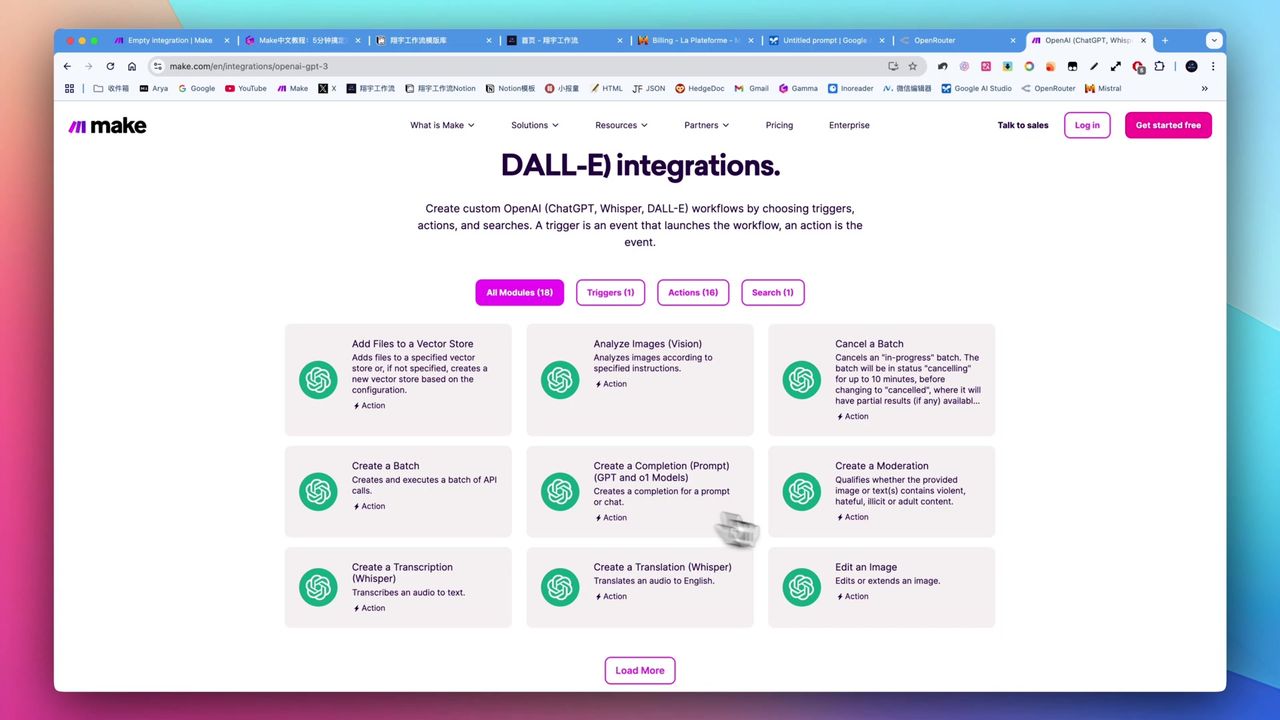
Make.com Tutorial: Build Your First Workflow in 5 Minutes
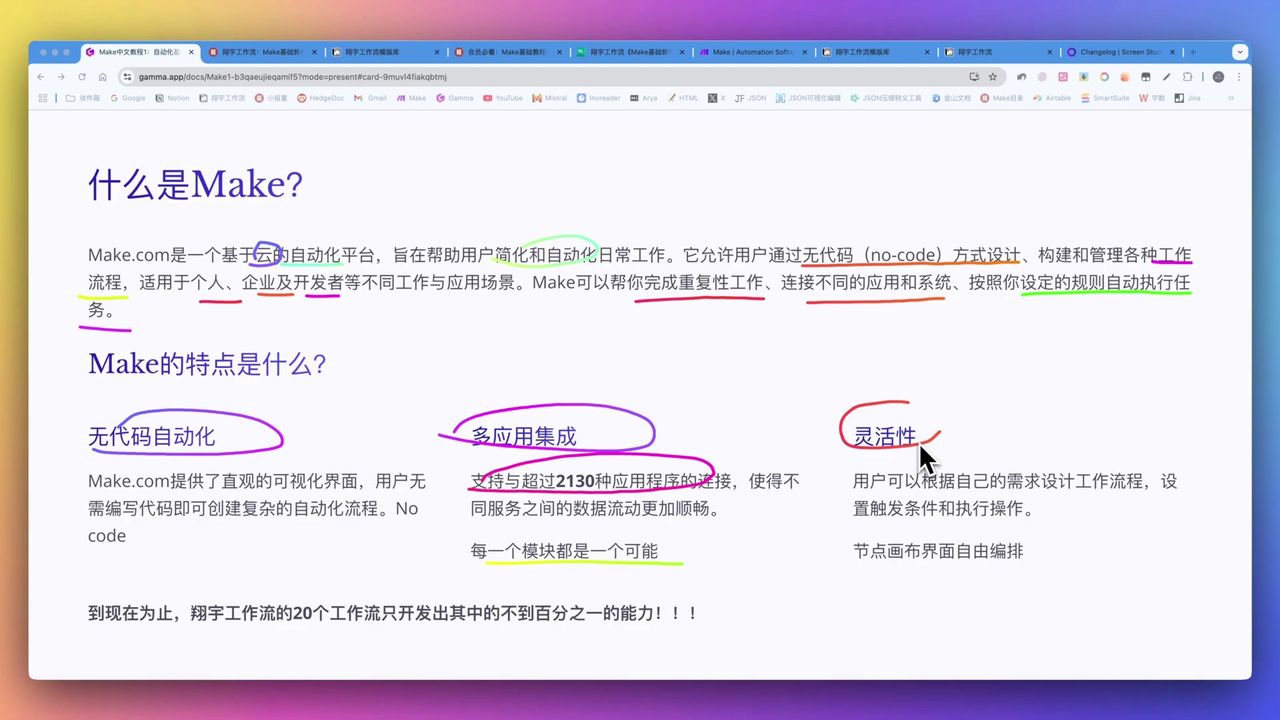
Make.com Core Concepts: Automation Fundamentals Explained

Create Viral Content with Make.com & DeepSeek AI
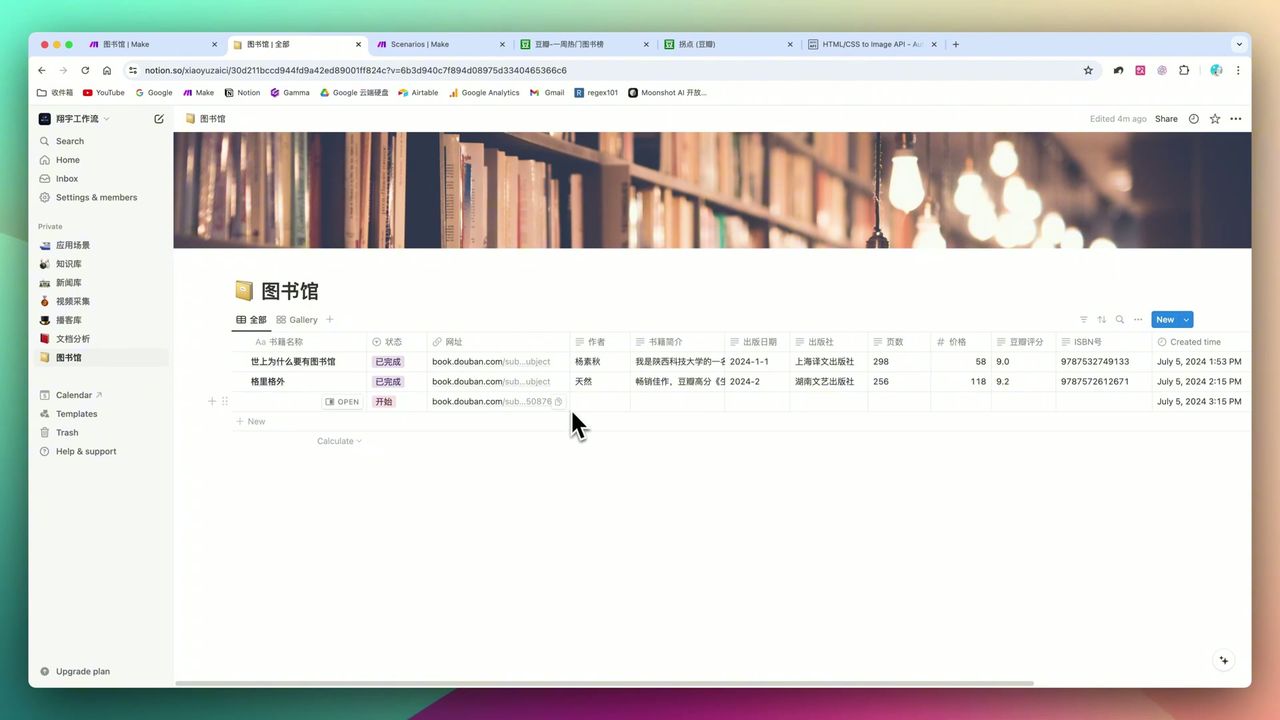
Build Notion Book Library with Make.com & GPT-4o Vision
About the author
Alex Chen
Automation Expert & Technical Writer
Alex Chen is a certified Make.com expert with 5+ years of experience building enterprise automation solutions. Former software engineer at tech startups, now dedicated to helping businesses leverage AI and no-code tools for efficiency.
Credentials